月撮りカメラ
HIROFUMI MARUOPhoto & VideoApp Store¥200月撮りカメラ revenue and downloads, last 30 days
How we got this (12 inputs)
- signals
- ratings ÷ age
- ratings/day
- 0.01
- monetisation
- photo ARPD 1; IAP not collected yet
- bound
- revenue per download ceiling: $15/download × downloads high (modelled downloads)
- range
- 80% interval from out-of-fold residuals (×1.12 scale, 90 products)
- likelyLow
- 130.11
- likelyHigh
- 475.85
- observed days (of 30)
- 6
- bound
- revenue per download ceiling at the downloads mid: at most $15 per download × 17 downloads (the 30-day downloads mid); the window's revenue read 1.58x more
- low confidence because
- the figure rests on the revenue-per-download ceiling (an assumption), not on a revenue signal
- confidence
- low
- rough
- order of magnitude
As of Nov 21, 2026.
How we got this (15 inputs)
- signals
- ratings ÷ age ÷ ratings per download; lifetime→current drift ×/÷4.12 (135278 measured Play counter deltas)
- spread
- measured on downloads ground truth (downloads ground truth: 48 App Store milestones, 33 platform splits, 13 drift points)
- ratings
- 27
- ratings/day
- 0.01
- ratings per download
- 0.015 (non-games, measured on 44 products)
- ratings velocity (recorded, not used yet)
- 0/day over 3d
- range scale
- ×0.88 (coverage scale on 9 ground-truth rows; publication is decided before it)
- note
- outer range 62x: only a lifetime signal; a rating-count change between days, dated reviews or a free-chart position would narrow it
- likelyLow
- 3
- likelyHigh
- 56
- confidence
- low
- rough
- order of magnitude
- observed days (of 30)
- 6
- measured days
- 0
- scaling
- observed days, scaled to 30
As of Nov 21, 2026.
How we got this (13 inputs)
- method
- installs in the window (all active on install day) + earlier installers active in the month (published retention ÷ the category's DAU/MAU stickiness) + the retained base of installers older than two years
- downloads per day
- 0.57 (0.03 to 5.37, the published worldwide figure)
- retention
- day 1 / 7 / 30: 23.9% / 8.3% / 3.7% (iOS benchmark × 1 for the category; AppsFlyer Q3 2024 day-1/7/30 retention, via getstream.io/blog/app-retention-guide (read 2026-11-16); category: OneSignal 2024 day-30 retention by category, via getstream.io/blog/app-retention-guide (read 2026-11-16))
- active days per install
- 10.38 over 730 days (age 4357 days; the curve is used to 730)
- stickiness
- 15% DAU/MAU, Media & Entertainment median (MWM DAU/MAU medians, US iOS, May 2026 (mwm.ai/glossary/dau-mau, read 2026-11-16))
- parts
- window installs 17 (the published 30-day downloads), earlier installers 30, retained base 97
- retained base
- 1263 installers older than 730 days (lifetime from 27 ratings ÷ 0.0161 ratings per download (non-games, measured on 44 App Store products)) × 7.69% active in a month (between 4.19%, the benchmark curve held flat, and 14.1%, median disclosed MAU ÷ lifetime installs of Duolingo, Snapchat and Grindr (company filings, data/ground-truth-active-users.csv; chosen on these rows, scored leave-one-product-out)); range ×/÷2 past each (widened after the leave-one-product-out check)
- spread
- downloads ×/÷12.69, retention ×/÷3, tail ×/÷1.69, stickiness ×/÷1.8, retained base ×/÷9.76 (assumptions; not fitted)
- ratings per download (recorded, not used)
- 0.01305
- chart persistence (recorded, not used)
- 4 day(s) on a chart in the window; fewer than 7 live days exist
- tier
- modelled: retention and stickiness are published benchmarks, not measured on this listing
- confidence
- low
- rough
- order of magnitude
As of Nov 21, 2026.
Daily active users
Modelled from this app's downloads and a published retention curve for its store and category, not measured. Read it as an order of magnitude.
History
Daily readings as we observed them, last 30 days worldwide. Free shows the last 30 days.
Downloads per day
Observed by us since Nov 15, 2026.
Revenue per day
Observed by us since Nov 15, 2026.
Ratings (Japan)
Observed by us since Nov 15, 2026.
Average rating
Observed by us since Nov 15, 2026.
Create a free account to save apps; Pro shows full history.
Chart positions
On 1 chart at the latest capture. Charts are swept every 6 hours.
| Country | Top paidPhoto & Video |
|---|---|
| Thailand | #15New |
Change is against the previous capture of the same chart.
Top paid, Photo & Video, Thailand
History starts Nov 16 02:42 UTC. Charts are captured every 6 hours.
Search terms
No search terms read for this app yet. Terms are read from its title and the searches it shows up in, and appear here once ranked.
In-app purchases
Prices
In-app purchase ladder, price changes and paywall terms
No in-app prices recorded yet. We read them from the store listing: either this app sells none, or its listing has not been read yet.
Ratings and reviews
Rating distribution
From 31 collected reviews
31 ratings
Recent reviews
31 reviews collected since Jan 6, 2015 across 1 storefront
- ★★★★★Sep 17, 2024JPv17.1楽しめます
中秋の名月撮るのに入れてみました。使い方調べないで即使いました。ピントイマイチですが手持ちのブレかもしれません。画像は満月ですが程よい露出で模様が分かります。楽しむには良いと思います。簡単なワンタッチボタンがあればと思います。
- ★★★★★Jul 23, 2024JPv17.1今となってはレベルが低い
OSが新しくなり撮影が強化され、Maxが発売され画質の粗さが目につく。 つまり、課金して撮影レベルを下げる必要はないって事。 因みに、このレビューを書いた頃からiPhoneProに機種変してアプリチェックしているので、開発側が何を反論しようとも、ダメアプリに違いないのは確かだ。
- ★★★★★Sep 10, 2022JPv16.1すごいな〜
毎回綺麗に満月撮れますよ🌕
Marketing
Paid ads, organic videos and onboarding captured for this app.
Paid ads
No Meta, Google or TikTok ads tied to this app yet. We check the public ad libraries daily.
Change history
Versions, price changes, rank jumps and listing edits, as we observed them.
Details
- Developer
- HIROFUMI MARUO, 21 apps
- Bundle id
- jp.cariya.products.MoonCatcher
- Category
- Photo & Video
- Price
- ¥200
- Released
- Dec 17, 2014
- Updated
- Mar 21, 2025
- Version
- 18.1
- Size
- 23.8 MB
- Content rating
- 4+
- Website
- Not available
- Contact email
- Not available
- Privacy policy
- Not available
- Languages (2)
- English, Japanese
- Charted in
- United Kingdom, Japan, South Korea, United States, Thailand
- First seen
- Nov 15, 2026
- Listing read
- Nov 18, 2026
Show store descriptionShow less
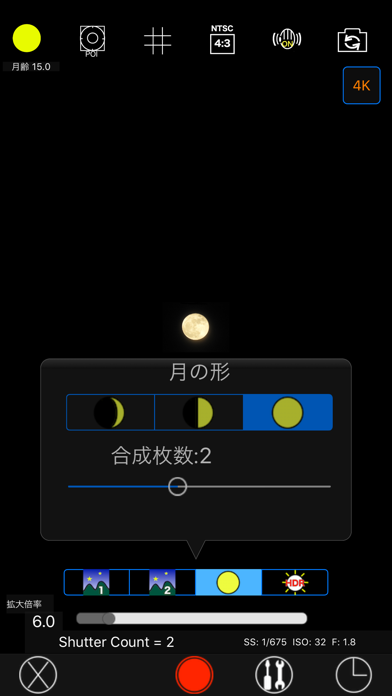
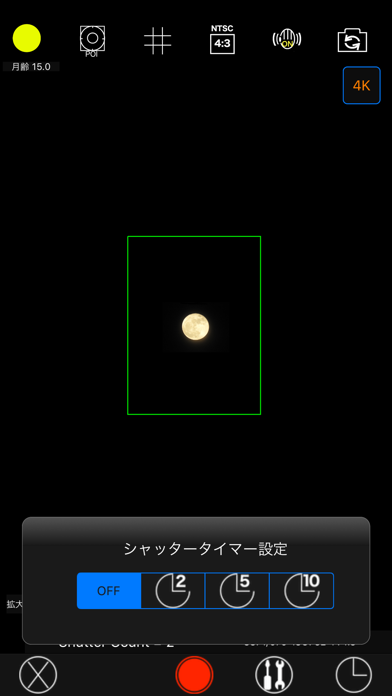
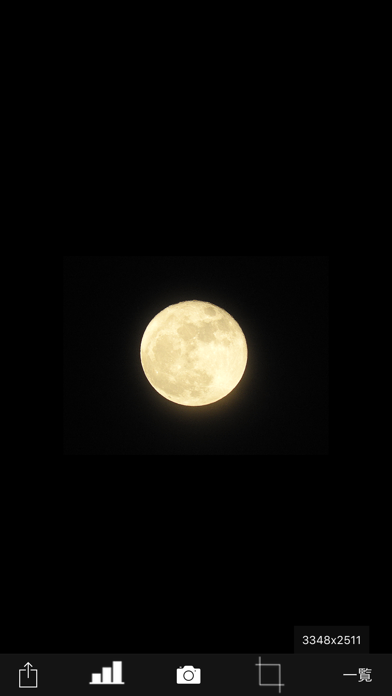
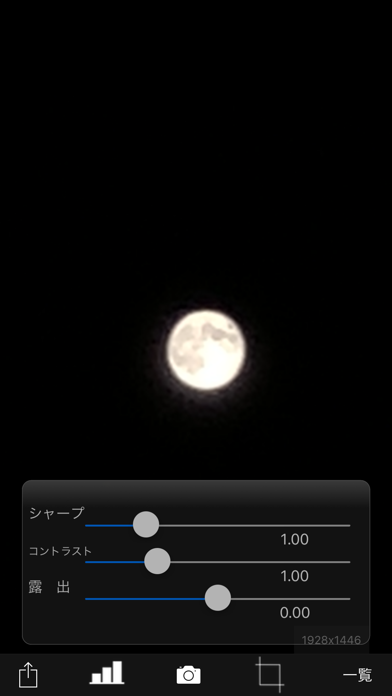
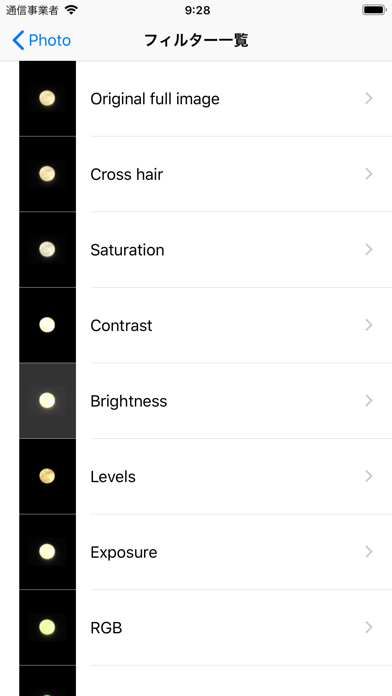
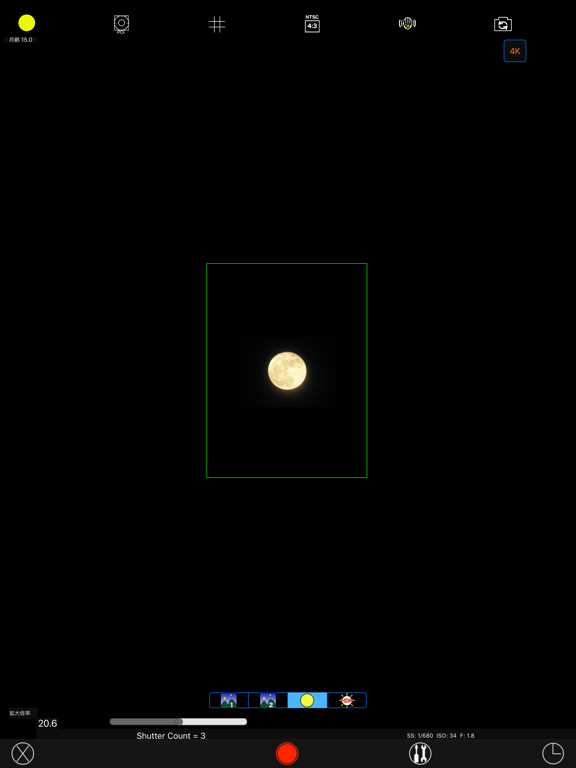
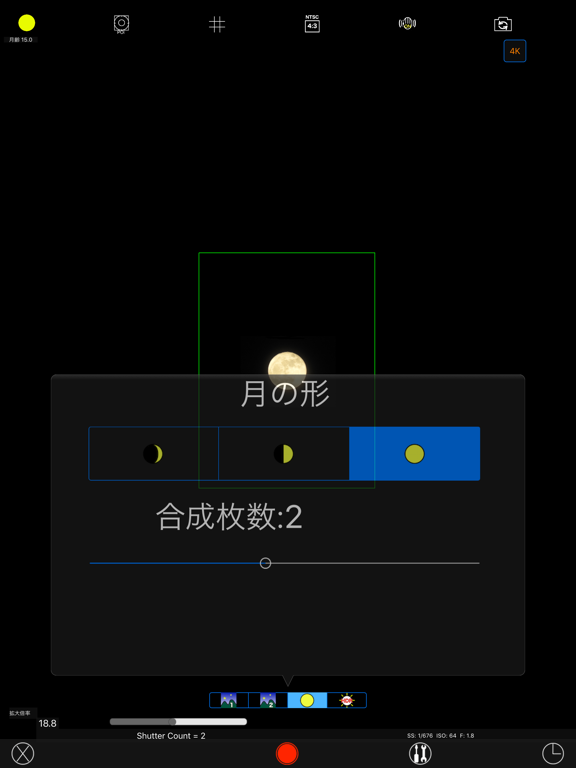
夜の月を、その模様まで簡単に撮影することができるアプリです。ズームも簡単にできます。 使い方は簡単です。 (A)メニューから月をタップし3つの月の形から近いものをタップする。 (B)月にカメラを向けてズームする。 (C)スマホをずらさないようにしてシャッターを切る(三脚推奨)。数回シャッターが切れるので最後までずらさないようにします。 複数枚の写真のいずれも月にピントが合った写真が撮れていない場合、下記の「ピントの中心を変更する」を行なって何度でも試すことができます。 マニュアルモードボタン(下右から2番目のボタン)をタップするとマニュアルモードとなり、焦点、ISO/シャッター速度、ホワイトバランス、多重露出パラメータを手動で設定できます。 *プロモーション写真はイメージです。カメラの性能によって精細度は異なってきます。 このアプリの機能は、 (1)全自動機能 夜景、月、その他の対象を複数枚の連射画像を基に最適な多重露出手法等を使って高精細な写真画像を生成します。 ー 「月」を選択すると、夜空に出ている明るい月に対応して自動的に露出を暗くし、ピントを遠方に合わせます。 複数回ピントを変えつつ連射するので、その中で最適な結果を選べます。(連射回数及びピントの中心はスライダーで変更可能) *「ピントの中心を変更する」:撮影画面で、「月」をタップすると、月の形選択セグメント、連射数スライダー、ピント中心スライダーが表示されます。これで各々の値を変更できます。 月は遠方にあるため大きくズームするとピントを合わせるのが困難です。(機種によってピントの合い方が異なる可能性もあります。)そのためピントを少しずつ変化させながら撮影すると、いずれかで月にピントが合うことが期待できます。 ピントの範囲は0(近傍)から1(遠方)までですが、実際には1/5の範囲でピントをずらして撮影しています。例えば0.7から0.9(中心は0.8)。このピントの中心を変更することで、任意の範囲でピントをずらして連射することができます。 連射数が多いほどピントのズレは細かくなり、よりピントが合った月写真が撮れます。 ー 夜景は、2種類あり、 ・「夜景1」は暗い夜景を一段階明るくします。 ・「夜景2」は「夜景1」よりさらに一段階明るくします。 4回明るさを変えつつ連射するので、その中で最適な結果を選べます。 ー 「HDR」を選択すると、複数枚の露出を変化させた連射画像を合成し擬似的にダイナミックレンジを大きくします。 3回多重露出します。 (2)全手動機能 焦点距離、露出、ホワイトバランスおよび写真合成方法、枚数をすべて手動で設定して写真を撮影可能です。 ・「焦点」、「ISO/SS」、「WB」をタップすると、オートかマニュアルを選択できます。 ・「多重露出」をタップすると、多重露出の合成方法の選択と、合成枚数(最大100)の設定が可能です。 合成方法は次から選択できます。 明るい :スクリーン合成(Screen Blend) 普通 :比較(明)合成(Lighten Blend) 暗い :比較(暗)合成(Darken Blend) HDR :特殊合成(Special Blend) (3)その他カメラ機能 ・ズーム機能:40倍までのズームが可能です。 ・カメラ位置:液晶画面側と外側のカメラをそれぞれ選択可能です。 ・フォーカスの位置指定 ・メッシュ表示 ・アスペクト選択 ・ずれ補正選択 (4)撮影直後のフィルタ機能 撮影直後に撮った写真を表示するとともに、以下のフィルタリングがスライダー操作で可能です、 ・鮮明度(シャープ化) ・対比度(コントラスト) ・露出(エクスポージャー) (5)その他機能 ・ずれ補正 連射時の複数画像の合成時、それぞれの画像のズレを最小化するようにしています。 ・一覧表示機能 このアプリで撮影した写真は、カメラロールへ格納されると同時にこのアプリ内に格納され、一覧表示画面で撮影日時情報付きで一覧表示できます。選択をタップして画像を選択しゴミ箱アイコンをタップすることで、タップした画像を削除することができます。 ・画像加工機能 一覧表示されている画像をタップすると、画像加工用のフィルターリストを表示します。 これらのフィルタを選択して、画像加工画面において実際の加工が可能です。加工した画像はカメラロールとこのアプリ内に格納され、引き続いて別の加工ツールを適用することが可能です。 ・ファイル共有機能 メールや各種SNSでファイル共有できます。 *** このアプリは、オープンソースとして、GPUImage(Copyright (c) 2012, Brad Larson, Ben Cochran, Hugues Lismonde, Keitaroh Kobayashi, Alaric Cole, Matthew Clark, Jacob Gundersen, Chris Williams. All rights reserved.)を利用しています。 *** 本アプリは、どのような理由にせよ、一切の保証をするものではありません。
More like this
- Top Photo & Video on App Store by estimated revenue
- 月撮りカメラ alternatives
- 月撮りカメラ vs Parallax Monitor
- 月撮りカメラ vs Unofficial Z8 Pro Guide
- All top charts and categories
Similar apps
 Parallax MonitorMichael Aguado4.9 ★ (27)
 Unofficial Z8 Pro GuideKieran Hayes4.8 ★ (27)
 声シャッターShamrock Records, Inc.3.5 ★ (27)
 Drma: AI Short Drama MakerVideo AI Generator4.4 ★ (27)
 MOZA-自動顔隠し、モザイク&ぼかし加工写真編集IFLYTEK (HONG KONG) COMPANY LIMITED3.7 ★ (27)
 ساخت کلیپ با عکس و موزیکANASS BENCHAMA3.3 ★ (27)
 Mobile Photo Scanner (MPScan)Mikhail Kuznetsov4.6 ★ (27)
 Private Story Viewer - ISVTwo Up4.1 ★ (27)