Countdown Maps
David AllenReferenceApp Store$2.99Countdown Maps revenue and downloads, last 30 days
How we got this (12 inputs)
- signals
- ratings ÷ age
- ratings/day
- 0
- monetisation
- books ARPD 0.8; IAP not collected yet
- bound
- revenue per download ceiling: $15/download × downloads high (modelled downloads)
- range
- 80% interval from out-of-fold residuals (×1.12 scale, 90 products)
- likelyLow
- 108.38
- likelyHigh
- 387.65
- observed days (of 30)
- 6
- bound
- revenue per download ceiling at the downloads mid: at most $15 per download × 14 downloads (the 30-day downloads mid); the window's revenue read 1.65x more
- low confidence because
- the figure rests on the revenue-per-download ceiling (an assumption), not on a revenue signal
- confidence
- low
- rough
- order of magnitude
As of Nov 21, 2026.
How we got this (16 inputs)
- signals
- ratings ÷ age ÷ ratings per download; Play twin's installs × platform ratio; lifetime→current drift ×/÷4.12 (135278 measured Play counter deltas)
- spread
- measured on downloads ground truth (downloads ground truth: 48 App Store milestones, 33 platform splits, 13 drift points)
- ratings
- 22
- ratings/day
- 0
- ratings per download
- 0.015 (non-games, measured on 44 products)
- ratings velocity (recorded, not used yet)
- 0/day over 6d
- Play twin installs
- 1441
- iOS per Android (measured)
- 2.06
- range scale
- ×0.88 (coverage scale on 9 ground-truth rows; publication is decided before it)
- likelyLow
- 3
- likelyHigh
- 45
- confidence
- low
- rough
- order of magnitude
- observed days (of 30)
- 6
- measured days
- 0
- scaling
- observed days, scaled to 30
As of Nov 21, 2026.
How we got this (13 inputs)
- method
- installs in the window (all active on install day) + earlier installers active in the month (published retention ÷ the category's DAU/MAU stickiness) + the retained base of installers older than two years
- downloads per day
- 0.47 (0.03 to 4.17, the published worldwide figure)
- retention
- day 1 / 7 / 30: 23.9% / 8.3% / 3.7% (iOS benchmark × 1 for the category; AppsFlyer Q3 2024 day-1/7/30 retention, via getstream.io/blog/app-retention-guide (read 2026-11-16); category: OneSignal 2024 day-30 retention by category, via getstream.io/blog/app-retention-guide (read 2026-11-16))
- active days per install
- 10.38 over 730 days (age 4652 days; the curve is used to 730)
- stickiness
- 15% DAU/MAU, Media & Entertainment median (MWM DAU/MAU medians, US iOS, May 2026 (mwm.ai/glossary/dau-mau, read 2026-11-16))
- parts
- window installs 14 (the published 30-day downloads), earlier installers 24, retained base 79
- retained base
- 1026 installers older than 730 days (lifetime from 22 ratings ÷ 0.0161 ratings per download (non-games, measured on 44 App Store products)) × 7.69% active in a month (between 4.19%, the benchmark curve held flat, and 14.1%, median disclosed MAU ÷ lifetime installs of Duolingo, Snapchat and Grindr (company filings, data/ground-truth-active-users.csv; chosen on these rows, scored leave-one-product-out)); range ×/÷2 past each (widened after the leave-one-product-out check)
- spread
- downloads ×/÷11.18, retention ×/÷3, tail ×/÷1.69, stickiness ×/÷1.8, retained base ×/÷9.76 (assumptions; not fitted)
- ratings per download (recorded, not used)
- 0.01292
- chart persistence (recorded, not used)
- 9 day(s) on a chart in the window; fewer than 7 live days exist
- tier
- modelled: retention and stickiness are published benchmarks, not measured on this listing
- confidence
- low
- rough
- order of magnitude
As of Nov 21, 2026.
Daily active users
Modelled from this app's downloads and a published retention curve for its store and category, not measured. Read it as an order of magnitude.
History
Daily readings as we observed them, last 30 days worldwide. Free shows the last 30 days.
Downloads per day
Observed by us since Nov 15, 2026.
Revenue per day
Observed by us since Nov 15, 2026.
Ratings (United States)
Observed by us since Nov 15, 2026.
Average rating
Observed by us since Nov 15, 2026.
Monthly history: we have found no public-archive copy of this store page from the last 12 months, so monthly readings start with our own in Nov 2026.
Create a free account to save apps; Pro shows full history.
Chart positions
On 1 chart at the latest capture. Charts are swept every 6 hours.
| Country | Top paidReference |
|---|---|
| United States | #241places down |
Change is against the previous capture of the same chart.
Top paid, Reference, United States
Observed since Nov 15 11:36 UTC.
Search terms
No search terms read for this app yet. Terms are read from its title and the searches it shows up in, and appear here once ranked.
In-app purchases
Prices
In-app purchase ladder, price changes and paywall terms
No in-app prices recorded yet. We read them from the store listing: either this app sells none, or its listing has not been read yet.
Ratings and reviews
Rating distribution
From 13 collected reviews
13 ratings
Recent reviews
13 reviews collected since Mar 2, 2014 across 1 storefront
- ★★★★★Feb 26, 2025USv1.13.1Can you update Minnesota Flag!
I love this app so much, I’m curious if you are able to update the Minnesota State flag to the new flag. That would be amazing, thanks so much.
- ★★★★★Sep 20, 2024USv1.13App keeps closing, I can’t view or edit anything
App keeps closing, I can’t view or edit anything without it shutting down. I have deleted and reinstalled multiple times different devices and it doesn’t seem to help.
- ★★★★★Jun 13, 2023USv1.12Great! Would love to see….
This app is so fun and allows you to track really great information. I love the map feature and being able to share it with family. The only thing I’d like to see added is added an additional mission. There are many missionaries who get reassignments for various reasons; each are equally important and deserve to be acknowledged. Thanks 😊 Keep up the great work!
Marketing
Paid ads, organic videos and onboarding captured for this app.
Paid ads
No Meta, Google or TikTok ads tied to this app yet. We check the public ad libraries daily.
Organic videos
No YouTube, TikTok or Instagram videos tied to this app yet.
Change history
Versions, price changes, rank jumps and listing edits, as we observed them.
Details
- Developer
- David Allen, 1 app
- Bundle id
- com.countdownmaps.countdownmaps
- Category
- Reference
- Price
- $2.99
- Released
- Feb 25, 2014
- Updated
- Sep 23, 2026
- Version
- 1.15
- Size
- 20.7 MB
- Content rating
- 4+
- Contact email
- Not available
- Privacy policy
- Not available
- Languages (1)
- English
- Charted in
- Canada, United States
- First seen
- Nov 15, 2026
- Listing read
- Nov 23, 2026
Show store descriptionShow less
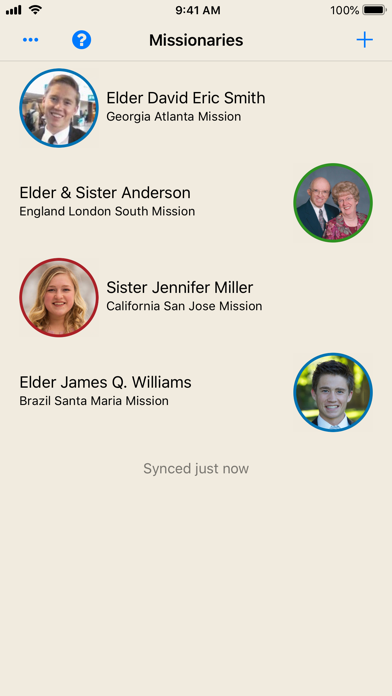
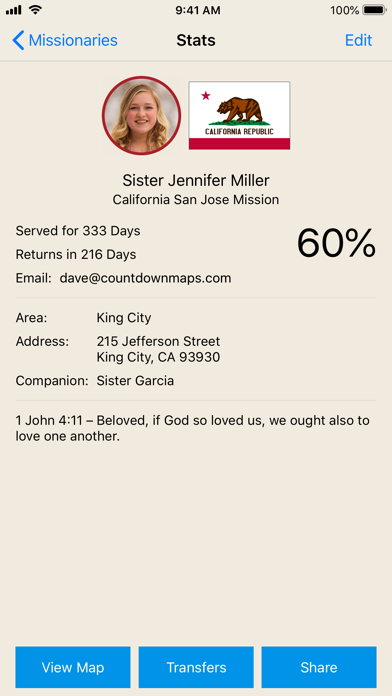
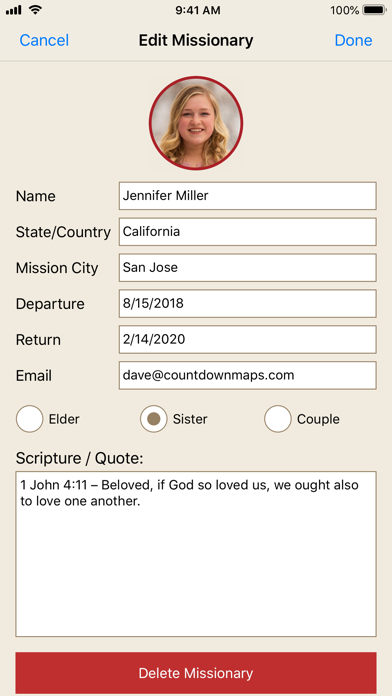
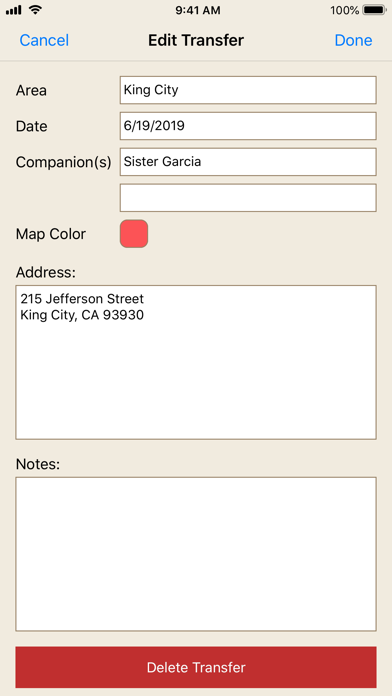
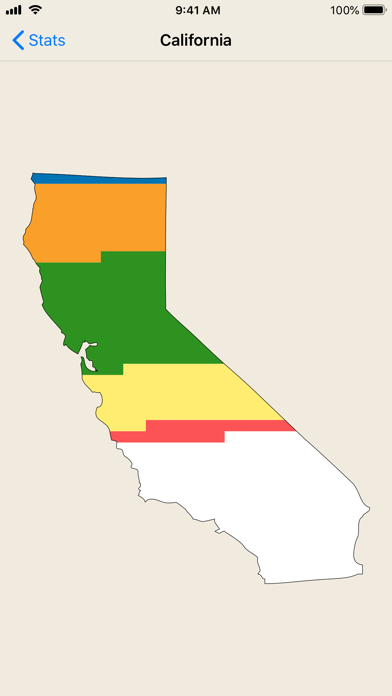
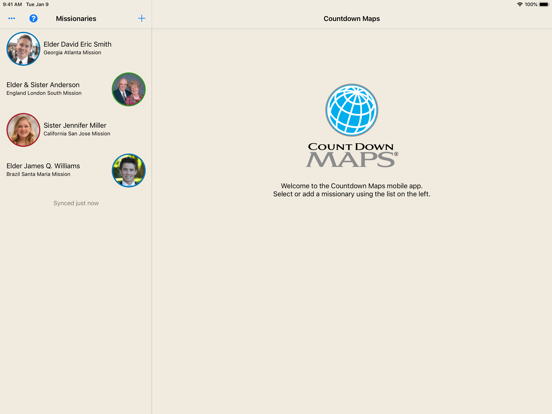
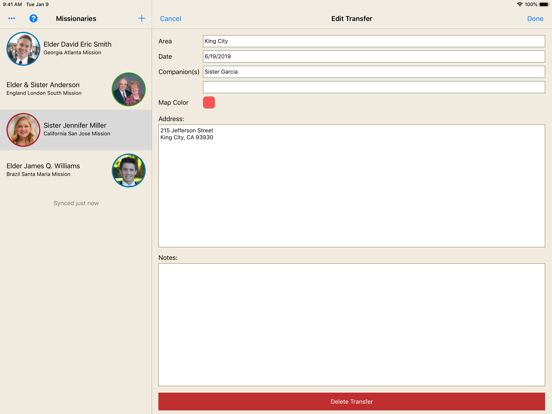
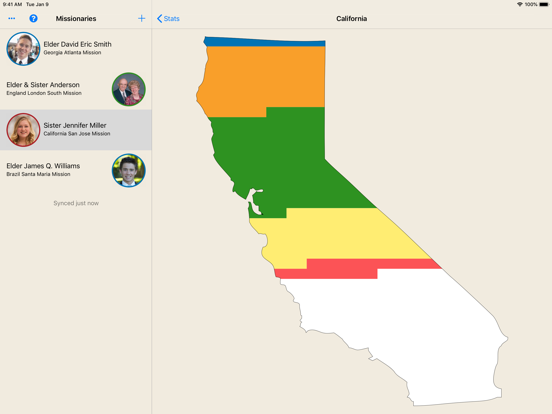
The Countdown Maps Mobile App is a fun and convenient way to keep track of your missionaries. Whether they are your children, parents, family, or friends, you can track as many Elders, Sisters, or Couples as you wish and incorporate as many details as you like. This is perfect for parents, families, bishops, and anyone who has friends or family serving missions. Here are some of the features: Missionaries Page – Shows all of the missionaries you are tracking and where they are serving. Photos can be inserted as a visual reminder. This list can be sorted alphabetically or by the date that they return home. Missionary Stats – If you tap on a missionary from the list, you can see all of the information about that missionary including their picture, the flag of the state or country where they are serving, days served, days remaining, percent complete, email address, mailing address, current companion(s), and a favorite scripture or quote. The email address is also a direct link to your email, so that you can start an email to them from this view. You can also put in a future departure date and it will countdown the days until they leave. Missionary Edit Page – Edit the missionary’s information to make updates to picture, area, departure and return dates, email address, and quotes. Transfers – If you click on the View Transfers button, you see a list of all the transfers that have been entered. From here you can add new transfers or companions or edit existing ones. On the Edit Transfer page, you can enter their current area, companion, date of the transfer, choose a color for the map, enter their mailing address, and add notes about that things that are going on in that area. Information from the most recent transfer is moved onto the Stats page. View Map – If you click on the View Map button, you will see an outline map of the country or state where that missionary is serving. This map is automatically filled in as the days go by to show their progress in the map. Colors coordinate with the Transfers list – you can changes colors based on areas, companion, by transfer, or whatever you would like. Have fun, be creative. Share – This button allows you to send the missionary’s email address, mailing address, and other information in a variety of formats (text, PDF, Link) using several sharing methods (message, email, Facebook, etc.). User can choose which information to send and in what format. This is a quick and easy way to send contact information to family or friends who want to write to them and keeps people updated in social media. Copy & Paste functionality is also enabled through the Share button. The PDF format also serves as a permanent record of the missionaries activities when their mission is completed. Sync – The sync feature provides the ability to save a copy of your data to a secure cloud account. From here, you can sync your data across multiple devices and protect against data loss when upgrading devices or in the event of a device failure. To use this feature, just create a Sync Account. This is the perfect app for keeping up on your missionaries on a daily basis and it brings all of the relevant information together in a fun and creative way.
More like this
- Top Reference on App Store by estimated revenue
- Countdown Maps alternatives
- Countdown Maps vs planetarian - Dream of Little Star -
- Countdown Maps vs Manga Reader Galaxy
- All top charts and categories
Similar apps
 planetarian - Dream of Little Star -VisualArts Co.,Ltd.4.9 ★ (22)
 Manga Reader GalaxyTu Anh Le4.9 ★ (22)
 Brampton LibraryBrampton Library4.0 ★ (22)
 체크바이블JINHO CHO3.2 ★ (22)
 Unfollowers - インスタ フォローチェックAVIORA PTE. LTD.3.5 ★ (22)
 Car Check AustraliaInfinite Loop Development Ltd1.0 ★ (22)
 TCG Hub - TCG 카드 시세, 그레이딩GYEONGHWAN MIN5.0 ★ (22)
 정해 만세력 - 사주풀이·용신·격국·작명Ice Prince Co., Ltd.4.2 ★ (22)