Ctrl+All+Data
Patrick BuschProductivityApp Store$1.99Ctrl+All+Data revenue and downloads, last 30 days
How we got this (12 inputs)
- signals
- ratings ÷ age
- ratings/day
- 0
- monetisation
- productivity ARPD 1; IAP not collected yet
- bound
- revenue per download ceiling: $15/download × downloads high (modelled downloads)
- range
- 80% interval from out-of-fold residuals (×1.12 scale, 90 products)
- likelyLow
- 8.2
- likelyHigh
- 26.8
- observed days (of 30)
- 5
- bound
- revenue per download ceiling at the downloads mid: at most $15 per download × 1 downloads (the 30-day downloads mid); the window's revenue read 3.22x more
- low confidence because
- the figure rests on the revenue-per-download ceiling (an assumption), not on a revenue signal
- confidence
- low
- rough
- order of magnitude
As of Nov 21, 2026.
How we got this (16 inputs)
- signals
- ratings ÷ age ÷ ratings per download; lifetime→current drift ×/÷4.12 (135278 measured Play counter deltas)
- spread
- measured on downloads ground truth (downloads ground truth: 48 App Store milestones, 33 platform splits, 13 drift points)
- ratings
- 0
- ratings/day
- 0
- ratings per download
- 0.015 (non-games, measured on 44 products)
- low confidence because
- the figure rests on 0 App Store ratings summed over the storefronts read (rating counts are per storefront; 5 or fewer say little about worldwide installs)
- tier
- modelled: the listing shows 0 ratings in the storefronts read, so the ratings relation has nothing of this listing's own to scale
- range scale
- ×0.88 (coverage scale on 9 ground-truth rows; publication is decided before it)
- note
- outer range 181x: only a lifetime signal; a rating-count change between days, dated reviews or a free-chart position would narrow it
- likelyLow
- 0
- likelyHigh
- 4
- confidence
- low
- rough
- order of magnitude
- observed days (of 30)
- 6
- measured days
- 0
- scaling
- observed days, scaled to 30
As of Nov 21, 2026.
Active users: not estimated for this app (too uncertain to show).
History
Daily readings as we observed them, last 30 days worldwide. Free shows the last 30 days.
One reading so far: history starts Nov 15, 2026, and a trend line appears after the next daily reading.
Downloads per day
Observed by us since Nov 15, 2026.
Revenue per day
Observed by us since Nov 15, 2026.
Monthly history: we have found no public-archive copy of this store page from the last 12 months, so monthly readings start with our own in Nov 2026.
Create a free account to save apps; Pro shows full history.
Chart positions
Where this app ranks on the top free, paid and grossing charts we capture.
Search terms
No search terms read for this app yet. Terms are read from its title and the searches it shows up in, and appear here once ranked.
In-app purchases
Prices
In-app purchase ladder, price changes and paywall terms
No in-app prices recorded yet. We read them from the store listing: either this app sells none, or its listing has not been read yet.
Ratings and reviews
Rating distribution
No rating distribution read yet.
Recent reviews
Marketing
Paid ads, organic videos and onboarding captured for this app.
Paid ads
No Meta, Google or TikTok ads tied to this app yet. We check the public ad libraries daily.
Organic videos
No YouTube, TikTok or Instagram videos tied to this app yet.
Change history
Versions, price changes, rank jumps and listing edits, as we observed them.
Details
- Developer
- Patrick Busch, 2 apps
- Bundle id
- de.trickbusch.TerminalWidget
- Category
- Productivity
- Price
- $1.99
- Released
- Jun 30, 2021
- Updated
- Sep 22, 2026
- Version
- 5.2.1
- Size
- 28.6 MB
- Content rating
- 4+
- Website
- ctrlalldata.com
- Contact email
- Not available
- Privacy policy
- Not available
- Languages (2)
- English, German
- Charted in
- United States
- First seen
- Nov 15, 2026
- Listing read
- Nov 15, 2026
Show store descriptionShow less
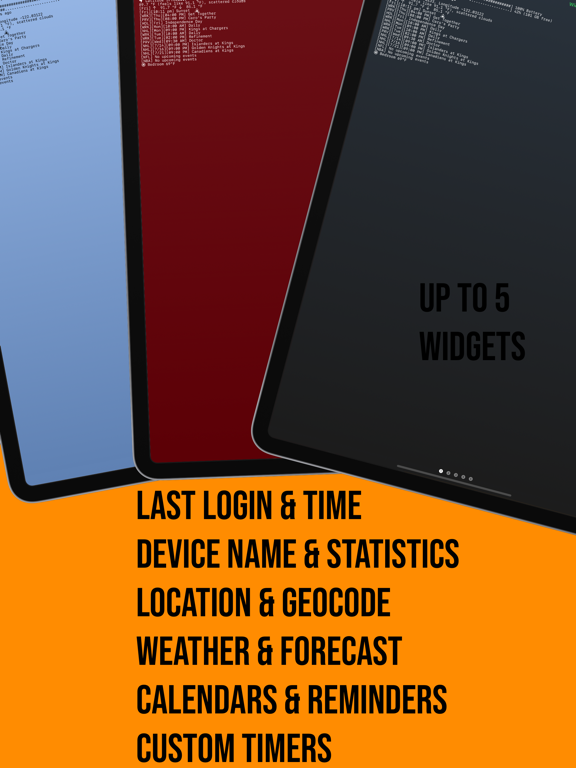
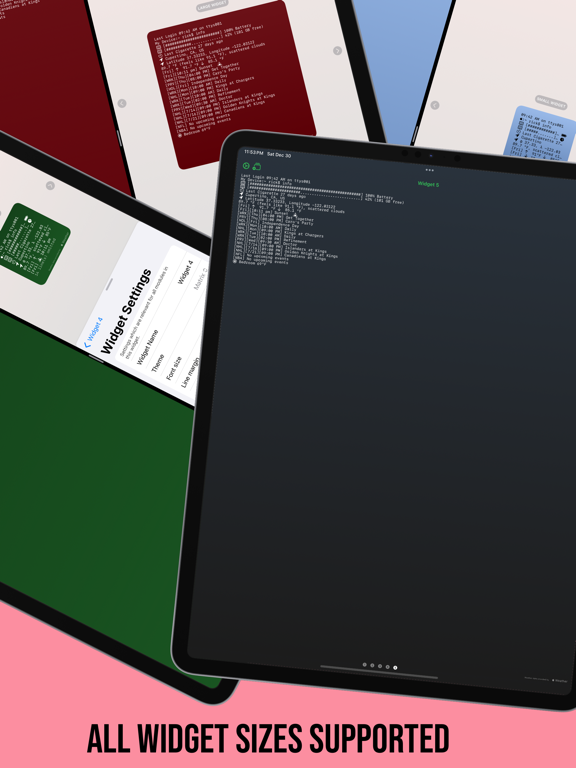
If you have ever looked at your phone/tab/watch, and felt like everything you need is scattered all over the place, you will probably get very excited knowing what this app is trying to do for you. The Ctrl+All+Data app brings all the important things together in a single screen that feels a little like an old terminal window. It sounds simple and honestly that is the main fact of this app. You open it and the information is at your disposal, almost like a tiny command line that knows what you want before you think about it. You don’t have to go thorough different apps and widgets to see your battery percentage, how much space you have, or your timer and schedules. It’s all there in a simple, yet highly effective interface. The layout will show your battery, your calendar events, the weather around you, and your reminders. It will also show your fitness numbers such as steps, move, exercise and stand. The app will quietly pull your location and display the city, coordinates and temperature. It ends up feeling like a personal dashboard created for someone who prefers text over icons. If you like things clean and fast, you will probably smile when you see it the first time. ** All Your Information in One Place: The main screen of the app collects all your daily essentials and line them up in one simple screen, in a readable flow without any fancy and destructive animation or noisy colors. Every data will appear instantly. You also have the freedom to choose which modules stay active. ** Device Info Module: You can see everything about your device such as battery percentage and storage at once. You won’t have to go to the settings of your iPhone or iPad to check on the storage every time you need to know how much storage is left. ** Weather and Location: It will take only one glance to see your location and weather with city, temperature, sky condition and other coordinates. The information will update on its own, so you will not need to change anything manually. ** Calendar and Reminders: If you are looking for a tool that allows you to see all your upcoming events and tasks at one single glance, this app is for you. The idea is to eliminating the need to jump between apps just to check what is coming next. It works well when you are rushing or when you glance at your device during a busy hour. ** Health and Activity You’ll be amazed to see how good your daily activity numbers look in a plain text style. Steps, move, exercise and stand all will appear in one straight line. If you track your health and activity regularly, this will probably make you real happy. ** All Timers in One Place: This app will allow you to set up to five timers per widget. This will come really handy when you are cooking or working on multiple tasks and need simple countdowns without opening another app. ** Freedom of Customization You can adjust choose different modules, rewrite your prompt header and arrange things in a way that feels more personal. It gives you the tools and you decide how the layout should behave, without trying to be too clever. ** Works Everywhere Whether you have an iPhone, or iPad, or Apple Watch and Apple Vision Pro, this app will work perfectly. Your settings sync through iCloud, keeping things consistent. The Apple Watch version comes with complications so you can check your information quickly. ** Home Assistant Integration If you are someone who frequently uses Home Assistants, you can connect and place your devices inside the terminal view. It will become one more line in your flow, and make things even more handy.
More like this
- Top Productivity on App Store by estimated revenue
- Ctrl+All+Data alternatives
- Ctrl+All+Data vs Platen Writer
- Ctrl+All+Data vs Strimio: Movie & TV Diary
- All top charts and categories
Similar apps
 Platen WriterAswath Hasina Syed Mohamed0.0 ★ (0)
 Strimio: Movie & TV DiaryHa Phuc Trung0.0 ★ (0)
 CalendariaJorge Cohen0.0 ★ (0)
 FocusBookOsama Naeem0.0 ★ (0)
 The WardroomBLUEPITT14 LLC0.0 ★ (0)
 Hello DayishWilkes Venture Group0.0 ★ (0)
 Pomodoro - Pomo QuestTop Free Diabetes Apps0.0 ★ (0)
 Isopod Collector and SalesJax Beaudoin0.0 ★ (0)