Drafts+
morePaths.comProductivityApp Store€9.99Drafts+ revenue and downloads, last 30 days
How we got this (16 inputs)
- signals
- ratings ÷ age ÷ ratings per download; lifetime→current drift ×/÷4.12 (135278 measured Play counter deltas)
- spread
- measured on downloads ground truth (downloads ground truth: 48 App Store milestones, 33 platform splits, 13 drift points)
- ratings
- 0
- ratings/day
- 0
- ratings per download
- 0.015 (non-games, measured on 44 products)
- low confidence because
- the figure rests on 0 App Store ratings summed over the storefronts read (rating counts are per storefront; 5 or fewer say little about worldwide installs)
- tier
- modelled: the listing shows 0 ratings in the storefronts read, so the ratings relation has nothing of this listing's own to scale
- range scale
- ×0.88 (coverage scale on 9 ground-truth rows; publication is decided before it)
- note
- outer range 181x: only a lifetime signal; a rating-count change between days, dated reviews or a free-chart position would narrow it
- likelyLow
- 0
- likelyHigh
- 0
- confidence
- low
- rough
- order of magnitude
- observed days (of 30)
- 6
- measured days
- 0
- scaling
- observed days, scaled to 30
As of Nov 21, 2026.
Active users: not estimated for this app (the published downloads figure is under one install a month).
History
Daily readings as we observed them, last 30 days worldwide. Free shows the last 30 days.
One reading so far: history starts Nov 15, 2026, and a trend line appears after the next daily reading.
Downloads per day
Observed by us since Nov 15, 2026.
Create a free account to save apps; Pro shows full history.
Chart positions
Where this app ranks on the top free, paid and grossing charts we capture.
Search terms
No search terms read for this app yet. Terms are read from its title and the searches it shows up in, and appear here once ranked.
In-app purchases
Prices
In-app purchase ladder, price changes and paywall terms
No in-app prices recorded yet. We read them from the store listing: either this app sells none, or its listing has not been read yet.
Ratings and reviews
Rating distribution
No rating distribution read yet.
Recent reviews
Marketing
Paid ads, organic videos and onboarding captured for this app.
Paid ads
No Meta, Google or TikTok ads tied to this app yet. We check the public ad libraries daily.
Organic videos
No YouTube, TikTok or Instagram videos tied to this app yet.
Change history
Versions, price changes, rank jumps and listing edits, as we observed them.
Details
- Developer
- morePaths.com, 4 apps
- Bundle id
- com.morepaths.draftplus
- Category
- Productivity
- Price
- €9.99
- Released
- Feb 17, 2014
- Updated
- Dec 2, 2024
- Version
- 1.8.10
- Size
- 9.9 MB
- Content rating
- 4+
- Website
- www.morepaths.com
- Contact email
- Not available
- Privacy policy
- Not available
- Languages (7)
- English, French, German, Italian, Portuguese, Russian, Spanish
- Charted in
- Belgium, Indonesia, Saudi Arabia
- First seen
- Nov 15, 2026
- Listing read
- Nov 15, 2026
Show store descriptionShow less
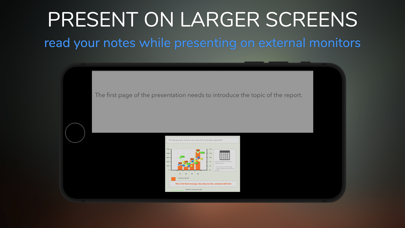
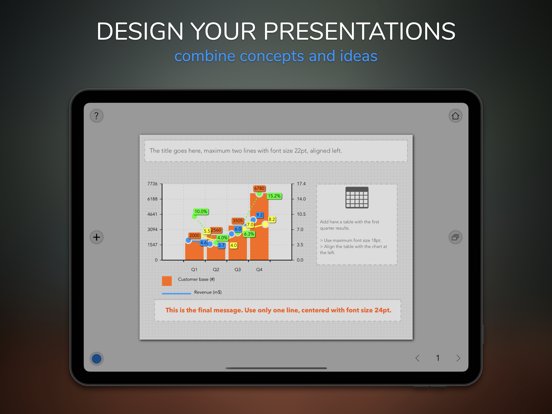
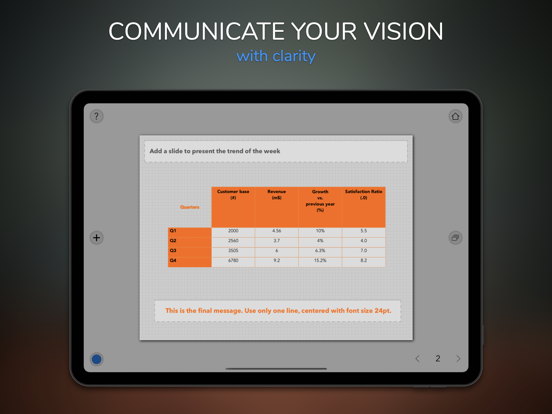
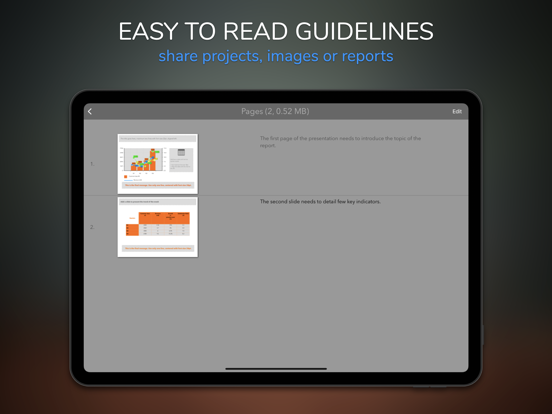
Create blueprints of presentations in no time. Prepare pages to be shared and discussed with colleagues. Work in parallel with others (even remotely) leveraging the sharing functionalities. Paste text or graphics from the web or other documents to enrich your content. Unleash your creativity with tables and graphs and provide guidelines for drafting the final version! This application will help you to organize your ideas efficiently: > Reuse the previous formats and themes, significantly increasing your productivity. > Work with your team wherever you are. You will be surprised to see how flexible and easy it is to design a slide deck. To publish professional-looking presentations means to start from a well-defined draft. Some typical scenarios: > You need your team to prepare a proposal for a presentation. > You have been asked to create a slide deck, and you would like to share it with your team for more comments. > You have to prepare a presentation in pdf quickly. Let's take a look at the main features... Stickers: You can add content to the page, such as images, text, tables, and graphs. Each sticker can be customized. If you know HTML, you can also format the content using standard HTML constructs. Each table can be displayed as a graph simply with a gesture. Themes: Once you've found the colors and the font you want to use, set them as default, and each new presentation will have the same format and appearance. Auto-Layout: Items added to the page, reorganize accordingly to the orientation of the device. You can print the same document/page in two different versions (horizontal or vertical) with a simple movement. Add external content: Using the device's copy functionality, you can paste the content (image or text) on any page, directly from the web or other documents that allow the copy function. Creating storyboard: You can assign a name to each page together with a note. Build your story, assigns an order to the pages, add comments. Export your project: The entire project can be exported and sent by e-mail to others that have this application. Export Draft Outline: Once you are ready to export, you can choose to publish the page in symbolic format. The page is rendered in HTML format. Export Pdf Project: You export what you see on the screen. Export Snapshots: You can also take snapshots of your pages and send them with additional comments by e-mail or export them in the Gallery of photos of the iPad. Organize projects by topics: Whenever you create a new set of pages, you can assign them to a group. A group has attributes that you can use to better archive projects based on themes, descriptions, authors, etc. Share with secure encryption: All publishing functionalities have a secure-share option. You can share projects and snapshots with friends and colleagues with a simple gesture. The information is encrypted and can be accessed if the recipient knows the password. Working remotely with the team everywhere: Any project can be shared with other people using the same application. So you can work with groups by simply editing your presentation, sending it via secure e-mail, and receiving back the new version. Anywhere.
More like this
- Top Productivity on App Store by estimated revenue
- Drafts+ alternatives
- Drafts+ vs Platen Writer
- Drafts+ vs Strimio: Movie & TV Diary
- All top charts and categories
Similar apps
 Platen WriterAswath Hasina Syed Mohamed0.0 ★ (0)
 Strimio: Movie & TV DiaryHa Phuc Trung0.0 ★ (0)
 CalendariaJorge Cohen0.0 ★ (0)
 FocusBookOsama Naeem0.0 ★ (0)
 The WardroomBLUEPITT14 LLC0.0 ★ (0)
 Hello DayishWilkes Venture Group0.0 ★ (0)
 Pomodoro - Pomo QuestTop Free Diabetes Apps0.0 ★ (0)
 Isopod Collector and SalesJax Beaudoin0.0 ★ (0)