Finger Timer
Yu-Mao FengUtilitiesApp StoreFinger Timer revenue and downloads, last 30 days
How we got this (9 inputs)
- signals
- ratings ÷ age
- ratings/day
- 0.1
- monetisation
- utilities ARPD 0.8; IAP not collected yet
- range
- 80% interval from out-of-fold residuals (×1.12 scale, 90 products)
- likelyLow
- 2009.44
- likelyHigh
- 10555.17
- confidence
- low
- rough
- order of magnitude
- observed days (of 30)
- 6
As of Nov 21, 2026.
How we got this (21 inputs)
- signals
- free chart in 3 storefronts; ratings ÷ age ÷ ratings per download; lifetime→current drift ×/÷4.12 (135278 measured Play counter deltas)
- spread
- measured on downloads ground truth (downloads ground truth: 48 App Store milestones, 33 platform splits, 13 drift points)
- free ph
- 385 (6002#21×18.3)
- free th
- 768 (6002#65×11.8)
- free vn
- 169 (6002#11.5×14.7)
- worldwide factor
- ×4.21 over the swept storefronts (transferred from the Play fit, not measured on the App Store)
- ratings
- 515
- ratings/day
- 0.1
- ratings per download
- 0.015 (non-games, measured on 44 products)
- ratings velocity (recorded, not used yet)
- 0.2/day over 5d
- tier
- modelled: the strongest signal (free chart) has no error measured for this store (the App Store curve is transferred from the Play fit)
- range scale
- ×0.88 (coverage scale on 9 ground-truth rows; publication is decided before it)
- disagreement
- signals disagree (χ²/dof 6.07): range widened
- note
- signals disagree: the 80% range is 542x wide; shown because the listing is on a free chart, read it as an order of magnitude at best
- likelyLow
- 1278
- likelyHigh
- 55019
- confidence
- low
- rough
- order of magnitude
- observed days (of 30)
- 6
- measured days
- 0
- scaling
- observed days, scaled to 30
As of Nov 21, 2026.
Active users: not estimated for this app (too uncertain to show).
History
Daily readings as we observed them, last 30 days worldwide. Free shows the last 30 days.
Downloads per day
Observed by us since Nov 15, 2026.
Revenue per day
Observed by us since Nov 15, 2026.
Ratings (Vietnam)
Observed by us since Nov 16, 2026.
Average rating
Observed by us since Nov 16, 2026.
Monthly history: we have found no public-archive copy of this store page from the last 12 months, so monthly readings start with our own in Nov 2026.
By country
30-day estimates per storefront, 3 storefronts.
Create a free account to save apps; Pro shows full history.
Chart positions
On 3 charts at the latest capture. Charts are swept every 6 hours.
| Country | Top freeUtilities |
|---|---|
| Vietnam | #121places up |
| Philippines | #245places up |
| Thailand | #6019places up |
Change is against the previous capture of the same chart.
Top free, Utilities, Vietnam
Observed since Nov 16 02:42 UTC.
Top free, Utilities, Philippines
Observed since Nov 16 02:43 UTC.
Show 1 more chartShow less
Top free, Utilities, Thailand
Observed since Nov 16 02:41 UTC.
Search terms
In-app purchases
Prices
In-app purchase ladder, price changes and paywall terms
No in-app prices recorded yet. We read them from the store listing: either this app sells none, or its listing has not been read yet.
Ratings and reviews
Rating distribution
No rating distribution read yet.
Recent reviews
Marketing
Paid ads, organic videos and onboarding captured for this app.
Paid ads
No Meta, Google or TikTok ads tied to this app yet. We check the public ad libraries daily.
Organic videos
No YouTube, TikTok or Instagram videos tied to this app yet.
Change history
Versions, price changes, rank jumps and listing edits, as we observed them.
Details
- Developer
- Yu-Mao Feng, 3 apps
- Bundle id
- tw.url.omega.FingerTimer
- Category
- Utilities
- Price
- Free
- Released
- Dec 14, 2012
- Updated
- May 15, 2026
- Version
- 1.0.7
- Size
- 24.1 MB
- Content rating
- 4+
- Website
- Not available
- Contact email
- Not available
- Privacy policy
- Not available
- Languages (1)
- English
- Charted in
- United Arab Emirates, Austria, Australia, Belgium, Brazil, Canada, Switzerland, Germany, Spain, France, United Kingdom, Indonesia, Ireland, India, Italy, Japan, South Korea, Mexico, Netherlands, Philippines, Saudi Arabia, Thailand, Turkey, Taiwan, United States, Vietnam
- First seen
- Nov 15, 2026
- Listing read
- Nov 23, 2026
Show store descriptionShow less
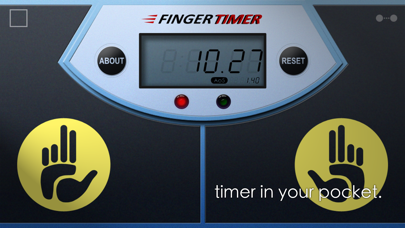
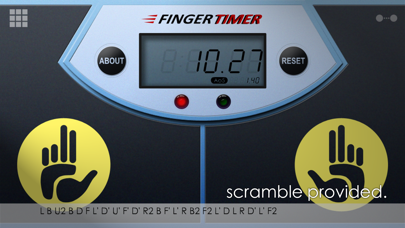
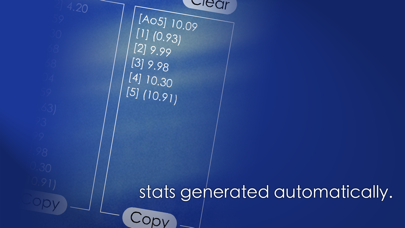
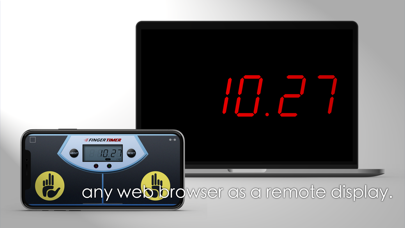
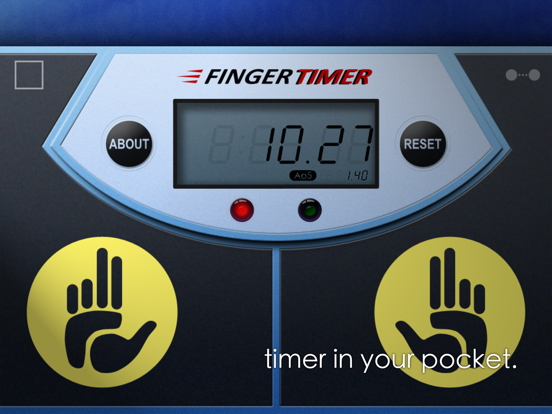
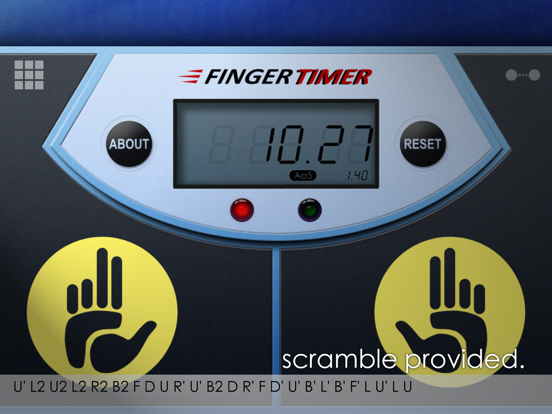
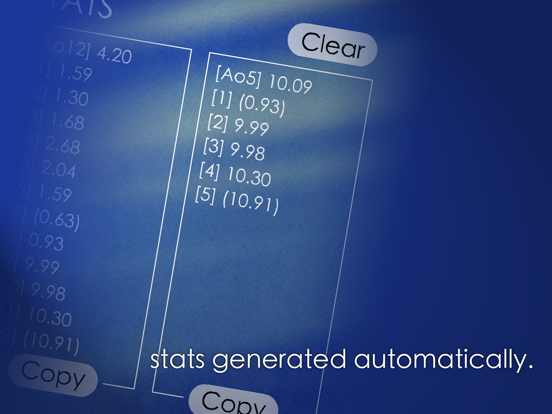
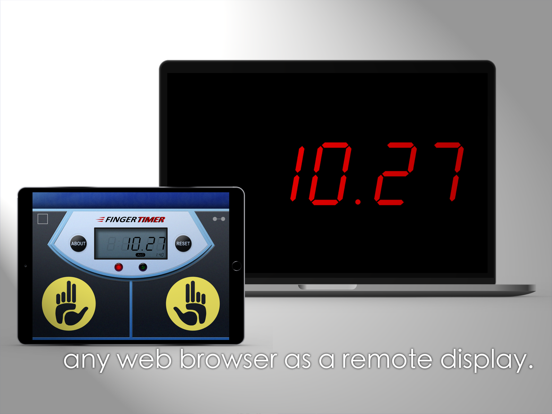
Finger Timer is a speedcubing/speedstacking timer in your pocket! It's a simple and elegant timer app that you must have! [HOW TO USE] 1. Put your fingers on the left and right pads, and hold. 2. When the red and green lights are both on, the timer is ready, and then you can release your fingers to start the timer. 3. When you want to stop the timer, put your fingers back on the left and right pads. 4. If you want to restart the timer, press "RESET" and do the steps 1 to 3. [DISPLAY CONNECTION] 1. Connect your Timer device (with this app) and Display device (any computer or mobile device with a web browser) to the same Wi-Fi network. (Sometimes Internet also works.) 2. In Timer device, tap the top-right icon, and check "Allow display connection" checkbox. 3. In Display device, enter the Timer address into the address bar of your browser, and then press "START". 4. Enjoy it! [Stats] When you using the timer, stats are generated automatically. The average time, Ao5 and Ao12 (full version only), are displaying the summary in the LED panel, and you can also get the details in About page. In About page, you can clear the stats or copy them to show off! Free version: > The maximum time is 10 minutes. > Display connection. (max 10 mins) > Scramble for only cube 2x2x2 and 3x3x3. > Showing Ao5 (average of 5) only. > With ads Full version: > The maximum time is 60 minutes. > Display connection. (max 60 mins) > Scramble for cube 2x2x2, 3x3x3, 4x4x4, and 5x5x5. > Showing both Ao5 (average of 5) and Ao12 (average of 12). > No ads, no distractions! Subscribe our YouTube channel to watch the latest cubing videos: https://youtube.com/omgcrafts Like us on Facebook for the latest news: https://facebook.com/omegastudiopage
More like this
- Top Utilities on App Store by estimated revenue
- Finger Timer alternatives
- Finger Timer vs Pinardin: Parental Control
- Finger Timer vs Modern Sprout
- All top charts and categories
Similar apps
 Pinardin: Parental ControlPinardin OÜ4.3 ★ (118)
 Modern SproutModern Sprout LLC4.3 ★ (118)
 Install Fonts - Font InstallerDOBARIYA SMIT4.5 ★ (118)
 GetHumanGetHuman LLC2.0 ★ (118)
 All Fonts for iPhonesMelonSoup4.4 ★ (118)
 SmarterNoiseJohan Rogard4.6 ★ (118)
 Annuity Calculator - CalcPhan Nhat Đang4.4 ★ (118)
 Screenwise MeterGoogle3.7 ★ (118)