RemoteView.
RsupportUtilitiesApp StoreRemoteView. revenue and downloads, last 30 days
How we got this (10 inputs)
- signals
- ratings ÷ age
- ratings/day
- 0
- monetisation
- utilities ARPD 0.8; IAP not collected yet
- low confidence because
- no published downloads figure beside it, so the revenue-per-download ceiling cannot check it
- range
- 80% interval from out-of-fold residuals (×1.12 scale, 90 products)
- likelyLow
- 183.61
- likelyHigh
- 976.74
- confidence
- low
- rough
- order of magnitude
- observed days (of 30)
- 6
As of Nov 21, 2026.
History
Daily readings as we observed them, last 30 days worldwide. Free shows the last 30 days.
One reading so far: history starts Nov 15, 2026, and a trend line appears after the next daily reading.
Downloads per day
Observed by us since Nov 15, 2026.
Revenue per day
Observed by us since Nov 15, 2026.
Monthly history: we have found no public-archive copy of this store page from the last 12 months, so monthly readings start with our own in Nov 2026.
Create a free account to save apps; Pro shows full history.
Chart positions
Where this app ranks on the top free, paid and grossing charts we capture.
Search terms
In-app purchases
Prices
In-app purchase ladder, price changes and paywall terms
No in-app prices recorded yet. We read them from the store listing: either this app sells none, or its listing has not been read yet.
Ratings and reviews
Rating distribution
No rating distribution read yet.
Recent reviews
Marketing
Paid ads, organic videos and onboarding captured for this app.
Paid ads
No Meta, Google or TikTok ads tied to this app yet. We check the public ad libraries daily.
Organic videos
No YouTube, TikTok or Instagram videos tied to this app yet.
Change history
Versions, price changes, rank jumps and listing edits, as we observed them.
Details
- Developer
- Rsupport, 6 apps
- Bundle id
- Com.Rsupport.RemoteView.Mobile.iPad.AppStore
- Category
- Utilities
- Price
- Free
- Released
- Sep 14, 2010
- Updated
- Oct 29, 2026
- Version
- 8.6.20002
- Size
- 214 MB
- Content rating
- 4+
- Website
- www.rview.com
- Contact email
- Not available
- Privacy policy
- Not available
- Languages (4)
- English, Japanese, Korean, Chinese
- Charted in
- United States, United Kingdom, Germany, France, Japan, Brazil, India, Canada, Australia, South Korea, Italy, Spain, Netherlands, Switzerland, Austria, Belgium, Ireland, Turkey, Mexico, Indonesia, Thailand, Taiwan, Saudi Arabia, United Arab Emirates
- First seen
- Nov 15, 2026
- Listing read
- Nov 15, 2026
Show store descriptionShow less
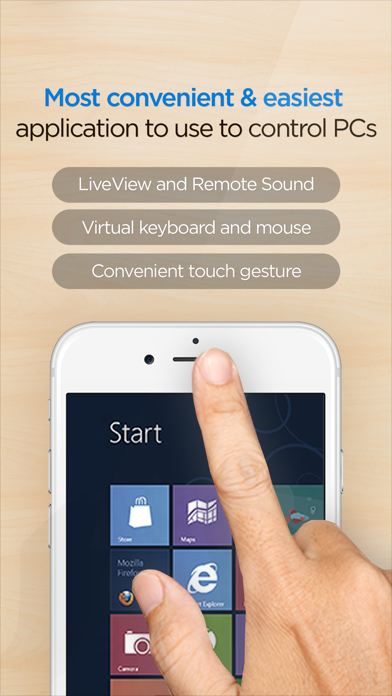
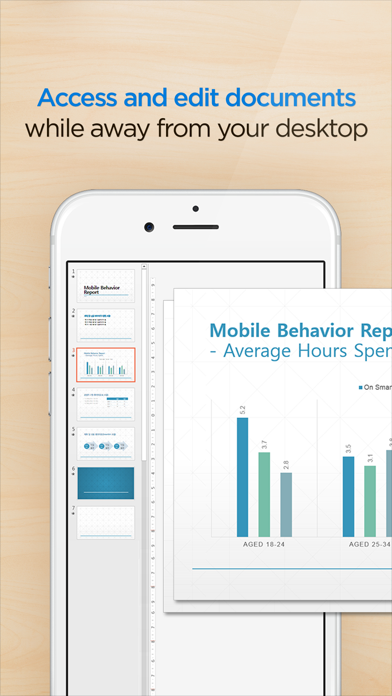
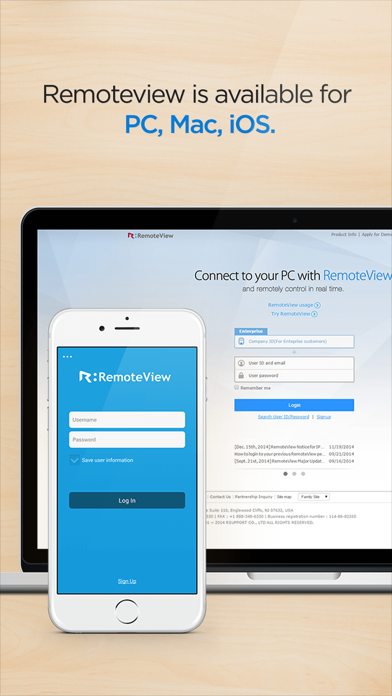
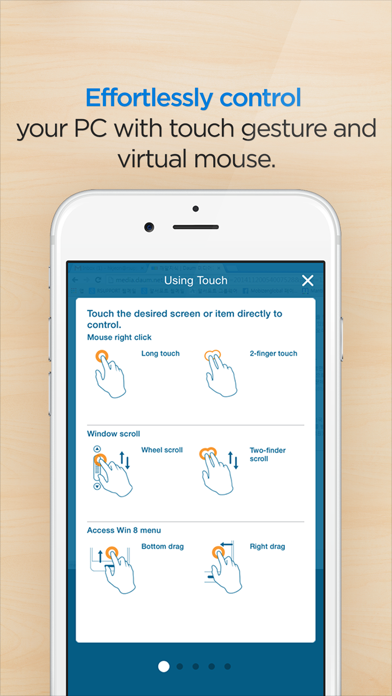
RemoteView is a service from RSupport that lets you remotely control computers located either at home, at the office, or anywhere else as long as there is live Internet connection. All you have to do is this: (1) Install an agent on a computer you want to access remotely; (2) Install a RemoteView App on your iPhone or iPad. Voila! You’re ready to start! You can use all the resource-heavy applications that usually require a full-on computer, from the convenience of a smartphone or a tablet by using RemoteView. That’s it! [Special Features] - Faster remote control speed and connection stability delivered by the patented VRVD technology. - Works under multiple network environments: Dynamic IP; DHCP, Private IP, Private and corporate firewalls. - Ease of Use: Assume control over a remote mouse and keyboard from mobile devices; Multi Touch, Scroll and Zoom are all supported. - Language Input: Any language input method available on the remote computer will be supported. - Common UX: You can use RemoteView from an iOS device (iPhone/iPad) as well as PC seamlessly. - Virtual Environments Supported: Hyper-V; VMware; Virtual PC; Citrix Xen -- All supported. - Other Notable Features: Multi Monitor Support; Screen Lock Out; Remote Power On/Off via Intel vPro Chipset. - You can manage power of a turned off PC which has Wake On LAN based technology. [Rview Application Areas] - When you want to recreate an office IT work environment. - When you want to work at your office PC from home. - When you want to access your files located at home from your office - When you want to save files onto your PC from different places as you are on the move. - When you have to have immediate access into your servers located inside a secure and hard to access places like the IDC. - When you have a “One-to-Many” asset management needs. [How To] - Agent Installation Process 1. Go to RemoteView website on the PC you want to remote control. 2. In the RemoteView website, enter your ID and password to log in. 3. On the “Remote PC Manage My” screen click “Add PC” or “Install” button. 4. Installation will begin after setting Remote PC access ID and password. - Remote Control a Computer from a smart device 1. Download RemoteView app on the App Store and launch it. 2. Enter RemoteView web ID and password to log 3. Select remote PC you want to remote control. 4. Enter Remote PC access ID and password to log in. 5. Remote control your remote PC
More like this
- Top Utilities on App Store by estimated revenue
- RemoteView. alternatives
- RemoteView. vs Clackity – Duo Flip Clock
- RemoteView. vs Dark Sky Meter
- All top charts and categories
Similar apps
 Clackity – Duo Flip ClockBrian Lowen5.0 ★ (6)
 Dark Sky MeterDDQ3.8 ★ (6)
 Total Refresh for SafariWilliam Walker3.2 ★ (6)
 Part MAlexis Aldous5.0 ★ (6)
 RigRiteP22 Limited1.2 ★ (6)
 OpenWebUI - MobileJoao Victor Zao3.2 ★ (6)
 Breach ProtocolJacob Kelly3.0 ★ (6)
 Fällig – Wartung Haus & AutoYannick Wippert4.5 ★ (6)