SpeakTimer
RamSystemUtilitiesApp StoreSpeakTimer revenue and downloads, last 30 days
How we got this (12 inputs)
- signals
- ratings ÷ age
- ratings/day
- 0
- monetisation
- utilities ARPD 0.8; IAP not collected yet
- bound
- revenue per download ceiling: $15/download × downloads high (modelled downloads)
- range
- 80% interval from out-of-fold residuals (×1.12 scale, 90 products)
- likelyLow
- 8.1
- likelyHigh
- 27.04
- observed days (of 30)
- 6
- bound
- revenue per download ceiling at the downloads mid: at most $15 per download × 1 downloads (the 30-day downloads mid); the window's revenue read 3.64x more
- low confidence because
- the figure rests on the revenue-per-download ceiling (an assumption), not on a revenue signal
- confidence
- low
- rough
- order of magnitude
As of Nov 21, 2026.
How we got this (16 inputs)
- signals
- ratings ÷ age ÷ ratings per download; lifetime→current drift ×/÷4.12 (135278 measured Play counter deltas)
- spread
- measured on downloads ground truth (downloads ground truth: 48 App Store milestones, 33 platform splits, 13 drift points)
- ratings
- 0
- ratings/day
- 0
- ratings per download
- 0.015 (non-games, measured on 44 products)
- low confidence because
- the figure rests on 0 App Store ratings summed over the storefronts read (rating counts are per storefront; 5 or fewer say little about worldwide installs)
- tier
- modelled: the listing shows 0 ratings in the storefronts read, so the ratings relation has nothing of this listing's own to scale
- range scale
- ×0.88 (coverage scale on 9 ground-truth rows; publication is decided before it)
- note
- outer range 181x: only a lifetime signal; a rating-count change between days, dated reviews or a free-chart position would narrow it
- likelyLow
- 0
- likelyHigh
- 5
- confidence
- low
- rough
- order of magnitude
- observed days (of 30)
- 6
- measured days
- 0
- scaling
- observed days, scaled to 30
As of Nov 21, 2026.
Active users: not estimated for this app (too uncertain to show).
History
Daily readings as we observed them, last 30 days worldwide. Free shows the last 30 days.
One reading so far: history starts Nov 15, 2026, and a trend line appears after the next daily reading.
Downloads per day
Observed by us since Nov 15, 2026.
Revenue per day
Observed by us since Nov 15, 2026.
Monthly history: we have found no public-archive copy of this store page from the last 12 months, so monthly readings start with our own in Nov 2026.
Create a free account to save apps; Pro shows full history.
Chart positions
Where this app ranks on the top free, paid and grossing charts we capture.
Search terms
No search terms read for this app yet. Terms are read from its title and the searches it shows up in, and appear here once ranked.
In-app purchases
Prices
In-app purchase ladder, price changes and paywall terms
No in-app prices recorded yet. We read them from the store listing: either this app sells none, or its listing has not been read yet.
Ratings and reviews
Rating distribution
No rating distribution read yet.
Recent reviews
Marketing
Paid ads, organic videos and onboarding captured for this app.
Paid ads
No Meta, Google or TikTok ads tied to this app yet. We check the public ad libraries daily.
Organic videos
No YouTube, TikTok or Instagram videos tied to this app yet.
Change history
Versions, price changes, rank jumps and listing edits, as we observed them.
Details
- Developer
- RamSystem, 8 apps
- Bundle id
- com.ramsystem.SpeakTimer
- Category
- Utilities
- Price
- Free
- Released
- Feb 28, 2023
- Updated
- Feb 28, 2023
- Version
- 1.0.0
- Size
- 7.4 MB
- Content rating
- 4+
- Website
- tm912377.xsrv.jp/wp
- Contact email
- Not available
- Privacy policy
- Not available
- Languages (2)
- English, Japanese
- Charted in
- United States, United Kingdom, Germany, Japan, India, Australia
- First seen
- Nov 15, 2026
- Listing read
- Nov 15, 2026
Show store descriptionShow less
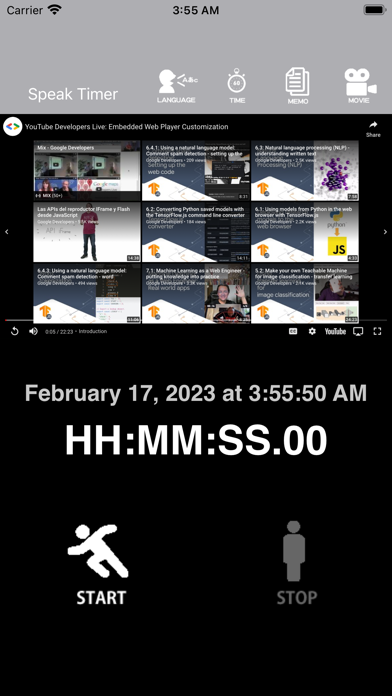
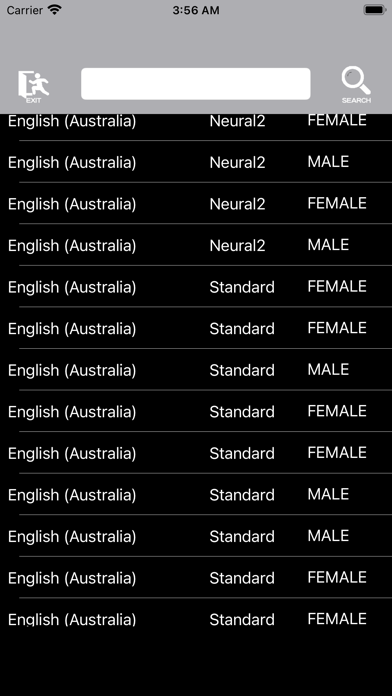
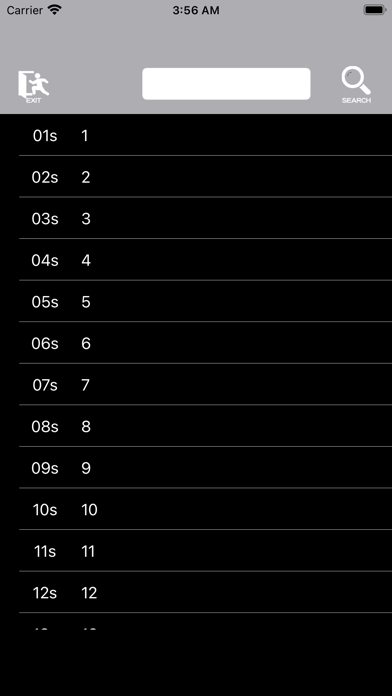
Speak Time It's a talking timer. It is an application that tells the time elapsed from the start in various situations such as walking, running, cycling, etc. by voice. It is a very convenient and unprecedented app that allows you to know the passage of time while watching and listening to your favorite videos. A variety of languages are supported. About 50 languages are supported. After downloading the app from the App Store, The first thing to do is set the language. When you launch the app for the first time, the language setting screen will be displayed. A list of languages from 50 countries around the world is displayed. You can select while scrolling the screen, but you can also narrow down the display to only the language. Tap the "Search" icon on the upper left. Only the language is displayed in the list. To return to the previous screen, tap the "Cancel" icon on the upper left. When you select a language, you can select male, female, and voice quality for each language. Neural -> Standard -> WaveNet will improve the quality, There is no problem if it is possible to select as you like. Confirm the voice to be used by tapping the "Save" icon on the upper right. When you tap this "Save" icon, the app's initial setup will be processed. Depending on the model you are using, you may have to wait for 1-2 minutes. A confirmation dialog will be displayed, so please select "Yes". When the initial settings are completed, the screen returns to the start screen. Also, the opening video on YouTube will be played at this time. The default setting for audio output is It is set every 15 seconds and every 10 minutes. To use timer processing, tap the "START" icon to start, Tap the "STOP" icon to finish. At this time, if a YouTube video is playing, audio is given priority. The video is paused during this time. About app functions 1.Regarding audio language settings ※Setting method Tap the "LANGUAGE" icon Transition to the language setting screen, which is the initial operation screen of the application. You can also select a language from the displayed list, You can also select the display language by tapping the "SEARCH" icon. When you select the language, a demo voice will play, so Choose your favorite language. 2. Setting the voice generation time ※Setting method Tap the "TIME" icon. Moves to the screen for setting the sound generation time. Please select the time displayed. Seconds are displayed from 1 second to 59 seconds and can be selected. The notation is from 01s to 59s. The minute is displayed from 1 minute to 59 minutes and can be selected. The notation is from 01m to 59m. The hour is displayed from 1 hour to 23 hours and can be selected. The notation is from 01h to 23h. *Notes If you set a long sound with short intervals, the set sound may disappear. 3. About timer usage history The usage history of the timer is displayed. 4. How to display YouTube videos ※Method of operation Tap the "MOVIE" icon. Enter the VideoID part displayed in "Share" on YouTube. https://youtu.be/***** VideoID is the part indicated by *** in the upper line. There are two input lines, the upper line is for inputting VideoID, and the lower line is for comment input. It will be convenient later if you enter a brief description of the video in the comment field. Enter VideoiD using alphanumeric characters. Please enter uppercase and lowercase letters correctly. It is started with the "Play" button and paused with "STOP". Also, the VideoID and comment entered by tapping the "Play" button are saved in the list.
More like this
- Top Utilities on App Store by estimated revenue
- SpeakTimer alternatives
- SpeakTimer vs Desky - Desktop Mode Switching
- SpeakTimer vs SoulTuner
- All top charts and categories
Similar apps
 Desky - Desktop Mode SwitchingVincent Neo0.0 ★ (0)
 SoulTunerTechné Media0.0 ★ (0)
 XPipe: Pipe Fitter CalculatorJakub Trytek0.0 ★ (0)
 Driver License & ID ScannerMaciej Bis0.0 ★ (0)
 DuoMiniMac君 盛0.0 ★ (0)
 Sound test for Dolby AtmosNative IT0.0 ★ (0)
 Construction Calc Pro 2Snappy Appz Inc.0.0 ★ (0)
 RadioDesk - Show PlannerBilaal Rashid0.0 ★ (0)