Split Screen - Multitasking
Supagarn PattananuchartUtilitiesApp StoreSplit Screen - Multitasking revenue and downloads, last 30 days
How we got this (11 inputs)
- signals
- ratings ÷ age
- ratings/day
- 0.05
- monetisation
- utilities ARPD 0.8; IAP not collected yet
- range
- 80% interval from out-of-fold residuals (×1.12 scale, 90 products)
- likelyLow
- 844.44
- likelyHigh
- 3724.04
- observed days (of 30)
- 6
- bound
- revenue per download ceiling at the downloads mid: at most $15 per download × 122 downloads (the 30-day downloads mid); the window's revenue read 1.09x more
- low confidence because
- the figure rests on the revenue-per-download ceiling (an assumption), not on a revenue signal
- confidence
- low
- rough
- order of magnitude
As of Nov 21, 2026.
How we got this (14 inputs)
- signals
- ratings ÷ age ÷ ratings per download; lifetime→current drift ×/÷4.12 (135278 measured Play counter deltas)
- spread
- measured on downloads ground truth (downloads ground truth: 48 App Store milestones, 33 platform splits, 13 drift points)
- ratings
- 92
- ratings/day
- 0.05
- ratings per download
- 0.015 (non-games, measured on 44 products)
- range scale
- ×0.88 (coverage scale on 9 ground-truth rows; publication is decided before it)
- note
- outer range 61x: only a lifetime signal; a rating-count change between days, dated reviews or a free-chart position would narrow it
- likelyLow
- 37
- likelyHigh
- 396
- confidence
- low
- rough
- order of magnitude
- observed days (of 30)
- 6
- measured days
- 0
- scaling
- observed days, scaled to 30
As of Nov 21, 2026.
How we got this (13 inputs)
- method
- installs in the window (all active on install day) + earlier installers active in the month (published retention ÷ the category's DAU/MAU stickiness) + the retained base of installers older than two years
- downloads per day
- 4.07 (0.43 to 37.93, the published worldwide figure)
- retention
- day 1 / 7 / 30: 27.9% / 9.69% / 4.32% (iOS benchmark × 1.17 for the category; AppsFlyer Q3 2024 day-1/7/30 retention, via getstream.io/blog/app-retention-guide (read 2026-11-16); category: OneSignal 2024 day-30 retention by category, via getstream.io/blog/app-retention-guide (read 2026-11-16))
- active days per install
- 12.04 over 730 days (age 2040 days; the curve is used to 730)
- stickiness
- 17.5% DAU/MAU, Productivity & Tools median (MWM DAU/MAU medians, US iOS, May 2026 (mwm.ai/glossary/dau-mau, read 2026-11-16))
- parts
- window installs 122 (the published 30-day downloads), earlier installers 212, retained base 211
- retained base
- 2746 installers older than 730 days (lifetime from 92 ratings ÷ 0.0161 ratings per download (non-games, measured on 44 App Store products)) × 7.69% active in a month (between 4.2%, the benchmark curve held flat, and 14.1%, median disclosed MAU ÷ lifetime installs of Duolingo, Snapchat and Grindr (company filings, data/ground-truth-active-users.csv; chosen on these rows, scored leave-one-product-out)); range ×/÷2 past each (widened after the leave-one-product-out check)
- spread
- downloads ×/÷9.36, retention ×/÷3, tail ×/÷1.69, stickiness ×/÷1.8, retained base ×/÷9.76 (assumptions; not fitted)
- ratings per download (recorded, not used)
- 0.01109
- chart persistence (recorded, not used)
- 0 day(s) on a chart in the window; fewer than 7 live days exist
- tier
- modelled: retention and stickiness are published benchmarks, not measured on this listing
- confidence
- low
- rough
- order of magnitude
As of Nov 21, 2026.
Daily active users
Modelled from this app's downloads and a published retention curve for its store and category, not measured. Read it as an order of magnitude.
History
Daily readings as we observed them, last 30 days worldwide. Free shows the last 30 days.
One reading so far: history starts Nov 15, 2026, and a trend line appears after the next daily reading.
Downloads per day
Observed by us since Nov 15, 2026.
Revenue per day
Observed by us since Nov 15, 2026.
Monthly history: we have found no public-archive copy of this store page from the last 12 months, so monthly readings start with our own in Nov 2026.
Create a free account to save apps; Pro shows full history.
Chart positions
Where this app ranks on the top free, paid and grossing charts we capture.
Search terms
No search terms read for this app yet. Terms are read from its title and the searches it shows up in, and appear here once ranked.
In-app purchases
Prices
In-app purchase ladder, price changes and paywall terms
No in-app prices recorded yet. We read them from the store listing: either this app sells none, or its listing has not been read yet.
Ratings and reviews
Rating distribution
No rating distribution read yet.
Recent reviews
Marketing
Paid ads, organic videos and onboarding captured for this app.
Paid ads
No Meta, Google or TikTok ads tied to this app yet. We check the public ad libraries daily.
Organic videos
No YouTube, TikTok or Instagram videos tied to this app yet.
Change history
Versions, price changes, rank jumps and listing edits, as we observed them.
Details
- Developer
- Supagarn Pattananuchart, 14 apps
- Bundle id
- com.mav.SplitScreen
- Category
- Utilities
- Price
- Free
- Released
- Apr 21, 2021
- Updated
- Dec 21, 2025
- Version
- 1.8
- Size
- 6.1 MB
- Content rating
- 17+
- Website
- Not available
- Contact email
- Not available
- Privacy policy
- Not available
- Languages (1)
- English
- Charted in
- United States, United Kingdom, Germany, France, Japan, Brazil, India, Canada, Australia, South Korea, Italy, Spain, Netherlands, Switzerland, Austria, Belgium, Ireland, Turkey, Mexico, Indonesia, Thailand, Taiwan, Saudi Arabia, United Arab Emirates
- First seen
- Nov 15, 2026
- Listing read
- Nov 15, 2026
Show store descriptionShow less
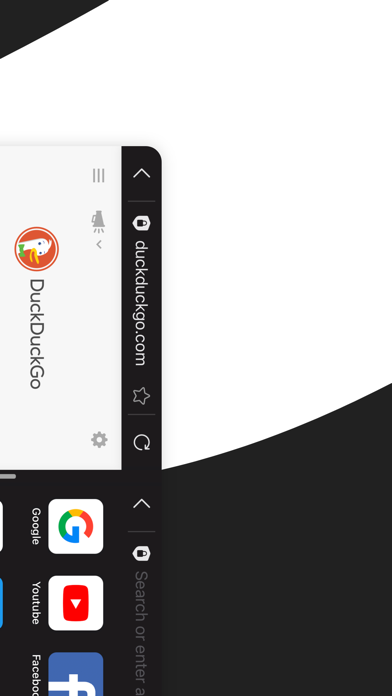
Browse your favorite social media platform and watch funny videos at the same time using Split Screen – Multitasking app. It happens many times that we want to scroll through media to watch shows or videos and, at the same time, open another platform like google to get a piece of information. But normally, our mobile device doesn’t allow multitasking. To solve the problem and make you happy, we have brought you a split-screen app that allows you to split your display so you can do two things simultaneously. Check your emails, make a shopping list, or write a post on Insta while googling the right information using this dual display app. Increase your productivity by pairing two tabs together and be smart. The key features of Split Screen – Multitasking app: • With this split screen multitasking view app, you can open a second screen to perform two things at the same time. • Using this splitscreen app, you can watch a movie or show and google related information to fully understand it. • While watching a product review for shopping, watch the video and browse the products simultaneously with this duet display pro or smart view app. • Our double screen app supports portrait and landscape modes for your convenience. • You can set a password to keep the dual-screen or split screen app protected from others. • Watch a movie and check social media accounts simultaneously with this multiscreen- split view. • Open the website you want from Safari. There are thousands of possibilities, and you can any two things using Split Screen – Multitasking app. If you are bored of checking emails, open youtube using this duet display app and listen to your favorite music and watch videos. Need to watch a show and a match at the same time? Use split-screen iPhone app, split it and watch. If you are looking for one of the best split-screen apps for smart tasks, this multi-screen app can be your best choice. This dividend app allows you to perform two important work simultaneously or let you work and have fun. With our screen-sharing smart view app, you don’t have to switch between tabs, you can simply split your iOS device’s screen and open them all. Multitasking is required a lot many times. When you are busy and have to check on two things simultaneously, what do you do? So far, you probably became annoyed or anxious. We have brought you the solution to your problem. You don’t have to have two devices anymore; only one device will let you multitask and enjoy! If you are searching for a smart view app for iPhone or split screen app to open multi-window to work effectively and peacefully, this multi screen app is here to help. We have brought you such a platform that will open a new window for you. We are making things work that you never thought would be possible. The easy, simple, and user-friendly interface of this dual app will enable you to watch and work without any disruption. You don’t have to close your social media account just to check your email or watch videos. Watch anything you like while scrolling through social media or a browser. Moreover, this split screen video app brings you everything at a lower cost. You can install the app from the iOS store for free and make in-app purchases. Take a yearly or monthly subscription and enjoy multitasking on one single display. Browse multiple windows on one display and get your work done efficiently. Watch funny videos, browse social media, check product reviews, compare them, check emails, and make a shopping list simultaneously using our multitasking split screen app. If you are searching for split-screen apps for work or enjoyment, this split screen multitasking app is going to give you all. Install Split Screen – Multitasking on your iOS device, divide the screen as per your need and get your work done easily. Terms of Use: https://supagarn-pa.com/Split-Screen/terms-of-use Privacy Policy: https://supagarn-pa.com/Split-Screen/privacy-policy
More like this
- Top Utilities on App Store by estimated revenue
- Split Screen - Multitasking alternatives
- Split Screen - Multitasking vs Scale For Grams - Weighing AI
- Split Screen - Multitasking vs OnAir: Screen Recorder [Live]
- All top charts and categories
Similar apps
 Scale For Grams - Weighing AINicolas Gustavo Melian4.6 ★ (92)
 OnAir: Screen Recorder [Live]Mobness4.6 ★ (92)
 Text Tool - Text RepeaterSergey Irgeshov4.5 ★ (92)
 Case Tracker: USCIS, NVC, EOIROguzhan Akin4.6 ★ (92)
 Avo - AI Voice AlarmSLAM Ventures, LLC4.5 ★ (92)
 Image Compressor & ConverterTechnozer Solution4.6 ★ (92)
 Schadeformulier AppSchade Assistentie B.V.4.5 ★ (92)
 Find Lost Device Cell TrackerAppFabric4.7 ★ (92)