Viewloop
1640 LLCPhoto & VideoApp Store$4.99Viewloop revenue and downloads, last 30 days
How we got this (12 inputs)
- signals
- ratings ÷ age
- ratings/day
- 0
- monetisation
- photo ARPD 1; IAP not collected yet
- bound
- revenue per download ceiling: $15/download × downloads high (modelled downloads)
- range
- 80% interval from out-of-fold residuals (×1.12 scale, 90 products)
- likelyLow
- 37.84
- likelyHigh
- 141.65
- observed days (of 30)
- 6
- bound
- revenue per download ceiling at the downloads mid: at most $15 per download × 5 downloads (the 30-day downloads mid); the window's revenue read 2.47x more
- low confidence because
- the figure rests on the revenue-per-download ceiling (an assumption), not on a revenue signal
- confidence
- low
- rough
- order of magnitude
As of Nov 21, 2026.
How we got this (17 inputs)
- signals
- ratings ÷ age ÷ ratings per download; lifetime→current drift ×/÷4.12 (135278 measured Play counter deltas)
- spread
- measured on downloads ground truth (downloads ground truth: 48 App Store milestones, 33 platform splits, 13 drift points)
- ratings
- 0
- ratings/day
- 0
- ratings per download
- 0.015 (non-games, measured on 44 products)
- ratings velocity (recorded, not used yet)
- 0/day over 2d
- low confidence because
- the figure rests on 0 App Store ratings summed over the storefronts read (rating counts are per storefront; 5 or fewer say little about worldwide installs)
- tier
- modelled: the listing shows 0 ratings in the storefronts read, so the ratings relation has nothing of this listing's own to scale
- range scale
- ×0.88 (coverage scale on 9 ground-truth rows; publication is decided before it)
- note
- outer range 181x: only a lifetime signal; a rating-count change between days, dated reviews or a free-chart position would narrow it
- likelyLow
- 1
- likelyHigh
- 24
- confidence
- low
- rough
- order of magnitude
- observed days (of 30)
- 6
- measured days
- 0
- scaling
- observed days, scaled to 30
As of Nov 21, 2026.
Active users: not estimated for this app (too uncertain to show).
History
Daily readings as we observed them, last 30 days worldwide. Free shows the last 30 days.
One reading so far: history starts Nov 15, 2026, and a trend line appears after the next daily reading.
Downloads per day
Observed by us since Nov 15, 2026.
Revenue per day
Observed by us since Nov 15, 2026.
Monthly history: we have found no public-archive copy of this store page from the last 12 months, so monthly readings start with our own in Nov 2026.
Create a free account to save apps; Pro shows full history.
Chart positions
Where this app ranks on the top free, paid and grossing charts we capture.
Search terms
No search terms read for this app yet. Terms are read from its title and the searches it shows up in, and appear here once ranked.
In-app purchases
Prices
In-app purchase ladder, price changes and paywall terms
No in-app prices recorded yet. We read them from the store listing: either this app sells none, or its listing has not been read yet.
Ratings and reviews
Rating distribution
From 1 collected review
1 ratings
Recent reviews
1 review collected since Aug 27, 2026 across 1 storefront
- ★★★★★Aug 27, 2026USv1.0.2Not good
Technically, it is a photo viewer. However, selecting Photos does not allow you to select all of the photos at once, you have to select each photo individually. What happens if you have a slideshow of over 100 photos? You have to select each one of them individually. The app also says that it allows network shares yet I saw no option to add anything other than photos from your photo app or from iCloud.
Marketing
Paid ads, organic videos and onboarding captured for this app.
Paid ads
No Meta, Google or TikTok ads tied to this app yet. We check the public ad libraries daily.
Organic videos
No YouTube, TikTok or Instagram videos tied to this app yet.
Change history
Versions, price changes, rank jumps and listing edits, as we observed them.
Details
- Developer
- 1640 LLC, 4 apps
- Bundle id
- com.1640.Viewloop
- Category
- Photo & Video
- Price
- $4.99
- Released
- Feb 22, 2026
- Updated
- Nov 9, 2026
- Version
- 1.0.3
- Size
- 3.2 MB
- Content rating
- 4+
- Website
- Not available
- Contact email
- Not available
- Privacy policy
- Not available
- Languages (1)
- English
- Charted in
- United States, Switzerland, Japan
- First seen
- Nov 15, 2026
- Listing read
- Nov 15, 2026
Show store descriptionShow less
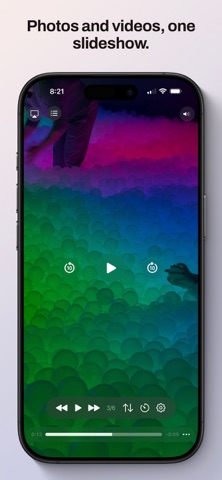
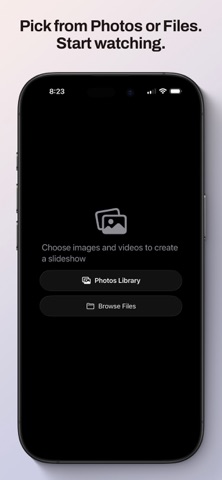
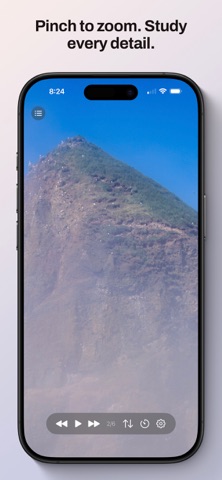
Turn your photos and videos into a beautiful, hands-free slideshow on iPhone and iPad. Viewloop is a lightweight slideshow viewer that plays your images and videos together — no importing, no organizing, no project files. Pick from your Photos library or browse Files and playback starts instantly. KEY FEATURES Instant Slideshows Pick from your Photos library or browse Files and playback starts immediately. Supports JPG, PNG, HEIC, GIF, TIFF, MP4, MOV, and more. Mix Photos and Videos Images and videos play seamlessly in a single slideshow. Each media type gets its own speed controls — set image timing from 2 to 20 seconds and video playback from 0.25x to 2x. Multiple Slideshows Keep several slideshows and switch between them from the session list. Each slideshow keeps its own playback, sorting, and speed settings. Smart Sorting Sort by name, date, file size, or shuffle randomly — all without losing your place. Zoom and Pan Pinch to zoom up to 10x, drag to pan, or double-tap for pixel-perfect 1:1 view. Double-tap and drag for precise zoom control. Playback auto-pauses so you can study details. Cinematic Fullscreen Auto-hiding controls with smooth crossfade transitions. Edge-to-edge display puts your media front and center. Keyboard and External Display Full keyboard support when connected — space to play/pause, arrows to navigate, +/- to zoom. Works beautifully on external displays. Privacy Focused Everything runs locally on your device. No uploads, no accounts, no tracking. Also available on Mac and Apple Vision Pro.
More like this
- Top Photo & Video on App Store by estimated revenue
- Viewloop alternatives
- Viewloop vs SharpStop Depth of Field Calc
- Viewloop vs Reminova: Drama AI Photo
- All top charts and categories
Similar apps
 SharpStop Depth of Field CalcYaniv van der Stigchel0.0 ★ (0)
 Reminova: Drama AI PhotoMahira Vanya0.0 ★ (0)
 O! Megle RolesDULCIE GREENAWAY0.0 ★ (0)
 Video Guides For Sony Vegas ProANTHONY PETER WALSH0.0 ★ (0)
 Scout Cam ControlCognisys, Inc.0.0 ★ (0)
 ab Spatial Ambisonics RecorderAlejandro Cabrera Zuniga0.0 ★ (0)
 PhotoManAI INCheng-Ta Yu0.0 ★ (0)
 EXIFarium Metadata InfoElshad Yarmetov0.0 ★ (0)