ZoomNotes
Deliverance Software LtdProductivityApp Store$7.99ZoomNotes revenue and downloads, last 30 days
How we got this (9 inputs)
- signals
- ratings ÷ age
- ratings/day
- 0.22
- monetisation
- productivity ARPD 1; IAP not collected yet
- bound
- at least paid price × downloads (low end of downloads)
- range
- 80% interval from out-of-fold residuals (×1.12 scale, 90 products)
- likelyLow
- 2975.6
- likelyHigh
- 13531.99
- confidence
- medium
- observed days (of 30)
- 6
As of Nov 21, 2026.
How we got this (15 inputs)
- signals
- ratings ÷ age ÷ ratings per download; lifetime→current drift ×/÷4.12 (135278 measured Play counter deltas)
- spread
- measured on downloads ground truth (downloads ground truth: 48 App Store milestones, 33 platform splits, 13 drift points)
- ratings
- 1233
- ratings/day
- 0.22
- ratings per download
- 0.015 (non-games, measured on 44 products)
- ratings velocity (recorded, not used yet)
- 0.25/day over 4d
- range scale
- ×0.88 (coverage scale on 9 ground-truth rows; publication is decided before it)
- note
- outer range 60x: only a lifetime signal; a rating-count change between days, dated reviews or a free-chart position would narrow it
- likelyLow
- 190
- likelyHigh
- 1927
- confidence
- low
- rough
- order of magnitude
- observed days (of 30)
- 6
- measured days
- 0
- scaling
- observed days, scaled to 30
As of Nov 21, 2026.
How we got this (13 inputs)
- method
- installs in the window (all active on install day) + earlier installers active in the month (published retention ÷ the category's DAU/MAU stickiness) + the retained base of installers older than two years
- downloads per day
- 19.9 (2.27 to 183.87, the published worldwide figure)
- retention
- day 1 / 7 / 30: 29.21% / 10.14% / 4.52% (iOS benchmark × 1.22 for the category; AppsFlyer Q3 2024 day-1/7/30 retention, via getstream.io/blog/app-retention-guide (read 2026-11-16); category: OneSignal 2024 day-30 retention by category, via getstream.io/blog/app-retention-guide (read 2026-11-16))
- active days per install
- 12.58 over 730 days (age 5549 days; the curve is used to 730)
- stickiness
- 17.5% DAU/MAU, Productivity & Tools median (MWM DAU/MAU medians, US iOS, May 2026 (mwm.ai/glossary/dau-mau, read 2026-11-16))
- parts
- window installs 597 (the published 30-day downloads), earlier installers 1088, retained base 3354
- retained base
- 42616 installers older than 730 days (lifetime from 920 ratings ÷ 0.0161 ratings per download (non-games, measured on 44 App Store products)) × 7.87% active in a month (between 4.39%, the benchmark curve held flat, and 14.1%, median disclosed MAU ÷ lifetime installs of Duolingo, Snapchat and Grindr (company filings, data/ground-truth-active-users.csv; chosen on these rows, scored leave-one-product-out)); range ×/÷2 past each (widened after the leave-one-product-out check)
- spread
- downloads ×/÷9.01, retention ×/÷3, tail ×/÷1.69, stickiness ×/÷1.8, retained base ×/÷9.63 (assumptions; not fitted)
- ratings per download (recorded, not used)
- 0.01267
- chart persistence (recorded, not used)
- 7 day(s) on a chart in the window; fewer than 7 live days exist
- tier
- modelled: retention and stickiness are published benchmarks, not measured on this listing
- confidence
- low
- rough
- order of magnitude
As of Nov 21, 2026.
Daily active users
Modelled from this app's downloads and a published retention curve for its store and category, not measured. Read it as an order of magnitude.
History
Daily readings as we observed them, last 30 days worldwide. Free shows the last 30 days.
Downloads per day
Observed by us since Nov 15, 2026.
Revenue per day
Observed by us since Nov 15, 2026.
Ratings (United States)
Observed by us since Nov 15, 2026.
Average rating
Observed by us since Nov 15, 2026.
Monthly history: we have found no public-archive copy of this store page from the last 12 months, so monthly readings start with our own in Nov 2026.
Create a free account to save apps; Pro shows full history.
Chart positions
On 1 chart at the latest capture. Charts are swept every 6 hours.
| Country | Top paidProductivity |
|---|---|
| Australia | #4210places down |
Change is against the previous capture of the same chart.
Top paid, Productivity, Australia
Observed since Nov 15 11:35 UTC.
Search terms
In-app purchases
Prices
In-app purchase ladder, price changes and paywall terms
No in-app prices recorded yet. We read them from the store listing: either this app sells none, or its listing has not been read yet.
Ratings and reviews
Rating distribution
Store histogram (DE)
313 ratings
Recent reviews
51 reviews collected since Mar 23, 2024 across 1 storefront
- ★★★★★Oct 2, 2026USv9.1.25Genius and Versatile
I am a graduate student and I’ve been using this app for about three years. I love that even the free version is exceptional. The tools and capabilities of Zoomnotes are something that cannot be found in other Apple-compatible apps. I payed the one time fee and could not be happier. Yes, the user interface is not beautiful by default, but it is highly customizable. Yes, it involves a learning curve to be able to understand and use the features, but once you do, you’re not going to want to settle for other apps. Thank you devs!
- ★★★★★Sep 18, 2026USv9.1.25Please improve user interface
Please improve user interface
- ★★★★★May 27, 2026USv9.1.23Awesome, feature filled
Perfect for journaling.
Marketing
Paid ads, organic videos and onboarding captured for this app.
Paid ads
No Meta, Google or TikTok ads tied to this app yet. We check the public ad libraries daily.
Organic videos
No YouTube, TikTok or Instagram videos tied to this app yet.
Change history
Versions, price changes, rank jumps and listing edits, as we observed them.
Details
- Developer
- Deliverance Software Ltd, 3 apps
- Bundle id
- com.zoom-notes.zoomnotes
- Category
- Productivity
- Price
- $7.99
- Released
- Sep 12, 2011
- Updated
- Nov 15, 2026
- Version
- 9.5.2
- Size
- 160 MB
- Content rating
- 4+
- Website
- Not available
- Contact email
- Not available
- Privacy policy
- Not available
- Languages (7)
- English, French, German, Japanese, Portuguese, Chinese, Spanish
- Charted in
- United Arab Emirates, Austria, Australia, Belgium, Brazil, Canada, Switzerland, Germany, Spain, France, United Kingdom, Indonesia, Ireland, India, Italy, Japan, South Korea, Mexico, Netherlands, Saudi Arabia, Thailand, Turkey, Taiwan, United States
- First seen
- Nov 15, 2026
- Listing read
- Nov 19, 2026
Show store descriptionShow less
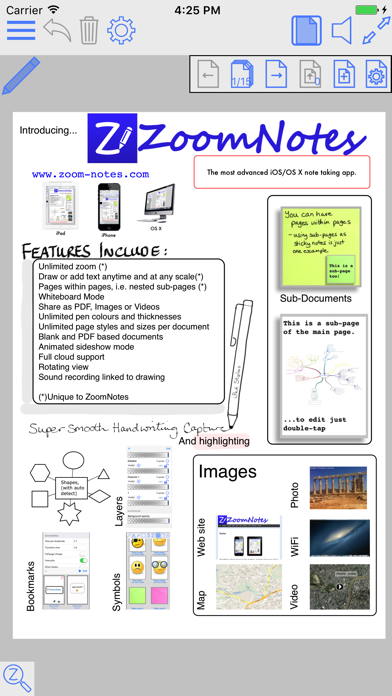
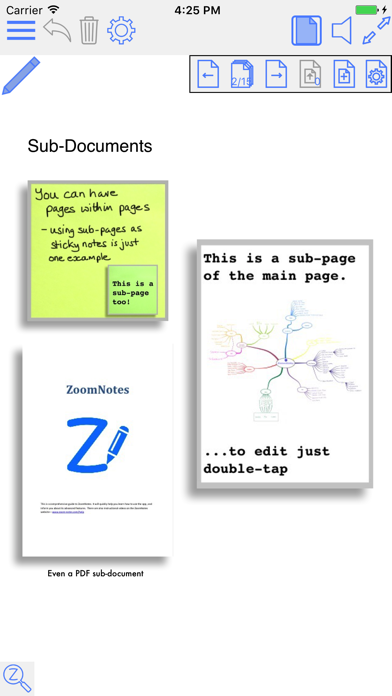
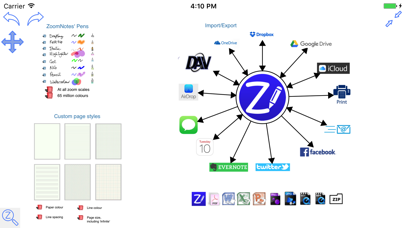
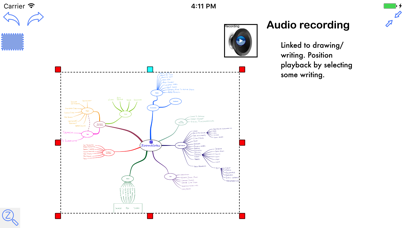
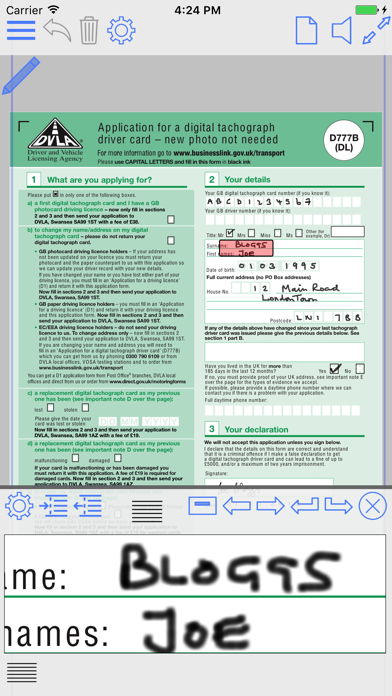
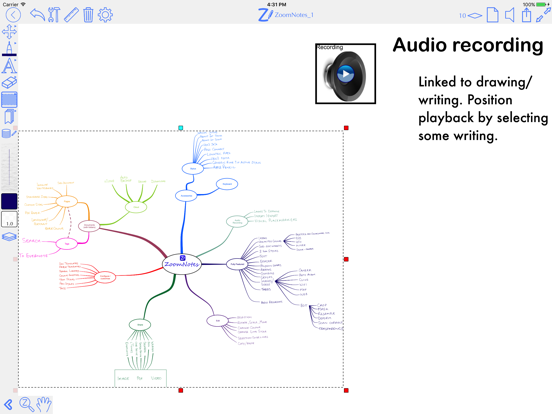
ZoomNotes is the most comprehensive visual note-taking app with huge zoom range. Make handwritten notes and sketches on virtual paper, huge WhiteBoards , PDF files, images and MS Word, Excel and PowerPoint documents (via GoogleDrive). Sync your documents between your iPad and iPhone with iCloud. ZoomNotes is compatible with any capacitive stylus pen and also with the top electronic pens on the market including the fabulous Apple Pencil. ZoomNotes Desktop for Mac now also available. Features include: MULTIPLE PEN TYPES There are 8 pen types to choose from including gel, nib, pencil and watercolour each with unlimited line thicknesses. HANDWRITING RECOGNITION Search handwritten notes. DIGITAL PLANNING Either import a planner pdf or use the ‘Custom digital planner’ option to create your own. You can configure a planner to show events and reminders from the Calendar and Reminder apps. SUB-PAGES This unique feature allows you to use ‘pages within pages’. This allows you to use sticky-notes and enables the creation of hierarchical visual files. You can also insert whole pdf files as sub-pages, or import pages from other ZoomNotes documents into a sub-page. BOOKMARKS Bookmarks allow you save views in your documents, and then return to them at a later date. There are animated playback facilities to allow you to present with or to create videos from your document. LINKS Add links between pages, and even between documents. This lets you create your own digital planners, enhance imported pdf planners or create indices. SPLIT_SCREEN Edit and view two documents side by side (or above and below). You can now also have 2 views of the same document. CALENDAR EVENTS Add events/reminders linked to your documents, possibly with alarms. The URL in the event links back to the document in ZoomNotes. HUGE ZOOM RANGE, WHITEBOARD MODE Zoom in and out without arbitrary limits including rotated views. LAYERS Layers let you control what is visible on a page, also options for 'master layers' which show on all pages. WRITE OVER PDF FILES Import and write over PDFs, Microsoft Office files Word, Excel and PowerPoint (via GoogleDrive). UNLIMITED PAPER SIZES AND STYLES Make your page as small or as large as you like. Choose any type of paper with our configurable paper types. FULLY EDITABLE In ZoomNotes, you can select, scale, rotate, shift and flip (mirror) objects. Cut, copy and paste are also available, including between documents, pages and other apps. SHAPES AND ARROWS Regular shapes and arrows (ideal for visual mapping); they can be drawn with the polygon tool or roughly drawn by hand and automatically converted into the exact geometric shape. SYMBOL LIBRARY Fully configurable library of reusable shapes and images. IMAGES AND IMAGE EDITING Insert images (photos) in your documents at any size and scale. Crop, mask, re-sample, edit transparency, scan-correct and deform images. Insert images and videos from camera or photo library. TYPED TEXT Enter typed text via keyboard; with a wide range of fonts and font sizes, font colours, fills and borders. Text can be entered at all zoom scales and can be selected and moved, scaled and rotated. RECORD AND PLAYBACK SOUNDS Including import and export of mp3 files. You can also insert a sound recording on the page to which it relates. Now linked to drawing. SHARE DOCUMENTS Share documents as PDF files, images, videos or ZoomNotes documents (via email, iTunes, clipboard, Dropbox, Twitter and Evernote, Airdrop, iCloud Drive and Open in. USE FOR PRESENTATIONS ZoomNotes is VGA compatible for use with projectors, monitors and AirPlay. MAGNIFICATION WINDOW Write into a zoomed in view whilst still viewing the zoomed out view. There are lots more details including videos or the app in action at www.zoom-notes.com. We respond to every email sent to support@zoom-notes.com
More like this
- Top Productivity on App Store by estimated revenue
- ZoomNotes alternatives
- ZoomNotes vs TypeApp Email, Mail & Exchange
- ZoomNotes vs Focus Dog: Study Pet Pomodoro
- All top charts and categories
Similar apps
 TypeApp Email, Mail & ExchangeType App Inc4.3 ★ (920)
 Focus Dog: Study Pet PomodoroFancy Ventures UG (haftungsbeschraenkt)4.7 ★ (919)
 neurolist: AI Planner for ADHDThomas Wolfgang Menzel4.8 ★ (922)
 Bosch PRO360Robert Bosch Power Tools GmbH4.7 ★ (923)
 quickjobJust An App4.8 ★ (924)
 Le VPN: Fast & SecureVTNV Solutions Limited4.9 ★ (924)
 HelpDesk HostIDrive Incorporated1.3 ★ (924)
 DopaPause | Refresh your mindFocus Hero Ltd4.7 ★ (915)