My Clock Screensaver App
Speckpro DigitalToolsGoogle PlayMy Clock Screensaver App revenue and downloads, last 30 days
How we got this (8 inputs)
- signals
- free, no IAP, on no grossing chart; ratings ÷ age
- method
- free, no IAP, on no grossing chart
- note
- the store lists no in-app purchases: likely monetises outside the store; range runs from $0 to what a comparable app with in-app purchases makes at its median
- likelyLow
- 0
- likelyHigh
- 915.09
- confidence
- low
- rough
- order of magnitude
- observed days (of 30)
- 1
As of Nov 21, 2026.
How we got this (12 inputs)
- signals
- Play installs ÷ age; lifetime→current drift ×/÷4.12 (135278 measured Play counter deltas)
- spread
- measured on downloads ground truth (downloads ground truth: 48 App Store milestones, 33 platform splits, 13 drift points)
- installs
- 6612
- age days
- 983
- bound
- at most the lifetime installs counter (6612) over 30 days: the listing is 983 days old, so its last 30 days cannot hold more installs than it ever had
- range scale
- ×0.88 (coverage scale on 9 ground-truth rows; publication is decided before it)
- likelyLow
- 159
- likelyHigh
- 596
- confidence
- medium
- observed days (of 30)
- 1
- measured days
- 0
- scaling
- observed days, scaled to 30
As of Nov 21, 2026.
How we got this (12 inputs)
- method
- installs in the window (all active on install day) + earlier installers active in the month (published retention ÷ the category's DAU/MAU stickiness) + the retained base of installers older than two years
- downloads per day
- 10.3 (2.93 to 35.8, the published worldwide figure)
- retention
- day 1 / 7 / 30: 23.7% / 6.54% / 2.45% (Android benchmark × 1.17 for the category; AppsFlyer Q3 2024 day-1/7/30 retention, via getstream.io/blog/app-retention-guide (read 2026-11-16); category: OneSignal 2024 day-30 retention by category, via getstream.io/blog/app-retention-guide (read 2026-11-16))
- active days per install
- 6.25 over 730 days (age 983 days; the curve is used to 730)
- stickiness
- 17.5% DAU/MAU, Productivity & Tools median (MWM DAU/MAU medians, US iOS, May 2026 (mwm.ai/glossary/dau-mau, read 2026-11-16))
- parts
- window installs 309 (the published 30-day downloads), earlier installers 243, retained base 0
- spread
- downloads ×/÷3.49, retention ×/÷3, tail ×/÷1.58, stickiness ×/÷1.8 (assumptions; not fitted)
- ratings per download (recorded, not used)
- 0.00514
- chart persistence (recorded, not used)
- 0 day(s) on a chart in the window; fewer than 7 live days exist
- tier
- modelled: retention and stickiness are published benchmarks, not measured on this listing
- confidence
- low
- rough
- order of magnitude
As of Nov 21, 2026.
Daily active users
Modelled from this app's downloads and a published retention curve for its store and category, not measured. Read it as an order of magnitude.
History
Daily readings as we observed them, last 30 days worldwide. Free shows the last 30 days.
One reading so far: history starts Nov 21, 2026, and a trend line appears after the next daily reading.
Ratings (worldwide)
Observed by us since Nov 21, 2026.
Installs, Play counter
Observed by us since Nov 21, 2026.
Monthly history: we have found no public-archive copy of this store page from the last 12 months, so monthly readings start with our own in Nov 2026.
Create a free account to save apps; Pro shows full history.
Chart positions
Where this app ranks on the top free, paid and grossing charts we capture.
Search terms
No search terms read for this app yet. Terms are read from its title and the searches it shows up in, and appear here once ranked.
In-app purchases
Prices
In-app purchase ladder, price changes and paywall terms
No in-app prices recorded yet. We read them from the store listing: either this app sells none, or its listing has not been read yet.
Ratings and reviews
Rating distribution
Store histogram
50 ratings
Recent reviews
Marketing
Paid ads, organic videos and onboarding captured for this app.
Paid ads
No Meta, Google or TikTok ads tied to this app yet. We check the public ad libraries daily.
Organic videos
No YouTube, TikTok or Instagram videos tied to this app yet.
Change history
Versions, price changes, rank jumps and listing edits, as we observed them.
Details
- Developer
- Speckpro Digital, 9 apps
- Package
- clockscreensavermobiletablet.android.app
- Category
- Tools
- Price
- Free
- Released
- Mar 13, 2024
- Updated
- Aug 10, 2026
- Version
- 5.3
- Size
- -
- Content rating
- Everyone
- Website
- speckpro.com
- Contact email
- info@speckpro.com
- Privacy policy
- speckpro.com/privacy-policy/
- Languages
- Not available
- Charted in
- United States
- First seen
- Nov 21, 2026
- Listing read
- Nov 23, 2026
Show store descriptionShow less
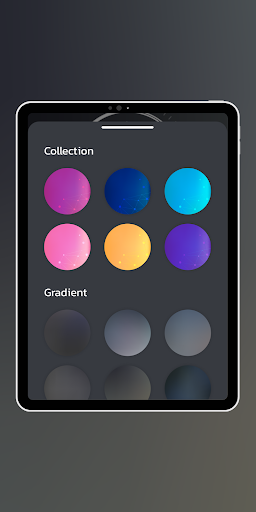
Introducing My Clock Screensaver App, your go-to solution for transforming the idle screen of your Android device. With this app, you can fully personalize your screen by choosing to activate or deactivate analog and digital clocks individually, allowing you to tailor your device's appearance to match your unique style and preferences. Whether you prefer the classic charm of an analog clock or the modern convenience of a digital one, My Clock Screensaver App puts the power in your hands to create the perfect look for your device's idle screen. Stay Organized Effortlessly stay organized and on top of your schedule with My Clock Screensaver App. Seamlessly integrate alarms and appointments from your Android calendar or internal event database, ensuring that important reminders are always at your fingertips. Never miss a beat as essential notifications are conveniently displayed right on your screensaver, keeping you informed and in control throughout your day. Customize Your View Customize your screensaver experience with precision using My Clock Screensaver App. Enjoy the freedom to tailor your display with a customizable date and weekday view, complete with a variety of flexible formatting options. From choosing your preferred date format to selecting the layout that matches your taste, our app ensures that your screensaver reflects your unique style and preferences down to the last detail. Enhance Aesthetics Elevate your visual experience with My Clock Screensaver App's customizable color options. Fine-tune the background and clock colors to craft a visually captivating display that seamlessly integrates with your device's aesthetics. Whether you prefer bold and vibrant hues or subtle and understated tones, our app empowers you to create a stunning screensaver that perfectly complements your device's overall look and feel. Seamless Integration Transform your device's idle screen into a functional and stylish centerpiece with My Clock Screensaver app. Seamlessly integrate it as your Android system screensaver ("DayDream") on smartphones and tablets, ensuring easy access and enhanced functionality. Plus, extend its compatibility to Android TV devices and Chromebooks, effortlessly integrating elegance and utility into your entire entertainment setup. With My Clock Screensaver app, elevate every aspect of your digital experience, from personal productivity to leisurely entertainment, with unmatched sophistication and convenience. Elevate Your Android Experience Unlock the potential of your Android device with My Clock Screensaver app, available for FREE download. Elevate your digital experience by adding a personalized touch of sophistication and convenience to your screens. With a range of customizable features and seamless integration options, My Clock Screensaver app empowers you to transform your device into a personalized timepiece that reflects your unique style and enhances your daily routine. Download now and discover a new level of functionality and elegance for your Android device. The clock screensaver app is completely FREE to download. Enjoy! Disclaimer:The app works well on Android version 13 and newer.
More like this
- Top Tools on Google Play by estimated revenue
- My Clock Screensaver App alternatives
- My Clock Screensaver App vs Call Recorder PRO
- My Clock Screensaver App vs HeartPal-Blood Pressure&Sugar
- All top charts and categories
Similar apps
Call Recorder PROm24apps1.0 ★ (52)
HeartPal-Blood Pressure&SugarLive Media-developer2.3 ★ (52)
Accounting - Sales POSShmool4.2 ★ (52)
ALLNET Fullscreen BrowserALLNET GmbH3.7 ★ (52)
Beanie - Grind Size FinderBellenbaum4.8 ★ (52)
OKIN Smart BedDewertOkin Technology1.7 ★ (52)
IINEDongguan Liangzhi Electronic Co., Ltd.3.2 ★ (52)
NightCloudPOKEFILE PTE. LTD.3.2 ★ (52)