
Smart PDF +
Alvanium TechnologiesEducationGoogle PlayContains adsSmart PDF + revenue and downloads, last 30 days
History
Daily readings as we observed them, last 30 days worldwide. Free shows the last 30 days.
One reading so far: history starts Nov 23, 2026, and a trend line appears after the next daily reading.
Monthly history: we have found no public-archive copy of this store page from the last 12 months, so monthly readings start with our own in Nov 2026.
Create a free account to save apps; Pro shows full history.
Chart positions
Where this app ranks on the top free, paid and grossing charts we capture.
Search terms
No search terms read for this app yet. Terms are read from its title and the searches it shows up in, and appear here once ranked.
In-app purchases
Prices
In-app purchase ladder, price changes and paywall terms
No in-app prices recorded yet. We read them from the store listing: either this app sells none, or its listing has not been read yet.
Ratings and reviews
Rating distribution
No rating distribution read yet.
Recent reviews
Marketing
Paid ads, organic videos and onboarding captured for this app.
Paid ads
No Meta, Google or TikTok ads tied to this app yet. We check the public ad libraries daily.
Organic videos
No YouTube, TikTok or Instagram videos tied to this app yet.
Onboarding
No store screenshots, web funnel or in-app recording captured for this app yet.
Change history
Versions, price changes, rank jumps and listing edits, as we observed them.
Details
- Developer
- Alvanium Technologies, 2 apps
- Package
- com.alvanium.smart_pdf_plus
- Category
- Education
- Price
- Free
- Released
- Jul 29, 2026
- Updated
- Jul 31, 2026
- Version
- 1.0.0
- Size
- -
- Content rating
- Everyone
- Website
- alvanium.com
- Contact email
- mobileapps@alvanium.com
- Languages
- Not available
- Charted in
- United States
- First seen
- Nov 23, 2026
- Listing read
- Nov 23, 2026
Show store descriptionShow less
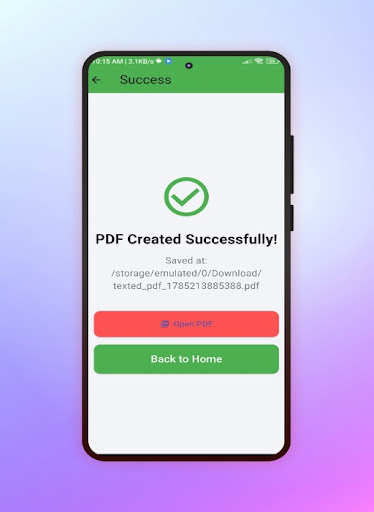
Smart PDF+ is your all-in-one PDF toolkit — scan, create, edit, convert, and manage PDF documents right from your phone. No computer needed, no watermarks on your files, and no complicated steps. Everything works offline on your device. 📄 CREATE PDFs - Image to PDF – Turn photos into a PDF in seconds - Scan to PDF – Use your camera to scan documents with auto edge detection - Import to PDF – Combine PDF pages and images into one file - Excel to PDF – Convert spreadsheets into clean, printable PDF tables 🔄 CONVERT PDFs - PDF to JPG – Export every page as a high-quality image - PDF to PPT – Turn PDF pages into a PowerPoint presentation ✏️ EDIT PDFs - Add Text – Type and place text anywhere on a page - Signature – Draw your signature and drop it onto any page - Doodle – Freehand draw or annotate directly on your PDF - Add Watermark – Stamp custom text watermarks with adjustable color, size, and rotation - Page Numbers – Automatically number every page - Crop PDF – Crop one page or every page to the exact area you need 🔧 MANAGE PDFs - Merge PDF – Combine multiple PDFs into a single document - Split PDF – Extract a page range into a new file - Compress PDF – Shrink file size to a target size (KB/MB) without losing readability - Protect PDF – Lock your PDF with a password - Remove Password – Unlock a password-protected PDF you have access to - Print PDF – Print directly from your device with live preview ✨ WHY SMART PDF+ - Clean, simple, easy-to-use design - Fast — all processing happens on your device - Choose your own save folder or use Downloads - Preview before you save - No sign-up required Whether you're a student, office worker, or just need to handle documents on the go, Smart PDF+ gives you everything you need in one lightweight app. Download Smart PDF+ today and simplify the way you work with PDFs!




More like this
- Top Education on Google Play by estimated revenue
- Smart PDF + alternatives
- Smart PDF + vs 한국사 능력
- Smart PDF + vs LearnPal: AI English Tutor
- All top charts and categories


