Tap en tu celu: cobrá con Ualá
UaláFinanceGoogle PlayTap en tu celu: cobrá con Ualá revenue and downloads, last 30 days
History
Daily readings as we observed them, last 30 days worldwide. Free shows the last 30 days.
Installs, Play counter
Observed by us since Nov 19, 2026.
Monthly history: we have found no public-archive copy of this store page from the last 12 months, so monthly readings start with our own in Nov 2026.
Create a free account to save apps; Pro shows full history.
Chart positions
Where this app ranks on the top free, paid and grossing charts we capture.
Search terms
No search terms read for this app yet. Terms are read from its title and the searches it shows up in, and appear here once ranked.
In-app purchases
Prices
In-app purchase ladder, price changes and paywall terms
No in-app prices recorded yet. We read them from the store listing: either this app sells none, or its listing has not been read yet.
Ratings and reviews
Rating distribution
No rating distribution read yet.
Recent reviews
Marketing
Paid ads, organic videos and onboarding captured for this app.
Paid ads
No Meta, Google or TikTok ads tied to this app yet. We check the public ad libraries daily.
Organic videos
No YouTube, TikTok or Instagram videos tied to this app yet.
Change history
Versions, price changes, rank jumps and listing edits, as we observed them.
Details
- Developer
- Ualá, 2 apps
- Package
- com.bancar.uala.taptophone
- Category
- Finance
- Price
- Free
- Released
- -
- Updated
- Oct 13, 2025
- Version
- 1.0.28
- Size
- -
- Content rating
- Everyone
- Website
- www.uala.com.ar
- Contact email
- hola@uala.com.ar
- Privacy policy
- www.uala.com.ar/privacidad
- Languages
- Not available
- Charted in
- United States
- First seen
- Nov 19, 2026
- Listing read
- Nov 21, 2026
Show store descriptionShow less
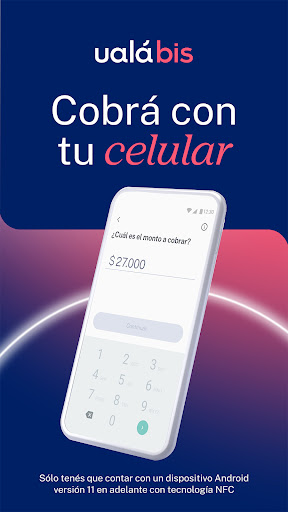
Get paid quickly and safely with Tap on your cell phone thanks to NFC technology and receive the money instantly in your Ualá account! Now you can accept payments with your cell phone with Visa and Mastercard debit, credit and prepaid cards, whether physical or virtual, with contactless technology. How to start? 1. Verify that your cell phone has NFC in the settings. 2. Create your account in the Ualá app to collect from your business. 3. Once this is done, I simply opened the Ualá application, select “Collect” and chose the “With cell phone” option. From there, you will enter the application, where you will only have to indicate the amount of the sale, bring the card close to the back of the cell phone and that's it! An agile and safe experience for you and your clients. Why opt for NFC (contactless) payments? Protecting card details reduces the risk of fraud and prevents chargebacks. Remember to activate this option to use Tap on your cell phone! Important: Tap on your Cell phone does not work alone, it is an extension of Ualá and cannot be tested with a simulator.
More like this
- Top Finance on Google Play by estimated revenue
- Tap en tu celu: cobrá con Ualá alternatives
- Tap en tu celu: cobrá con Ualá vs Picnic Insurance
- Tap en tu celu: cobrá con Ualá vs Adyen Payments
- All top charts and categories