Keep Screen On
ByOne CoderToolsGoogle Play$4.99Keep Screen On revenue and downloads, last 30 days
History
Daily readings as we observed them, last 30 days worldwide. Free shows the last 30 days.
Ratings (worldwide)
Observed by us since Nov 22, 2026.
Installs, Play counter
Observed by us since Nov 22, 2026.
Monthly history: we have found no public-archive copy of this store page from the last 12 months, so monthly readings start with our own in Nov 2026.
Create a free account to save apps; Pro shows full history.
Chart positions
Where this app ranks on the top free, paid and grossing charts we capture.
Search terms
No search terms read for this app yet. Terms are read from its title and the searches it shows up in, and appear here once ranked.
In-app purchases
Prices
In-app purchase ladder, price changes and paywall terms
No in-app prices recorded yet. We read them from the store listing: either this app sells none, or its listing has not been read yet.
Ratings and reviews
Rating distribution
Store histogram
19 ratings
Recent reviews
Marketing
Paid ads, organic videos and onboarding captured for this app.
Paid ads
No Meta, Google or TikTok ads tied to this app yet. We check the public ad libraries daily.
Organic videos
No YouTube, TikTok or Instagram videos tied to this app yet.
Change history
Versions, price changes, rank jumps and listing edits, as we observed them.
Details
- Developer
- ByOne Coder, 3 apps
- Package
- com.byonetech.android.keepscreenon
- Category
- Tools
- Price
- $4.99
- Released
- Jun 22, 2013
- Updated
- Feb 5, 2017
- Version
- 2.0.1
- Size
- -
- Content rating
- Everyone
- Website
- www.byonetech.com
- Contact email
- byonetech@gmail.com
- Languages
- Not available
- Charted in
- United States
- First seen
- Nov 22, 2026
- Listing read
- Nov 23, 2026
Show store descriptionShow less
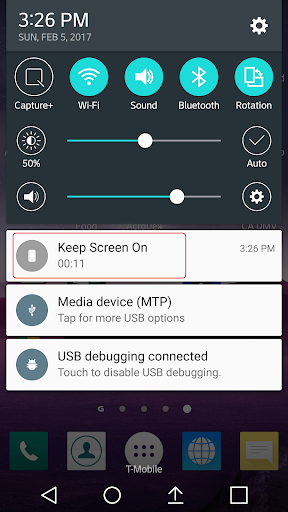
This little app provides a quick and simple way to keep your device’s screen on, so you don’t have to keep touching the screen to prevent the screen from going off. This app has 3 modes to keep the screen on: 1. Use System Setting – Restore to your device’s system setting screen timeout value. 2. Until I turn off – Keep the screen on until you turn off the phone or put the phone on sleep. 3. Keep on for the desired period of time. This app also has the following features: - Run as a Service for quick and easy access from any other apps. - Display a notification icon on top to indicate how long the screen has been on (Until I turn off mode) or how long the screen will be on (Keep on for next … mode). - An option to keep the screen on but also dim the screen. Use the following two options to stop running as a Service: 1. Un-check the “Run as a Service…”, and then click on “Use System Settings”. 2. Use “Exit All” button. This app uses the following permissions: - System Wake Lock: To prevent the screen from turning off.
More like this
- Top Tools on Google Play by estimated revenue
- Keep Screen On alternatives
- Keep Screen On vs Air Finder : Device Tracker
- Keep Screen On vs GravityMark GPU Benchmark
- All top charts and categories
Similar apps
Air Finder : Device TrackerYeardin Studio4.1 ★ (22)
GravityMark GPU BenchmarkTellusim Technologies Inc.3.6 ★ (22)
Voltcraft Smart ThermalCEI Conrad Electronic International (HK) Limited2.6 ★ (22)
Easy Tigrinya KeyboardKeyboard App and Clock Wallpaper5.0 ★ (22)
Notepad App: Write Daily NotesImpulse Star Apps4.2 ★ (22)
Live Translator - AI EarbudsReal-Time Translator - Lingua AI5.0 ★ (22)
TrapWire MobileTrapWire Inc.2.4 ★ (22)
Valvoline Performance RewardsFusion Marketing3.2 ★ (22)