
Burn in fix
잡화상점ToolsGoogle PlayContains adsBurn in fix revenue and downloads, last 30 days
History
Daily readings as we observed them, last 30 days worldwide. Free shows the last 30 days.
One reading so far: history starts Nov 23, 2026, and a trend line appears after the next daily reading.
Monthly history: we have found no public-archive copy of this store page from the last 12 months, so monthly readings start with our own in Nov 2026.
Create a free account to save apps; Pro shows full history.
Chart positions
Where this app ranks on the top free, paid and grossing charts we capture.
Search terms
No search terms read for this app yet. Terms are read from its title and the searches it shows up in, and appear here once ranked.
In-app purchases
Prices
In-app purchase ladder, price changes and paywall terms
No in-app prices recorded yet. We read them from the store listing: either this app sells none, or its listing has not been read yet.
Ratings and reviews
Rating distribution
No rating distribution read yet.
Recent reviews
Marketing
Paid ads, organic videos and onboarding captured for this app.
Paid ads
No Meta, Google or TikTok ads tied to this app yet. We check the public ad libraries daily.
Organic videos
No YouTube, TikTok or Instagram videos tied to this app yet.
Onboarding
No store screenshots, web funnel or in-app recording captured for this app yet.
Change history
Versions, price changes, rank jumps and listing edits, as we observed them.
Details
- Developer
- 잡화상점, 6 apps
- Package
- com.comkiper.displaycheck
- Category
- Tools
- Price
- Free
- Released
- Nov 15, 2019
- Updated
- Oct 13, 2026
- Version
- 2.0.1
- Size
- -
- Content rating
- Everyone
- Website
- Not available
- Contact email
- djtjsdl@gmail.com
- Languages
- Not available
- Charted in
- United States
- First seen
- Nov 23, 2026
- Listing read
- Nov 23, 2026
Show store descriptionShow less
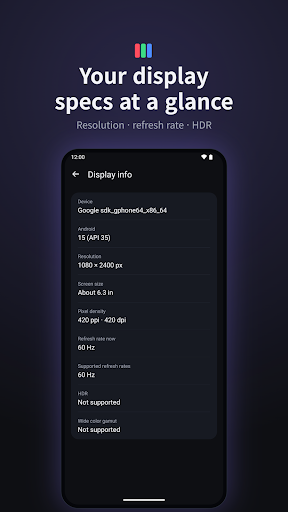
▶ DisplayTest app Freature. 0. Fix Burn-in & DeadPixel - Display will rapidly filcker, it will fix burn-in and dead pixel on your screen. 1. Find Dead Pixel - You can find dead pixels by showing different colors on a full screen. 2. Contrast Check - You can use contrast to check the status of the display. 3. Sharpness Check - You can check your screen, using sharpness feature. 4. Viewing angle Check - You can check various angles to see if the viewing angle is correct. 5. burn-in check - The slide provides an easy way to see where the burnout is located.


More like this
- Top Tools on Google Play by estimated revenue
- Burn in fix alternatives
- Burn in fix vs FF Sensi Max
- Burn in fix vs Tesor
- All top charts and categories


