Detect Dead Pixels & Touchscre
IMP ToolsToolsGoogle PlayContains adsDetect Dead Pixels & Touchscre revenue and downloads, last 30 days
How we got this (8 inputs)
- signals
- free, no IAP, on no grossing chart; ratings ÷ age
- method
- free, no IAP, on no grossing chart
- note
- the store lists no in-app purchases: likely monetises outside the store; range runs from $0 to what a comparable app with in-app purchases makes at its median
- likelyLow
- 0
- likelyHigh
- 2402.19
- confidence
- low
- rough
- order of magnitude
- observed days (of 30)
- 2
As of Nov 21, 2026.
How we got this (12 inputs)
- signals
- Play installs ÷ age; lifetime→current drift ×/÷4.12 (135278 measured Play counter deltas)
- spread
- measured on downloads ground truth (downloads ground truth: 48 App Store milestones, 33 platform splits, 13 drift points)
- installs
- 115485
- age days
- 2129
- bound
- at most the lifetime installs counter (115485) over 30 days: the listing is 2129 days old, so its last 30 days cannot hold more installs than it ever had
- range scale
- ×0.88 (coverage scale on 9 ground-truth rows; publication is decided before it)
- likelyLow
- 1406
- likelyHigh
- 5041
- confidence
- medium
- observed days (of 30)
- 2
- measured days
- 0
- scaling
- observed days, scaled to 30
As of Nov 21, 2026.
How we got this (13 inputs)
- method
- installs in the window (all active on install day) + earlier installers active in the month (published retention ÷ the category's DAU/MAU stickiness) + the retained base of installers older than two years
- downloads per day
- 88.77 (26.37 to 297.9, the published worldwide figure)
- retention
- day 1 / 7 / 30: 23.7% / 6.54% / 2.45% (Android benchmark × 1.17 for the category; AppsFlyer Q3 2024 day-1/7/30 retention, via getstream.io/blog/app-retention-guide (read 2026-11-16); category: OneSignal 2024 day-30 retention by category, via getstream.io/blog/app-retention-guide (read 2026-11-16))
- active days per install
- 6.25 over 730 days (age 2129 days; the curve is used to 730)
- stickiness
- 17.5% DAU/MAU, Productivity & Tools median (MWM DAU/MAU medians, US iOS, May 2026 (mwm.ai/glossary/dau-mau, read 2026-11-16))
- parts
- window installs 2663 (the published 30-day downloads), earlier installers 2095, retained base 2434
- retained base
- 50768 installers older than 730 days (lifetime from the listing's Play installs counter) × 4.79% active in a month (between 1.63%, the benchmark curve held flat, and 14.1%, median disclosed MAU ÷ lifetime installs of Duolingo, Snapchat and Grindr (company filings, data/ground-truth-active-users.csv; chosen on these rows, scored leave-one-product-out)); range ×/÷2 past each (widened after the leave-one-product-out check)
- spread
- downloads ×/÷3.36, retention ×/÷3, tail ×/÷1.58, stickiness ×/÷1.8, retained base ×/÷5.89 (assumptions; not fitted)
- ratings per download (recorded, not used)
- 0.00434
- chart persistence (recorded, not used)
- 0 day(s) on a chart in the window; fewer than 7 live days exist
- tier
- modelled: retention and stickiness are published benchmarks, not measured on this listing
- confidence
- low
- rough
- order of magnitude
As of Nov 21, 2026.
Daily active users
Modelled from this app's downloads and a published retention curve for its store and category, not measured. Read it as an order of magnitude.
History
Daily readings as we observed them, last 30 days worldwide. Free shows the last 30 days.
Downloads per day
Observed by us since Nov 19, 2026.
Revenue per day
Observed by us since Nov 19, 2026.
Ratings (worldwide)
Observed by us since Nov 19, 2026.
Installs, Play counter
Observed by us since Nov 19, 2026.
Monthly history: we have found no public-archive copy of this store page from the last 12 months, so monthly readings start with our own in Nov 2026.
Create a free account to save apps; Pro shows full history.
Chart positions
Where this app ranks on the top free, paid and grossing charts we capture.
Search terms
No search terms read for this app yet. Terms are read from its title and the searches it shows up in, and appear here once ranked.
In-app purchases
Prices
In-app purchase ladder, price changes and paywall terms
No in-app prices recorded yet. We read them from the store listing: either this app sells none, or its listing has not been read yet.
Ratings and reviews
Rating distribution
Store histogram
818 ratings
Recent reviews
Marketing
Paid ads, organic videos and onboarding captured for this app.
Paid ads
No Meta, Google or TikTok ads tied to this app yet. We check the public ad libraries daily.
Organic videos
No YouTube, TikTok or Instagram videos tied to this app yet.
Change history
Versions, price changes, rank jumps and listing edits, as we observed them.
Details
- Developer
- IMP Tools, 10 apps
- Package
- com.ddptr.dretectdeadpixelstouchscreen
- Category
- Tools
- Price
- Free
- Released
- Jan 22, 2021
- Updated
- Oct 14, 2026
- Version
- 7.0
- Size
- -
- Content rating
- Everyone
- Website
- imptoolsapps.blogspot.com
- Contact email
- imptools@outlook.com
- Privacy policy
- sites.google.com/view/imp-tools/home
- Languages
- Not available
- Charted in
- United States
- First seen
- Nov 19, 2026
- Listing read
- Nov 23, 2026
Show store descriptionShow less
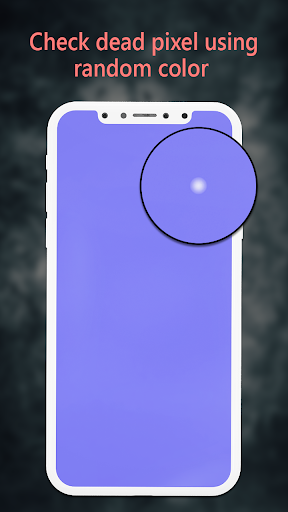
Dead pixels, A common issue in the device touchscreen, which is unresponsive with excessive use. Screen Dead pixels Repair app detects the broken pixel and gets it fixed. This screen fixer app can detect the Dead Pixels on the touchscreen display and repair them. Steps to use the Dead Pixel Detect and Fix them. 1. Check dead pixels: - There are two ways you can detect the broken pixels on the screen. I. Random color: - In this option, random colors are displayed one by one on the touchscreen which helps detect the pixels having issues, This automated method is easy to use and swiftly detects the dead pixels on the screen. II. Choose color: - In the second option, you need to manually select the color from the color wheel for dead pixel detection, You can drag the circle on the color wheel and the phone screen background will change accordingly. Tap on the margins to remove the color wheel and view the whole screen. 2. Fix dead pixels: - You get two fixing options in the Screen Dead pixels Repair app. I. Fix one by one: - It automatically scans one by one pixel for dead OR broken ones and fixes it. - Once the scan and repair process is completed successfully, It is necessary to restart the device for the best results. II. Fix full screen: - In this touch screen dead pixels test you have two options, the first is custom area selection and the second is full screen. You can select the desired option and continue, This process generates random high color pixels on the screen which automatically fixes the dead pixels. Important Notes: - Use this process for at least 15 minutes for the best results. - For the safety of your eyes, It is not recommended to look at the screen while this process is running. - This process uses more power than usual, so make sure to have a good battery percentage before starting the process. FEATURES * Easy to use, One-click solution for touchscreen related issues. * Fixes the dead pixels which improve touchscreen smoothness and experience. * Reduces the response time of the pixels to fix unwanted touch lags. NOTE: Restart your device after the repair process is finished. This touchscreen repair app is one of the easiest and safest way to repair the phone screen with ease.
More like this
- Top Tools on Google Play by estimated revenue
- Detect Dead Pixels & Touchscre alternatives
- Detect Dead Pixels & Touchscre vs SinhalaGPT - Chat With AI
- Detect Dead Pixels & Touchscre vs Ask Browser-Smarter & Private
- All top charts and categories
Similar apps
SinhalaGPT - Chat With AICyphLab4.1 ★ (820)
Ask Browser-Smarter & PrivateInnovaLife4.3 ★ (820)
BeeWiFiNETIS SYSTEMS CO.,LTD2.3 ★ (820)
Undeleter Recover Files & DataMobiSaving Technologies2.5 ★ (820)
AppLock Theme MagicForestAppLock@DoMobile4.3 ★ (820)
Microscope Smart Zoom CameraBeta plus3.6 ★ (820)
Reqable API Testing & CaptureReqable Technology4.3 ★ (821)
spiderNet VPNSpiderNet4.1 ★ (821)