
Web to PDF: URL & HTML
DevDuo SoftwareToolsGoogle PlayIn-app purchasesWeb to PDF: URL & HTML revenue and downloads, last 30 days
History
Daily readings as we observed them, last 30 days worldwide. Free shows the last 30 days.
One reading so far: history starts Nov 22, 2026, and a trend line appears after the next daily reading.
Monthly history: we have found no public-archive copy of this store page from the last 12 months, so monthly readings start with our own in Nov 2026.
Create a free account to save apps; Pro shows full history.
Chart positions
Where this app ranks on the top free, paid and grossing charts we capture.
Search terms
No search terms read for this app yet. Terms are read from its title and the searches it shows up in, and appear here once ranked.
In-app purchases
Google Play shows one in-app price range per storefront, not each product's price. The range over time, as the store published it:
United States, USD
- $9.99 - $18.99 per itemNov 22, 2026 to now
Prices
In-app purchase ladder, price changes and paywall terms
No itemised in-app prices yet. Google Play publishes only the price range shown above, not each product; the individual products and their prices have not been read.
Ratings and reviews
Rating distribution
No rating distribution read yet.
Recent reviews
Marketing
Paid ads, organic videos and onboarding captured for this app.
Paid ads
No Meta, Google or TikTok ads tied to this app yet. We check the public ad libraries daily.
Organic videos
No YouTube, TikTok or Instagram videos tied to this app yet.
Onboarding
No store screenshots, web funnel or in-app recording captured for this app yet.
Change history
Versions, price changes, rank jumps and listing edits, as we observed them.
Details
- Developer
- DevDuo Software, 11 apps
- Package
- com.devduo.web_to_pdf
- Category
- Tools
- Price
- Free
- Released
- Mar 24, 2026
- Updated
- Nov 14, 2026
- Version
- 2.12.0
- Size
- -
- Content rating
- Everyone
- Website
- devduos.blogspot.com
- Contact email
- support.devduos@thetrishulgroup.com
- Languages
- Not available
- Charted in
- United States
- First seen
- Nov 22, 2026
- Listing read
- Nov 22, 2026
Show store descriptionShow less
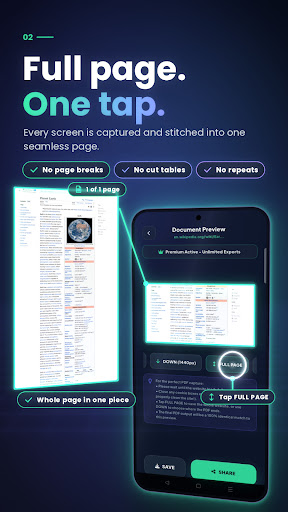
Turn any website into one continuous PDF or long image, with no page breaks, no cut tables and no repeated headers. Paste a link or your own HTML, preview the real desktop layout, and save the whole page in one tap. 💎 WHY WEB TO PDF? Most tools split a web page into printed pages, cutting tables, images and text in half. Web To PDF captures the page exactly as you see it and stitches it into a single, seamless page, up to 28,080 px long. 🔥 CORE FEATURES 🔗 URL to PDF Paste any link and see a live 1280 px desktop preview. Tap FULL PAGE to capture the whole website, or use DOWN to choose exactly where your PDF ends. 🖼️ PDF or Long Image Save as a continuous PDF document or as one long PNG image. Great when you need a full page screenshot of a website. 👀 Quick Preview See exactly how your file will look before you save it. 💻 HTML to PDF Switch to Raw HTML mode, paste your own HTML, CSS and JavaScript, and convert it into a polished PDF or image. 🧹 Clean Pages • Erase: tap any pop-up, banner or cookie box to remove it • Keep Once: show sticky headers only on the first screen • Keep Always: keep a side menu or table of contents on every screen ✏️ Live Edit Change text or styles on the page and see the result live before you save. 📚 Multi-URL Workspace Add several links or HTML pages, drag to reorder them, and merge everything into one PDF or long image. 📝 Clean Text & Markdown Extract the readable text of any page as clean text or Markdown, and copy the full website source code. 🗂️ History Your links and HTML are saved in History, so you can convert them again in one tap. 🔒 On-device conversion Your PDFs and images are created on your device, then shared or saved wherever you like. 🎯 PERFECT FOR • Students saving articles and notes • Developers converting HTML to PDF or images • Professionals archiving receipts, reports and web pages • Anyone who needs a full page capture of a website



More like this
- Top Tools on Google Play by estimated revenue
- Web to PDF: URL & HTML alternatives
- Web to PDF: URL & HTML vs FF Sensi Max
- Web to PDF: URL & HTML vs Tesor
- All top charts and categories


