Diamond Maps Offline
Benjamin HillMaps & NavigationGoogle PlayDiamond Maps Offline revenue and downloads, last 30 days
History
Daily readings as we observed them, last 30 days worldwide. Free shows the last 30 days.
Ratings (worldwide)
Observed by us since Nov 22, 2026.
Installs, Play counter
Observed by us since Nov 22, 2026.
Monthly history: we have found no public-archive copy of this store page from the last 12 months, so monthly readings start with our own in Nov 2026.
Create a free account to save apps; Pro shows full history.
Chart positions
Where this app ranks on the top free, paid and grossing charts we capture.
Search terms
No search terms read for this app yet. Terms are read from its title and the searches it shows up in, and appear here once ranked.
In-app purchases
Prices
In-app purchase ladder, price changes and paywall terms
No in-app prices recorded yet. We read them from the store listing: either this app sells none, or its listing has not been read yet.
Ratings and reviews
Rating distribution
Store histogram
24 ratings
Recent reviews
Marketing
Paid ads, organic videos and onboarding captured for this app.
Paid ads
No Meta, Google or TikTok ads tied to this app yet. We check the public ad libraries daily.
Organic videos
No YouTube, TikTok or Instagram videos tied to this app yet.
Change history
Versions, price changes, rank jumps and listing edits, as we observed them.
Details
- Developer
- Benjamin Hill, 2 apps
- Package
- com.diamondmaps.OfflineApp
- Category
- Maps & Navigation
- Price
- Free
- Released
- Aug 12, 2019
- Updated
- Oct 30, 2026
- Version
- 26.10.27.4
- Size
- -
- Content rating
- Everyone
- Website
- diamondmaps.com
- Contact email
- ben@diamondmaps.com
- Privacy policy
- diamondmaps.com/appprivacypolicy.txt
- Languages
- Not available
- Charted in
- United States
- First seen
- Nov 22, 2026
- Listing read
- Nov 23, 2026
Show store descriptionShow less
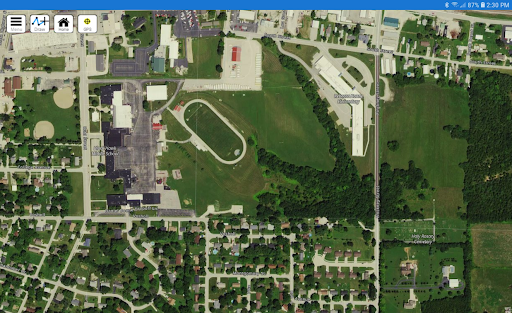
Diamond Maps Offline is an app that allows DiamondMaps.com users to download their maps from the cloud to their Android phone or tablet for use offline. Using this app you can view and edit your maps without the need for an internet connection. The app also allows you to collect new points, take pictures, directly connect to a Bluetooth GPS/GNSS devices (no need for mock locations), and then upload all of your changes to the DiamondMaps.com server for everyone else on your team to view. The regular browser-based application is still the flagship product where you must go to create layers, change colors, modify your field layout, draw lines, etc. The offline app is a less functional version that allows you to do basic data collection and viewing offline. How it works 1. If you haven't done so already, create an account at DiamondMaps.com and setup your map with the desired layers, data fields, colors, and symbols. 2. Install this app on your tablet or phone. 3. Enter your diamondmaps.com user name and password into the app 4. Select which map(s) you want to download to your phone/tablet. 5. Open your map, view it, make changes, add new points, etc. 6. When you are ready to upload your changes click Menu, then click Offline Maps, then click the 'Sync' button next to your map name. This will upload your edits and download any changes that others have made.
More like this
- Top Maps & Navigation on Google Play by estimated revenue
- Diamond Maps Offline alternatives
- Diamond Maps Offline vs ChargeIndex: EV Route & Prices
- Diamond Maps Offline vs Islam313: Masjid Finder
- All top charts and categories
Similar apps
ChargeIndex: EV Route & PricesChargeIndex5.0 ★ (24)
Islam313: Masjid FinderZyden Labs Pvt Ltd4.1 ★ (24)
운수종사자 일상점검표개인용달화물협회4.5 ★ (24)
evpointFuuse3.1 ★ (24)
Awwa - Prezzi carburanteDifotech.it4.3 ★ (24)
MGRS Offline Map SatelliteMI Division2.6 ★ (24)
BustrackerMicronics Software Solutions4.0 ★ (24)
4Riders: Motorcycle GPS Routes4Riders4.8 ★ (24)