
지퍼백 - 압축 푼 것처럼 바로 보기
dododong.devToolsGoogle PlayContains ads지퍼백 - 압축 푼 것처럼 바로 보기 revenue and downloads, last 30 days
How we got this (12 inputs)
- signals
- Play installs ÷ age; lifetime→current drift ×/÷4.12 (135278 measured Play counter deltas)
- spread
- measured on downloads ground truth (downloads ground truth: 48 App Store milestones, 33 platform splits, 13 drift points)
- installs
- 5
- age days
- 93
- bound
- at most the lifetime installs counter (5) over 30 days: the listing is 93 days old, so its last 30 days cannot hold more installs than it ever had
- range scale
- ×0.88 (coverage scale on 9 ground-truth rows; publication is decided before it)
- likelyLow
- 1
- likelyHigh
- 4
- confidence
- medium
- observed days (of 30)
- 1
- measured days
- 0
- scaling
- observed days, scaled to 30
As of Nov 21, 2026.
Active users: not estimated for this app (too uncertain to show).
History
Daily readings as we observed them, last 30 days worldwide. Free shows the last 30 days.
One reading so far: history starts Nov 21, 2026, and a trend line appears after the next daily reading.
Monthly history: we have found no public-archive copy of this store page from the last 12 months, so monthly readings start with our own in Nov 2026.
Create a free account to save apps; Pro shows full history.
Chart positions
Where this app ranks on the top free, paid and grossing charts we capture.
Search terms
No search terms read for this app yet. Terms are read from its title and the searches it shows up in, and appear here once ranked.
In-app purchases
Prices
In-app purchase ladder, price changes and paywall terms
No in-app prices recorded yet. We read them from the store listing: either this app sells none, or its listing has not been read yet.
Ratings and reviews
Rating distribution
No rating distribution read yet.
Recent reviews
Marketing
Paid ads, organic videos and onboarding captured for this app.
Paid ads
No Meta, Google or TikTok ads tied to this app yet. We check the public ad libraries daily.
Organic videos
No YouTube, TikTok or Instagram videos tied to this app yet.
Onboarding
No store screenshots, web funnel or in-app recording captured for this app yet.
Change history
Versions, price changes, rank jumps and listing edits, as we observed them.
Details
- Developer
- dododong.dev, 4 apps
- Package
- com.dododong.zipbag
- Category
- Tools
- Price
- Free
- Released
- Aug 20, 2026
- Updated
- Sep 2, 2026
- Version
- 1.3.0
- Size
- -
- Content rating
- Everyone
- Website
- dododongdev-admin.github.io
- Contact email
- dododong.dev@gmail.com
- Privacy policy
- dododongdev-admin.github.io/android_app/zipbag.html
- Languages
- Not available
- Charted in
- United States
- First seen
- Nov 21, 2026
- Listing read
- Nov 21, 2026
Show store descriptionShow less
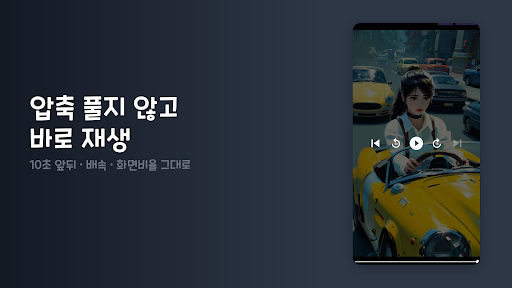
You are trying to open a ZIP file containing 4GB of video. To unzip it, you need an additional 4GB of space and have to wait a few minutes. After you finish watching, you have to delete the unzipped files again. Zipbag skips that process. It plays the videos inside the ZIP file immediately without unzipping. ■ Play Without Unzipping When you open a ZIP file, the videos and photos inside appear immediately in a list. Tap to play them right away. Neither the time spent unzipping nor additional storage space is required. Rewind and fast-forward work just as they do. You can skip forward or backward by 10 seconds, adjust playback speed (0.5x to 2x), switch aspect ratios, and even pinch zoom. You can use it just like a standard video player. Password-protected ZIP files will also play immediately once you enter the password. ■ Pouch — Files Remain Even If the App Disappears Select and add photos and videos, and they will be stored in a password-protected pouch. The added files disappear from the gallery, and you must open the pouch to view them. The important thing is that the Pouch is not a special format. A Pouch is simply a standard password-protected ZIP file. On a PC, you can open it simply by entering the password using Bandizip or ALZip. You won't lose access to your files forever if the app disappears or you change phones while using a hidden app. Copying just one Pouch file serves as your backup. Pouches are stored in a location that is not detected by the gallery, and the files themselves are not deleted even if the app is uninstalled. ■ File Names Are Not Visible When Opened on PC Files inside the Pouch are saved only by numbers, such as 0001.mp4 or 0002.jpg. The original names are stored separately within the Pouch, encrypted. Therefore, even if you open the Pouch on a PC, you cannot tell what is inside by the names. When opened in the app, the original names are displayed exactly as they are. ■ Comics and Image Collections ZIP files containing multiple images can be flipped through like a comic book. You can choose between flipping left and right or scrolling vertically like a webtoon. You can also zoom in to view them. ■ Easy to Find You can search by name within the Pouch. You can choose to sort by addition date (newest/oldest), name, or size. It doesn't take long to find files, even if they accumulate. ■ Lock You can lock the app using fingerprint or screen lock. When the lock is enabled, screen captures and recent app previews are blocked on the Pouch screen. It locks again when you exit to another app and return. ■ How Many Pouches Can You Create You can create one Pouch for free. From the second one onwards, you must watch a short advertisement once before creating it. There are no payments. ■ Privacy Information All processing takes place within the device. Since there is no proprietary server, files or lists do not leave the device. The app only accesses files and folders selected by the user. Pouch passwords are stored in the Android Keystore, and App lock passwords are stored in an irreversible format. If you forget your password, even the developer cannot recover it. ■ Please check before use · Videos stored uncompressed (STORED) are the fastest. Videos saved with high compression rates require a brief preparation time before playback. · ZIP files password-protected using the older method (ZipCrypto) require preparation time for video playback, and file names are visible as the file list cannot be hidden in advance. We recommend the newer method (AES). · RAR and 7z are not supported. This is for ZIP only. · Do not delete the app or clean up storage while adding large files to the pouch. Inquiries: dododong.dev@gmail.com




More like this
- Top Tools on Google Play by estimated revenue
- 지퍼백 - 압축 푼 것처럼 바로 보기 alternatives
- 지퍼백 - 압축 푼 것처럼 바로 보기 vs FF Sensi Max
- 지퍼백 - 압축 푼 것처럼 바로 보기 vs Tesor
- All top charts and categories


