Screen Mirroring: Phone to TV
Eagle BrainToolsGoogle PlayIn-app purchasesContains adsScreen Mirroring: Phone to TV revenue and downloads, last 30 days
How we got this (10 inputs)
- method
- Play install counter: total accepted delta ÷ elapsed days
- measured days
- 4.6
- window
- 2026-11-16..2026-11-21
- step spread
- ×/÷1.38 (the counter moves in steps; narrows with more days)
- likelyLow
- 10
- likelyHigh
- 16
- confidence
- high
- observed days (of 30)
- 1
- measured days
- 1
- scaling
- projected to 30 days from 4.6 measured days (2026-11-16..2026-11-21, counter 957 → 959) plus 25.4 modelled days
As of Nov 21, 2026.
Active users: not estimated for this app (release date unknown or under a day old).
History
Daily readings as we observed them, last 30 days worldwide. Free shows the last 30 days.
One reading so far: history starts Nov 21, 2026, and a trend line appears after the next daily reading.
Installs, Play counter
Observed by us since Nov 16, 2026.
Monthly history: we have found no public-archive copy of this store page from the last 12 months, so monthly readings start with our own in Nov 2026.
Create a free account to save apps; Pro shows full history.
Chart positions
Where this app ranks on the top free, paid and grossing charts we capture.
Search terms
No search terms read for this app yet. Terms are read from its title and the searches it shows up in, and appear here once ranked.
In-app purchases
Google Play shows one in-app price range per storefront, not each product's price. The range over time, as the store published it:
United States, USD
- $1.99 - $54.99 per itemNov 22, 2026 to now
Prices
In-app purchase ladder, price changes and paywall terms
No itemised in-app prices yet. Google Play publishes only the price range shown above, not each product; the individual products and their prices have not been read.
Ratings and reviews
Rating distribution
No rating distribution read yet.
Recent reviews
Marketing
Paid ads, organic videos and onboarding captured for this app.
Paid ads
No Meta, Google or TikTok ads tied to this app yet. We check the public ad libraries daily.
Organic videos
No YouTube, TikTok or Instagram videos tied to this app yet.
Change history
Versions, price changes, rank jumps and listing edits, as we observed them.
Details
- Developer
- Eagle Brain, 4 apps
- Package
- com.eaglebrain.screen.mirroring
- Category
- Tools
- Price
- Free
- Released
- -
- Updated
- Aug 26, 2024
- Version
- Not available
- Size
- -
- Content rating
- Everyone
- Website
- eaglebrain5.blogspot.com
- Contact email
- eaglebrain.official@gmail.com
- Privacy policy
- sites.google.com/view/eaglebrain/home
- Languages
- Not available
- Charted in
- United States
- First seen
- Nov 16, 2026
- Listing read
- Nov 22, 2026
Show store descriptionShow less
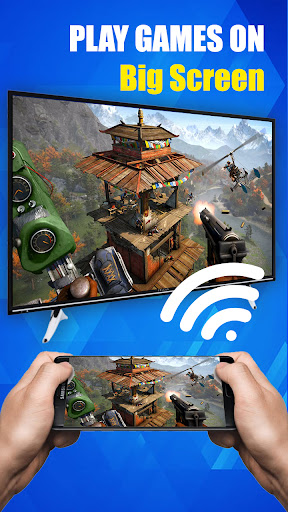
Welcome to the ultimate screen mirroring solution – the Screen Mirroring App that transforms your mobile device into a powerful media hub and productivity tool! With our app, you can seamlessly mirror your Android device's screen onto a larger display, such as your TV, computer, or other smart devices. Key Features: 📱 Effortless Screen Mirroring: Our app provides a simple, user-friendly interface that allows you to mirror your smartphone or tablet's screen to a larger display with just a few taps. Whether you want to share photos and videos with friends and family, deliver impactful presentations, or enjoy your favorite games on a bigger screen, we've got you covered. 📡 Wireless Connectivity: Say goodbye to messy cables and complicated setups. Our app offers wireless screen mirroring, ensuring a hassle-free connection process. Connect your devices to the same Wi-Fi network, and you're ready to start mirroring. 📺 Wide Compatibility: We support a wide range of devices, making screen mirroring a breeze. Whether you have a Smart TV, computer, Chromecast, Roku, Amazon Fire TV, or any other smart display, you can count on our app to make the connection. 🖼️ High-Quality Display: Experience sharp and clear mirroring with our app. We prioritize quality to ensure that your photos, videos, and presentations are displayed in their full glory, without loss of detail or clarity. 📈 Boost Productivity: Our screen mirroring app is not just for entertainment – it's a valuable tool for enhancing productivity. Share your mobile device's screen during meetings, collaborate on projects, or give dynamic presentations to captivate your audience. 🎮 Gaming Delight: Gamers will appreciate the ability to mirror mobile games onto a larger screen. Immerse yourself in a gaming experience that goes beyond your device's screen, all while maintaining real-time responsiveness. 🛠️ Easy Setup and Configuration: We've designed our app to be user-friendly and intuitive, ensuring that even beginners can set up screen mirroring quickly and easily. Enjoy the convenience of hassle-free configuration. 📡 Lag-Free Performance: We prioritize performance, and our app is optimized to provide a lag-free and smooth screen mirroring experience. Enjoy real-time interactions and streaming without interruption. Unlock the full potential of your devices with our Screen Mirroring App. Whether you're sharing special moments with loved ones, collaborating at work, or leveling up your gaming experience, our app is your trusted companion for seamless and reliable screen mirroring. Download now and transform the way you interact with your digital world!
More like this
- Top Tools on Google Play by estimated revenue
- Screen Mirroring: Phone to TV alternatives
- Screen Mirroring: Phone to TV vs FF Sensi Max
- Screen Mirroring: Phone to TV vs Tesor
- All top charts and categories