ALPDF - PDF Converter & Editor
ESTsoft Corp.ProductivityGoogle PlayIn-app purchasesALPDF - PDF Converter & Editor revenue and downloads, last 30 days
How we got this (9 inputs)
- signals
- ratings ÷ age
- ratings/day
- 1.81
- monetisation
- productivity ARPD 1; has IAP
- range
- 80% interval from out-of-fold residuals (×1.12 scale, 90 products)
- likelyLow
- 4223.74
- likelyHigh
- 22288.98
- confidence
- low
- rough
- order of magnitude
- observed days (of 30)
- 6
As of Nov 21, 2026.
How we got this (10 inputs)
- method
- Play install counter: total accepted delta ÷ elapsed days
- measured days
- 5.15
- window
- 2026-11-15..2026-11-21
- step spread
- ×/÷1.36 (the counter moves in steps; narrows with more days)
- likelyLow
- 11372
- likelyHigh
- 23940
- confidence
- medium
- observed days (of 30)
- 6
- measured days
- 2
- scaling
- projected to 30 days from 5.2 measured days (2026-11-15..2026-11-21, counter 188131 → 190925) plus 24.8 modelled days
As of Nov 21, 2026.
How we got this (12 inputs)
- method
- installs in the window (all active on install day) + earlier installers active in the month (published retention ÷ the category's DAU/MAU stickiness) + the retained base of installers older than two years
- downloads per day
- 530.57 (280.1 to 1152.23, the published worldwide figure)
- retention
- day 1 / 7 / 30: 24.81% / 6.84% / 2.57% (Android benchmark × 1.22 for the category; AppsFlyer Q3 2024 day-1/7/30 retention, via getstream.io/blog/app-retention-guide (read 2026-11-16); category: OneSignal 2024 day-30 retention by category, via getstream.io/blog/app-retention-guide (read 2026-11-16))
- active days per install
- 6.12 over 603 days
- stickiness
- 17.5% DAU/MAU, Productivity & Tools median (MWM DAU/MAU medians, US iOS, May 2026 (mwm.ai/glossary/dau-mau, read 2026-11-16))
- parts
- window installs 15917 (the published 30-day downloads), earlier installers 11885, retained base 0
- spread
- downloads ×/÷2.03, retention ×/÷3, tail ×/÷1.56, stickiness ×/÷1.8 (assumptions; not fitted)
- ratings per download (recorded, not used)
- 0.00342
- chart persistence (recorded, not used)
- 9 day(s) on a chart in the window; fewer than 7 live days exist
- tier
- modelled: retention and stickiness are published benchmarks, not measured on this listing
- confidence
- low
- rough
- order of magnitude
As of Nov 21, 2026.
Daily active users
Modelled from this app's downloads and a published retention curve for its store and category, not measured. Read it as an order of magnitude.
History
Daily readings as we observed them, last 30 days worldwide. Free shows the last 30 days.
Downloads per day
Observed by us since Nov 15, 2026.
Revenue per day
Observed by us since Nov 15, 2026.
Ratings (worldwide)
Observed by us since Nov 15, 2026.
Installs, Play counter
Observed by us since Nov 15, 2026.
Monthly history: we have found no public-archive copy of this store page from the last 12 months, so monthly readings start with our own in Nov 2026.
By country
30-day estimates per storefront, 1 storefront.
Create a free account to save apps; Pro shows full history.
Chart positions
On 1 chart at the latest capture. Charts are swept every 6 hours.
| Country | Top freeProductivity |
|---|---|
| South Korea | #1442places up |
Change is against the previous capture of the same chart.
Top free, Productivity, South Korea
Observed since Nov 15 11:45 UTC.
Search terms
In-app purchases
Google Play shows one in-app price range per storefront, not each product's price. The range over time, as the store published it:
South Korea, KRW
- ₩1,500 - ₩14,900 per itemNov 23, 2026 to now
Prices
In-app purchase ladder, price changes and paywall terms
No itemised in-app prices yet. Google Play publishes only the price range shown above, not each product; the individual products and their prices have not been read.
Ratings and reviews
Rating distribution
Store histogram
1,088 ratings
Recent reviews
Marketing
Paid ads, organic videos and onboarding captured for this app.
Paid ads
No Meta, Google or TikTok ads tied to this app yet. We check the public ad libraries daily.
Organic videos
No YouTube, TikTok or Instagram videos tied to this app yet.
Change history
Versions, price changes, rank jumps and listing edits, as we observed them.
Details
- Developer
- ESTsoft Corp., 8 apps
- Package
- com.estsoft.alpdf
- Category
- Productivity
- Price
- Free
- Released
- Mar 28, 2025
- Updated
- Oct 3, 2026
- Version
- 2.13.0
- Size
- -
- Content rating
- Rated for 3+
- Website
- altools.co.kr
- Contact email
- m_altools@estsoft.com
- Privacy policy
- advert.estsoft.com/?event=202303211398048
- Languages
- Not available
- Charted in
- South Korea, Japan, Brazil, United Kingdom, France, Germany
- First seen
- Nov 15, 2026
- Listing read
- Nov 23, 2026
Show store descriptionShow less
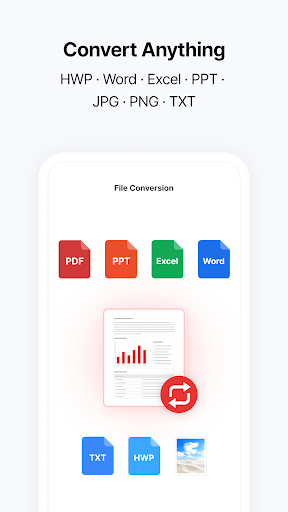
Edit, convert, scan, compress, merge, split, and eSign PDFs in one app. ALPDF is your free all-in-one PDF editor and converter for mobile, with tools for viewing, editing, scanning, converting, signing, and managing PDF files on your smartphone or tablet. · Free PDF tools: PDF viewer, PDF reader, PDF editor, PDF converter, PDF scan, PDF compression, merge, split, eSign, document lock, and more · AI & cloud features: AI PDF summary and chat, plus OneDrive integration for easier document management - ● Key Features [PDF Editor - View, Edit, Merge, and Split] Edit and manage PDF documents with free mobile PDF tools. · PDF viewer & reader: Quickly open and read PDF files on your smartphone or tablet · PDF editing: Edit text and add notes, comments, callouts, lines, links, stamps, underlines, and multimedia · Merge PDFs: Combine multiple documents into one PDF file · Split PDFs: Separate or delete pages and extract selected pages into a new PDF · Create PDFs: Create new PDF documents with custom page size, color, and page count · Rotate PDFs: Rotate selected pages horizontally or vertically · Compress PDFs: Reduce PDF file size for easier sharing by email or messenger · Scan to PDF: Use your camera to scan paper documents and save them as PDF or image files · Add page numbers: Insert page numbers with your preferred position, size, and font [PDF Converter - PDF to Word, Excel, PPT, Images, and More] Convert PDFs to other formats or turn documents and images into PDF files. · PDF to Word, JPG, PPT, Excel, and TXT · Word, Excel, and PPT to PDF · JPG and PNG to PDF · Convert photos to PDF · HWP viewer and HWP to PDF conversion supported [AI PDF Summary - Analyze and Chat] Understand long reports, research papers, and foreign-language documents faster with AI. · AI PDF summary: Summarize long PDF documents into key points · AI PDF chat: Ask questions about a document and get answers based on its content ※ Subscribe to an ALTools AI plan on the official ALTools website for higher AI usage limits. [Cloud Integration - OneDrive] Connect your OneDrive account to open and edit cloud documents directly in ALPDF. · Open and edit OneDrive documents instantly · Connect two or more OneDrive accounts at the same time [PDF Security - Lock, Watermark, and eSign] Keep important PDF documents secure and organized. · PDF lock & password protection: Add or remove passwords from PDF files · PDF watermark: Add text or images to help protect document ownership · PDF eSign: Add your signature to PDF documents for quick electronic signing · Organize PDF pages: Reorder, delete, or add pages as needed - ● Recommended for Professionals who need to edit and convert PDFs on the go · Edit contracts and reports, compress large PDFs, and manage documents from your smartphone or tablet Students managing research papers and study materials · Use AI PDF summary, annotations, and PDF conversion for documents and assignments Anyone who needs to scan paper documents into PDF · Scan documents with your camera and save them directly as PDF files Anyone managing forms, tax documents, or important files · Merge, split, compress, password-protect, and eSign PDFs in one place Anyone who needs to convert PDF and Office files · Convert PDF to Word, Excel, PPT, JPG, and TXT, or turn Office files and images into PDF Anyone who wants to manage PDFs without a PC · View, read, edit, scan, convert, compress, and sign PDFs with one all-in-one PDF app - [App Permissions] Required Permissions · All files access: Open, convert, and save documents and images Optional Permissions · Camera: Add photos while editing PDFs · Microphone: Add voice notes to PDFs ※ You can use the app without granting optional permissions, but features that require them may be limited until permission is granted.
More like this
- Top Productivity on Google Play by estimated revenue
- ALPDF - PDF Converter & Editor alternatives
- ALPDF - PDF Converter & Editor vs Tamil Voice Keyboard
- ALPDF - PDF Converter & Editor vs Transcribe: Voice Memo to Text
- All top charts and categories
Similar apps
Tamil Voice KeyboardVoice Text4.1 ★ (1.1K)
Transcribe: Voice Memo to TextB1 Group OU4.4 ★ (1.1K)
GoodSyncSiber Systems Inc4.5 ★ (1.1K)
Gobierno Abierto Bogotá - GABAlta Consejería Distrital de TIC2.2 ★ (1.1K)
Notes - Easy NotepadGlad Appvestor4.0 ★ (1.1K)
Chaos Control 2: AI OrganizerChaos Control4.4 ★ (1.1K)
One Swipe Notes - Quick NotesNeelam Govind Bhanushali4.1 ★ (1.1K)
Thai KeyboardAs Erra Ltd.4.3 ★ (1.1K)