QuickButtonsPro Navigation Bar
Growtons TechToolsGoogle Play$0.99QuickButtonsPro Navigation Bar revenue and downloads, last 30 days
How we got this (9 inputs)
- signals
- ratings ÷ age
- ratings/day
- 0.14
- monetisation
- utilities ARPD 0.8; no IAP
- bound
- revenue per download ceiling: $15/download × downloads high (Play counter)
- range
- 80% interval from out-of-fold residuals (×1.12 scale, 90 products)
- likelyLow
- 1416.4
- likelyHigh
- 5473.64
- confidence
- medium
- observed days (of 30)
- 2
As of Nov 21, 2026.
How we got this (13 inputs)
- signals
- Play installs ÷ age; lifetime→current drift ×/÷4.12 (135278 measured Play counter deltas)
- spread
- measured on downloads ground truth (downloads ground truth: 48 App Store milestones, 33 platform splits, 13 drift points)
- installs
- 6529
- age days
- 1427
- note
- install counter moved once in 1.99 day(s); one step can hold several days of installs, so it is not read as a daily rate yet
- bound
- at most the lifetime installs counter (6529) over 30 days: the listing is 1427 days old, so its last 30 days cannot hold more installs than it ever had
- range scale
- ×0.88 (coverage scale on 9 ground-truth rows; publication is decided before it)
- likelyLow
- 117
- likelyHigh
- 428
- confidence
- medium
- observed days (of 30)
- 2
- measured days
- 0
- scaling
- observed days, scaled to 30
As of Nov 21, 2026.
How we got this (13 inputs)
- method
- installs in the window (all active on install day) + earlier installers active in the month (published retention ÷ the category's DAU/MAU stickiness) + the retained base of installers older than two years
- downloads per day
- 7.5 (2.2 to 25.33, the published worldwide figure)
- retention
- day 1 / 7 / 30: 23.7% / 6.54% / 2.45% (Android benchmark × 1.17 for the category; AppsFlyer Q3 2024 day-1/7/30 retention, via getstream.io/blog/app-retention-guide (read 2026-11-16); category: OneSignal 2024 day-30 retention by category, via getstream.io/blog/app-retention-guide (read 2026-11-16))
- active days per install
- 6.25 over 730 days (age 1427 days; the curve is used to 730)
- stickiness
- 17.5% DAU/MAU, Productivity & Tools median (MWM DAU/MAU medians, US iOS, May 2026 (mwm.ai/glossary/dau-mau, read 2026-11-16))
- parts
- window installs 225 (the published 30-day downloads), earlier installers 177, retained base 51
- retained base
- 1054 installers older than 730 days (lifetime from the listing's Play installs counter) × 4.79% active in a month (between 1.63%, the benchmark curve held flat, and 14.1%, median disclosed MAU ÷ lifetime installs of Duolingo, Snapchat and Grindr (company filings, data/ground-truth-active-users.csv; chosen on these rows, scored leave-one-product-out)); range ×/÷2 past each (widened after the leave-one-product-out check)
- spread
- downloads ×/÷3.39, retention ×/÷3, tail ×/÷1.58, stickiness ×/÷1.8, retained base ×/÷5.89 (assumptions; not fitted)
- ratings per download (recorded, not used)
- 0.018969999999999997
- chart persistence (recorded, not used)
- 0 day(s) on a chart in the window; fewer than 7 live days exist
- tier
- modelled: retention and stickiness are published benchmarks, not measured on this listing
- confidence
- low
- rough
- order of magnitude
As of Nov 21, 2026.
Daily active users
Modelled from this app's downloads and a published retention curve for its store and category, not measured. Read it as an order of magnitude.
History
Daily readings as we observed them, last 30 days worldwide. Free shows the last 30 days.
Downloads per day
Observed by us since Nov 19, 2026.
Revenue per day
Observed by us since Nov 19, 2026.
Ratings (worldwide)
Observed by us since Nov 19, 2026.
Installs, Play counter
Observed by us since Nov 19, 2026.
Monthly history: we have found no public-archive copy of this store page from the last 12 months, so monthly readings start with our own in Nov 2026.
Create a free account to save apps; Pro shows full history.
Chart positions
Where this app ranks on the top free, paid and grossing charts we capture.
Search terms
In-app purchases
Prices
In-app purchase ladder, price changes and paywall terms
No in-app prices recorded yet. We read them from the store listing: either this app sells none, or its listing has not been read yet.
Ratings and reviews
Rating distribution
Store histogram
201 ratings
Recent reviews
Marketing
Paid ads, organic videos and onboarding captured for this app.
Paid ads
No Meta, Google or TikTok ads tied to this app yet. We check the public ad libraries daily.
Organic videos
No YouTube, TikTok or Instagram videos tied to this app yet.
Change history
Versions, price changes, rank jumps and listing edits, as we observed them.
Details
- Developer
- Growtons Tech, 5 apps
- Package
- com.growtonspro.bottom.navigation.bar.power.button.home.button.back.button.flash.light.volume.button
- Category
- Tools
- Price
- $0.99
- Released
- Dec 25, 2022
- Updated
- Sep 27, 2026
- Version
- 3.0.9
- Size
- -
- Content rating
- Everyone
- Website
- growtons.github.io
- Contact email
- growtons@gmail.com
- Privacy policy
- sites.google.com/view/quickbuttonspro-navigationbar/home
- Languages
- Not available
- Charted in
- United States, India
- First seen
- Nov 17, 2026
- Listing read
- Nov 21, 2026
Show store descriptionShow less
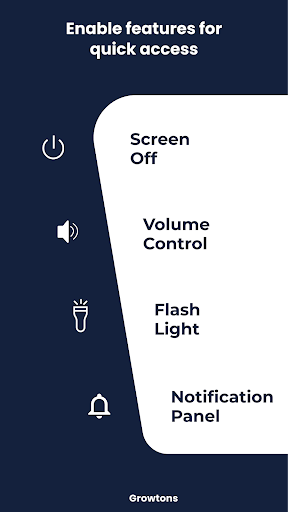
Customize your Navigation Bar with a wide range of 250+ colors and 50+ icon designs for Back Button , Home Button and Recents Button. Also enjoy using Soft Keys for Power Button, Volume Button and flashlight button ! This app lets you define color for your Navigation Bar’s Background and its icons. Also we have a wide collection of designs for the Navigation Bar icons. Try them all and choose the one which fits you the Best! This app provides you with soft power button and soft volume button which preserves your device’s volume and power button. 😃 Working of this app: 1) Install our Quick Buttons Pro app and enable the accessibility service for this app. Steps to Enable Accessibility service: • Once installed, our app prompts you to enable accessibility service • Clicking on enable takes you to your device’s accessibility settings. • In this page, choose the Quick buttons App and enable accessibility service for the app. 2) Once accessibility service is Enabled, you will immediately see Navigation bar and feature bar being added to your screen. 3) Once you exit your accessibility settings page, you will be landed into the Quick Buttons Pro App where you can start configuring. Customize your Navigation Bar: 1) In the Quick Buttons Pro Configure page, you can find an option to specify whether you want the Back Button on the left or right. Selecting an option brings the Back Button & Home Button to the desired positions. 2) To start customizing your Navigation Bar, click on the Customize Button. 3) You will be redirected to Customization Page, where you can make the following customizations: 🏆 Customizing Colors:🏆 • To customize colors, just click on the Colors option and you will be redirected to a page where you can customize colors. To update color for the Navigation Bar Background, just select the Background option from the Bottom Menu, and click on a color that you want to apply for the background. And that’s it, you will see the background color is applied to your Navigation Bar. • Similarly to update the color of the Navigation Bar Icons and ripple, select the corresponding option from the bottom menu and click on the desired color. 🏆 Styling Navigation Bar Icons:🏆 • To change NavBar designs, just click on Icons option and you will be redirected to a page where you can choose the icons that you would love for your Navigation Bar. • To select a particular icon design for your Navigation Bar, just click on the desired icon and the changes will apply instantly! 🏆 Advanced Settings🏆 By clicking on the advanced settings page, you may enable / disable the vibration effect for the NavBar icons and here you can also configure whether you want to hide/show the dock button Customizing the Feature Bar: In the Quick Buttons Pro configure page, within the feature bar section, you can select/unselect feature buttons that you would like to have on the feature Bar. Show or Hide Navigation Bar: If you want to hide navigation bar , just click on the dock button (right most button) provided in the navigation bar. In order to get back your navigation bar, tap or swipe from the bottom and your navigation bar will re appear. Dock / Undock Feature Bar: Similarly you can dock the feature bar by clicking the dock button (bottom most button) in the feature bar. This will dock the feature bar and will occupy minimum space on the screen. Clicking on the docked bar would reopen the feature bar. Enjoy the app and do rate us if you liked the app 😎 NOTE: This app uses accessibility service for the sole purpose of providing navigation bar, power button, volume button and flash light features. NOTE: For devices running in Android versions Oreo or below, an additional Device Admin permission may be required for the power button feature. However this permission is not mandatory if you do not wish to use the power button feature.
More like this
- Top Tools on Google Play by estimated revenue
- QuickButtonsPro Navigation Bar alternatives
- QuickButtonsPro Navigation Bar vs E-Smart Refrigerator
- QuickButtonsPro Navigation Bar vs Cooking Unit Converter
- All top charts and categories
Similar apps
E-Smart RefrigeratorSamsung Electronics Co., Ltd.2.0 ★ (203)
Cooking Unit ConverterUmit YILMAZ4.4 ★ (203)
GlobalVoy—Safe VPN ConnectionDemtula technology
SOTA FinderZBM2 Software3.3 ★ (203)
Backup & Restore AppDemo Developer - Apps & Games3.4 ★ (203)
Chess Clock for ScrabbleJonatan Strömsten
DoggyApp - Identify Dog BreedsPrincipia-tech3.4 ★ (203)
ضمانضمان4.4 ★ (203)