Auto Clicker - Fast Tap
FirehawkToolsGoogle PlayIn-app purchasesContains adsAuto Clicker - Fast Tap revenue and downloads, last 30 days
How we got this (9 inputs)
- signals
- ratings ÷ age
- ratings/day
- 0.57
- monetisation
- utilities ARPD 0.8; IAP max $99.99 ×2.5
- range
- 80% interval from out-of-fold residuals (×1.12 scale, 90 products)
- likelyLow
- 2718.52
- likelyHigh
- 14110.19
- confidence
- low
- rough
- order of magnitude
- observed days (of 30)
- 2
As of Nov 21, 2026.
How we got this (13 inputs)
- signals
- Play installs ÷ age; lifetime→current drift ×/÷4.12 (135278 measured Play counter deltas)
- spread
- measured on downloads ground truth (downloads ground truth: 48 App Store milestones, 33 platform splits, 13 drift points)
- installs
- 225827
- age days
- 1824
- note
- install counter moved once in 2.15 day(s); one step can hold several days of installs, so it is not read as a daily rate yet
- bound
- at most the lifetime installs counter (225827) over 30 days: the listing is 1824 days old, so its last 30 days cannot hold more installs than it ever had
- range scale
- ×0.88 (coverage scale on 9 ground-truth rows; publication is decided before it)
- likelyLow
- 3185
- likelyHigh
- 11350
- confidence
- medium
- observed days (of 30)
- 2
- measured days
- 0
- scaling
- observed days, scaled to 30
As of Nov 21, 2026.
How we got this (13 inputs)
- method
- installs in the window (all active on install day) + earlier installers active in the month (published retention ÷ the category's DAU/MAU stickiness) + the retained base of installers older than two years
- downloads per day
- 200.6 (59.83 to 667.5, the published worldwide figure)
- retention
- day 1 / 7 / 30: 23.7% / 6.54% / 2.45% (Android benchmark × 1.17 for the category; AppsFlyer Q3 2024 day-1/7/30 retention, via getstream.io/blog/app-retention-guide (read 2026-11-16); category: OneSignal 2024 day-30 retention by category, via getstream.io/blog/app-retention-guide (read 2026-11-16))
- active days per install
- 6.25 over 730 days (age 1824 days; the curve is used to 730)
- stickiness
- 17.5% DAU/MAU, Productivity & Tools median (MWM DAU/MAU medians, US iOS, May 2026 (mwm.ai/glossary/dau-mau, read 2026-11-16))
- parts
- window installs 6018 (the published 30-day downloads), earlier installers 4735, retained base 3824
- retained base
- 79761 installers older than 730 days (lifetime from the listing's Play installs counter) × 4.79% active in a month (between 1.63%, the benchmark curve held flat, and 14.1%, median disclosed MAU ÷ lifetime installs of Duolingo, Snapchat and Grindr (company filings, data/ground-truth-active-users.csv; chosen on these rows, scored leave-one-product-out)); range ×/÷2 past each (widened after the leave-one-product-out check)
- spread
- downloads ×/÷3.34, retention ×/÷3, tail ×/÷1.58, stickiness ×/÷1.8, retained base ×/÷5.89 (assumptions; not fitted)
- ratings per download (recorded, not used)
- 0.0028599999999999997
- chart persistence (recorded, not used)
- 0 day(s) on a chart in the window; fewer than 7 live days exist
- tier
- modelled: retention and stickiness are published benchmarks, not measured on this listing
- confidence
- low
- rough
- order of magnitude
As of Nov 21, 2026.
Daily active users
Modelled from this app's downloads and a published retention curve for its store and category, not measured. Read it as an order of magnitude.
History
Daily readings as we observed them, last 30 days worldwide. Free shows the last 30 days.
Downloads per day
Observed by us since Nov 19, 2026.
Revenue per day
Observed by us since Nov 19, 2026.
Ratings (worldwide)
Observed by us since Nov 19, 2026.
Installs, Play counter
Observed by us since Nov 19, 2026.
Monthly history: we have found no public-archive copy of this store page from the last 12 months, so monthly readings start with our own in Nov 2026.
Create a free account to save apps; Pro shows full history.
Chart positions
Where this app ranks on the top free, paid and grossing charts we capture.
Search terms
No search terms read for this app yet. Terms are read from its title and the searches it shows up in, and appear here once ranked.
In-app purchases
Google Play shows one in-app price range per storefront, not each product's price. The range over time, as the store published it:
United States, USD
- $0.99 - $99.99 per itemNov 22, 2026 to now
Prices
In-app purchase ladder, price changes and paywall terms
No itemised in-app prices yet. Google Play publishes only the price range shown above, not each product; the individual products and their prices have not been read.
Ratings and reviews
Rating distribution
Store histogram
1,017 ratings
Recent reviews
Marketing
Paid ads, organic videos and onboarding captured for this app.
Paid ads
No Meta, Google or TikTok ads tied to this app yet. We check the public ad libraries daily.
Organic videos
No YouTube, TikTok or Instagram videos tied to this app yet.
Change history
Versions, price changes, rank jumps and listing edits, as we observed them.
Details
- Developer
- Firehawk, 84 apps
- Package
- com.gt.autoclicker
- Category
- Tools
- Price
- Free
- Released
- Nov 23, 2021
- Updated
- Aug 19, 2026
- Version
- 7.1.0
- Size
- -
- Content rating
- Everyone
- Website
- firehawk.ai/fastcliker
- Contact email
- support.fastcliker@firehawk.ai
- Privacy policy
- firehawk.ai/fastcliker/privacy/
- Languages
- Not available
- Charted in
- United States
- First seen
- Nov 19, 2026
- Listing read
- Nov 22, 2026
Show store descriptionShow less
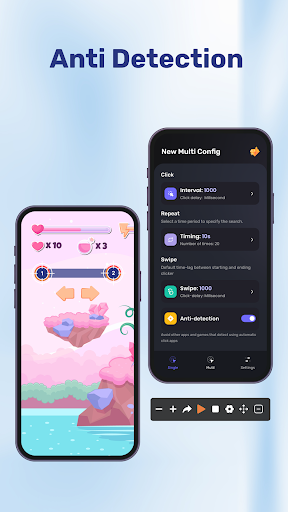
Fast Tap: Auto Clicker App For Games - Automate Repeated Screen Actions!Fast Tap: Auto Clicker App For Games helps automate repetitive screen actions across supported games and apps without requiring root access. Auto Tapper: Click Assistant gives you flexible single-point and multi-point modes for different routines. Automatic Tapping: Clicker Assistant also lets you control timing, repetitions, positions, and intervals for more precise automation. Automation Features: 🎯AutoClicker: Finger Tap Clicker - Set automatic touch points anywhere on the screen; ⚡Pro Auto Clicker: Tapping App - Configure repeated actions with adjustable timing; 👆Fast Tap: Auto Clicker App For Games - Choose single-point or multi-point operation; 🔁Auto Tapper: Click Assistant - Run a selected sequence continuously or for a fixed amount; ⏱️Automatic Tapping: Clicker Assistant - Set intervals and control how often actions repeat; ↔️Swipe Gestures - Create drag, drop, and directional movement sequences; 🎛️Floating Controls - Start, pause, or stop automation without leaving your current screen; 💾Saved Configurations - Store multiple setups and load them again whenever needed; Create touch points, adjust timing, and run repetitive actions automatically!AutoClicker: Finger Tap Clicker is useful when a game or utility requires the same screen interaction again and again. Pro Auto Clicker: Tapping App supports more complex setups when one position is not enough. Multiple touch points can be arranged in a sequence for routines that require several screen locations. How To Use: 📲Open Fast Tap: Auto Clicker App For Games and enable the required accessibility permission; 🎯Use Auto Tapper: Click Assistant to place one or more control points; ⏱️Choose Automatic Tapping: Clicker Assistant to adjust timing and repetitions; ↔️Add swipe or drag gestures when your routine needs movement; 🎛️Use the floating panel to start, pause, or stop the sequence; 💾Save your configuration for quick access later; ✅Open AutoClicker: Finger Tap Clicker whenever you want to reuse the setup; 🎮Single And Multi-Point Modes: Pro Auto Clicker: Tapping App lets you choose a simple single-position setup or create a sequence across multiple screen areas. ⏱️Loops, Timers, And Precise Control: Automatic Tapping: Clicker Assistant lets you decide whether a sequence continues indefinitely or stops after a chosen number of repetitions. ↔️Swipes And Saved Configurations: Auto Tapper: Click Assistant supports swipe gestures for routines that involve dragging or directional movement. Save different configurations instead of rebuilding the same setup every time. AutoClicker: Finger Tap Clicker makes switching between previously created routines quick and convenient. 🎛️Floating Panel And Easy Controls: Fast Tap: Auto Clicker App For Games includes an on-screen control panel so automation can be managed while another supported app is open. Pro Auto Clicker: Tapping App keeps the main controls easy to reach without requiring complicated setup. 🔐Accessibility Service Information: The app requires the Accessibility Service API to perform automated gestures on behalf of the user. This permission enables touch and gesture actions across supported apps. Accessibility services may also require observing user interactions as part of Android system functionality. The app does not require root access and does not use the accessibility permission to collect personal information. Make Repetitive Screen Actions Easier To Manage!With adjustable timing, multiple points, swipe support, floating controls, loops, and saved configurations, the app gives you practical tools for automating repeated routines with greater control.
More like this
- Top Tools on Google Play by estimated revenue
- Auto Clicker - Fast Tap alternatives
- Auto Clicker - Fast Tap vs Super Charging
- Auto Clicker - Fast Tap vs AVARO
- All top charts and categories
Similar apps
Super ChargingGold Flake3.8 ★ (1K)
AVAROPT. Intech Surya Abadi4.6 ★ (1K)
Float VPN - Private, Safer VPNFloatfly Technology Limited4.8 ★ (1K)
ProtractorAndroid Pandaz4.0 ★ (1K)
SVR - Secret Video RecorderFabioDeveloper4.0 ★ (1K)
TakoStats - FPS & Perf overlayXingchen & Rikka2.9 ★ (1K)
Geo VPN Proxy-Worldwide ShieldHunk Call4.6 ★ (1K)
ADS-B Unfiltered Plane TrackerFiftyFive's Development4.6 ★ (1K)