TV Cast & Screen Mirroring
FunShare InteractiveToolsGoogle PlayIn-app purchasesTV Cast & Screen Mirroring revenue and downloads, last 30 days
History
Daily readings as we observed them, last 30 days worldwide. Free shows the last 30 days.
One reading so far: history starts Nov 22, 2026, and a trend line appears after the next daily reading.
Monthly history: we have found no public-archive copy of this store page from the last 12 months, so monthly readings start with our own in Nov 2026.
Create a free account to save apps; Pro shows full history.
Chart positions
Where this app ranks on the top free, paid and grossing charts we capture.
Search terms
In-app purchases
Google Play shows one in-app price range per storefront, not each product's price. The range over time, as the store published it:
Brazil, BRL
- R$30.99 - R$559.99 per itemNov 22, 2026 to now
Prices
In-app purchase ladder, price changes and paywall terms
No itemised in-app prices yet. Google Play publishes only the price range shown above, not each product; the individual products and their prices have not been read.
Ratings and reviews
Rating distribution
Store histogram
216 ratings
Recent reviews
Marketing
Paid ads, organic videos and onboarding captured for this app.
Paid ads
No Meta, Google or TikTok ads tied to this app yet. We check the public ad libraries daily.
Organic videos
No YouTube, TikTok or Instagram videos tied to this app yet.
Change history
Versions, price changes, rank jumps and listing edits, as we observed them.
Details
- Developer
- FunShare Interactive, 4 apps
- Package
- com.gzfunshare.cast
- Category
- Tools
- Price
- Free
- Released
- Oct 10, 2025
- Updated
- Nov 4, 2026
- Version
- 1.1.22
- Size
- -
- Content rating
- All ages
- Website
- gzfunshare.com
- Contact email
- gp@gzfunshare.com
- Privacy policy
- sites.google.com/view/funshare-interactive/privacy
- Languages
- Not available
- Charted in
- Brazil, India
- First seen
- Nov 18, 2026
- Listing read
- Nov 22, 2026
Show store descriptionShow less
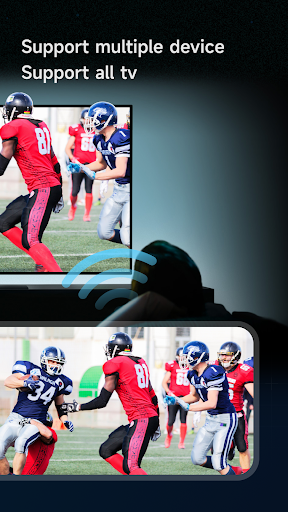
Use TV Cast & Screen Mirroring to mirror your phone screen to a compatible TV, cast media files to your TV, and use your phone as a Roku remote. Cast videos, photos, and music saved on your phone or share your phone screen on a compatible TV. Connect your phone and TV or streaming device to the same Wi-Fi network, search for supported devices, and choose screen mirroring or media casting. For Roku remote control, connect to a compatible Roku device or Roku TV and access the available remote controls directly on your phone. The app is intended for compatible Roku, Chromecast, Google Cast, and Android TV devices, as well as selected Samsung, LG, Sony, TCL, Hisense, and Vizio smart TVs and DLNA/UPnP receivers. The remote control feature is available for supported Roku devices and Roku TV. Available features may vary by device. ✨ Key features 📱 Screen mirroring Mirror your phone screen to a compatible TV or streaming device. Display apps, photos, presentations, lessons, fitness content, and other phone content on a larger screen. 📂 Cast files to TV Choose videos, photos, or music saved on your phone and cast them to a compatible TV. Supported media formats may vary by the TV or receiver. 🎬 Video casting Cast local videos from your phone to Roku, Chromecast, smart TVs, and other supported devices. Playback may depend on the file format, network connection, and receiving device. 🖼️ Photo casting Display photos and images from your phone on a TV for viewing albums, sharing pictures, or presenting visual content. 🎵 Music casting Cast music files from your phone when the TV or streaming device supports the relevant audio format. 📺 Roku remote control Use your phone as a remote for Roku without reaching for a physical remote. Connect your phone and a compatible Roku device or Roku TV to the same Wi-Fi network, select your device, and start using the available remote controls on your phone. Keep your Roku remote, screen mirroring, and media casting tools together in one app. Available remote functions may vary by Roku model and device settings. 📡 Compatible devices • Roku and Roku TV • Chromecast and Google Cast devices • Android TV • Selected Samsung, LG, and Sony smart TVs • Selected TCL, Hisense, and Vizio smart TVs • DLNA/UPnP receivers • Other supported streaming devices 🔍 Find devices Search for TVs and streaming devices connected to the same Wi-Fi network as your phone. Some devices may require connection confirmation, setting changes, or network permissions. 📋 How to use 1. Connect your phone and TV or streaming device to the same Wi-Fi network. 2. Open TV Cast & Screen Mirroring and allow access to the local network or nearby devices. 3. Search for and select a compatible device. 4. Select Screen Mirroring to display your phone screen on the TV. 5. To cast files, choose a video, photo, or music file in the app. ℹ️ Compatibility Compatibility may depend on the TV or streaming device model, firmware version, available protocols, and network configuration. Screen mirroring quality, resolution, and latency may vary by phone, TV, and Wi-Fi connection. Some devices may not support audio during screen mirroring. Video, image, and audio format support may differ between TVs and receivers. Some protected or DRM-restricted content may not be available for casting or screen mirroring. Features available on Roku, Chromecast, smart TVs, and DLNA/UPnP receivers may vary by model. ⚠️ Disclaimer TV Cast & Screen Mirroring is independently developed and is not affiliated with, authorized by, endorsed by, or sponsored by Roku, Google, Chromecast, Samsung, LG, Sony, TCL, Hisense, Vizio, or other manufacturers mentioned in this description. All product names, brands, and trademarks belong to their respective owners. 📥 Download TV Cast & Screen Mirroring Mirror your phone screen to supported devices and cast videos, photos, and music from your phone to your TV.
More like this
- Top Tools on Google Play by estimated revenue
- TV Cast & Screen Mirroring alternatives
- TV Cast & Screen Mirroring vs Pantamera
- TV Cast & Screen Mirroring vs cleanvault: AI Storage Cleaner
- All top charts and categories
Similar apps
PantameraPantamera3.5 ★ (219)
cleanvault: AI Storage CleanerQZEE GAMES LLP
Ground Water Information, U.PMARGSOFT Technologies (P) Ltd.
TREMEC ToolboxTREMEC3.0 ★ (219)
ArenaiArenai3.0 ★ (219)
SmartTorch - Torch with TimerGermain Kevin2.6 ★ (219)
HoloAI - TCG Card ScannerSuperapp Labs4.2 ★ (219)
BL Windows App Remote - FreeBL - Software5.0 ★ (219)