
Custom Robot Control
LFranklinToolsGoogle PlayContains adsCustom Robot Control revenue and downloads, last 30 days
History
Daily readings as we observed them, last 30 days worldwide. Free shows the last 30 days.
One reading so far: history starts Nov 23, 2026, and a trend line appears after the next daily reading.
Monthly history: we have found no public-archive copy of this store page from the last 12 months, so monthly readings start with our own in Nov 2026.
Create a free account to save apps; Pro shows full history.
Chart positions
Where this app ranks on the top free, paid and grossing charts we capture.
Search terms
No search terms read for this app yet. Terms are read from its title and the searches it shows up in, and appear here once ranked.
In-app purchases
Prices
In-app purchase ladder, price changes and paywall terms
No in-app prices recorded yet. We read them from the store listing: either this app sells none, or its listing has not been read yet.
Ratings and reviews
Rating distribution
No rating distribution read yet.
Recent reviews
Marketing
Paid ads, organic videos and onboarding captured for this app.
Onboarding
No store screenshots, web funnel or in-app recording captured for this app yet.
Change history
Versions, price changes, rank jumps and listing edits, as we observed them.
Details
- Developer
- LFranklin, 3 apps
- Package
- com.lf.customrobotcontrol
- Category
- Tools
- Price
- Free
- Released
- Aug 8, 2025
- Updated
- Oct 24, 2026
- Version
- 1.1.2
- Size
- -
- Content rating
- Everyone
- Contact email
- lfranklinapps@gmail.com
- Languages
- Not available
- Charted in
- United States
- First seen
- Nov 23, 2026
- Listing read
- Nov 23, 2026
Show store descriptionShow less
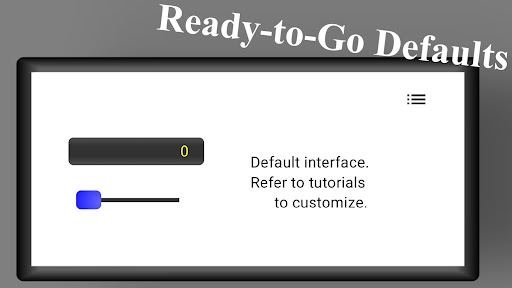
Custom Robot Control is a powerful and flexible app designed for Arduino and IoT enthusiasts who want to build and customize their own Bluetooth-based remote controller. Whether you're building a smart car, a robotic arm, a remote sensor, or a home automation system, this app lets you create a remote control interface that suits your project. Add, resize, and move items: buttons, sliders, LEDs, progress bars, displays, and more. Then pair the app with your microcontroller with just the press of a button. This app is designed to accompany the Custom Robot Control library, which can be installed using the Arduino library manager. Custom Robot Control takes care of the Bluetooth communications, so you can focus on the important aspects of your project. A complete tutorial is included. Key Features: • Fully Customizable UI: Create your own layout using resizable and movable elements such as buttons, sliders, LEDs, progress bars, text displays, and more. Perfect for creating a personalized remote control panel for any robotics project. • Easy Bluetooth Communication: Connect to your Arduino or compatible board via Bluetooth with just one tap. No complex configuration needed. The app handles the communication so you can focus on your project logic. • Complete Tutorial Included: A built-in step-by-step tutorial helps you get started quickly, even if you’re new to Bluetooth communication or Arduino programming. Who Is Custom Robot Control For? Custom Robot Control is designed for: • Arduino Developers – Easily control your projects using a custom mobile interface. • Makers & Hobbyists – Build personalized Bluetooth controllers for robots, drones, remote sensors, or home automation. • STEM Students & Educators – Use it in the classroom or lab to teach robotics, IoT, and embedded systems. • DIY Enthusiasts – No need to code a new app for every project. Create a visual interface in minutes. • Prototypers & Engineers – Test and demo Bluetooth-based hardware without writing extra UI code. Whether you're building a robot, smart device, or automation system, this app gives you full flexibility and control - right from your phone. How It Works: • Install the Custom Robot Control Library: Install the library from the Arduino Library Manager. • Design Your UI: Add and arrange UI elements like buttons, sliders, progress bars, and displays directly in the app. Each element sends or receives data to/from your microcontroller. • Program Your Arduino Board: Use simple library functions to send and receive data between your Arduino board and the app via Bluetooth. • Connect the App to Your Board: Launch the app, turn on Bluetooth, and tap to connect. Compatible with most Arduino BLE or WiFi boards. • Test and Control: Interact with your Arduino project in real time. Use buttons to trigger actions, sliders to control motors, and displays to monitor sensor data. No programming is required to build the mobile interface - just drag, drop, and connect. Supports the following boards: • Arduino MKR WiFi 1010 • Arduino UNO WiFi Rev2 • Arduino Nano 33 IoT • Arduino Nano 33 BLE • Nicla Sense ME • UNO R4 WiFi. Custom Robot Control and its publisher are not affiliated with Arduino, LLC. This application and its related software are intended for hobby use only. Do not use for medical or safety-critical projects.



More like this
- Top Tools on Google Play by estimated revenue
- Custom Robot Control alternatives
- Custom Robot Control vs FF Sensi Max
- Custom Robot Control vs Tesor
- All top charts and categories


