Ollama Local AI - Chat & Build
FreeRouter TeamProductivityGoogle PlayIn-app purchasesOllama Local AI - Chat & Build revenue and downloads, last 30 days
How we got this (8 inputs)
- signals
- ratings ÷ age
- ratings/day
- 3.77
- monetisation
- productivity ARPD 1; IAP max $29.99 ×1.73
- range
- 80% interval from out-of-fold residuals (×1.12 scale, 90 products)
- likelyLow
- 5192.4
- likelyHigh
- 25584.3
- confidence
- medium
- observed days (of 30)
- 1
As of Nov 21, 2026.
How we got this (12 inputs)
- signals
- Play installs ÷ age; lifetime→current drift ×/÷4.12 (135278 measured Play counter deltas)
- spread
- measured on downloads ground truth (downloads ground truth: 48 App Store milestones, 33 platform splits, 13 drift points)
- installs
- 77544
- age days
- 136
- bound
- at most the lifetime installs counter (77544) over 30 days: the listing is 136 days old, so its last 30 days cannot hold more installs than it ever had
- range scale
- ×0.88 (coverage scale on 9 ground-truth rows; publication is decided before it)
- likelyLow
- 11987
- likelyHigh
- 37141
- confidence
- medium
- observed days (of 30)
- 1
- measured days
- 0
- scaling
- observed days, scaled to 30
As of Nov 21, 2026.
How we got this (13 inputs)
- method
- installs in the window (all active on install day) + earlier installers active in the month (published retention ÷ the category's DAU/MAU stickiness) + the retained base of installers older than two years
- downloads per day
- 724.23 (228.47 to 1809.77, the published worldwide figure)
- retention
- day 1 / 7 / 30: 24.81% / 6.84% / 2.57% (Android benchmark × 1.22 for the category; AppsFlyer Q3 2024 day-1/7/30 retention, via getstream.io/blog/app-retention-guide (read 2026-11-16); category: OneSignal 2024 day-30 retention by category, via getstream.io/blog/app-retention-guide (read 2026-11-16))
- active days per install
- 3.7 over 136 days
- stickiness
- 17.5% DAU/MAU, Productivity & Tools median (MWM DAU/MAU medians, US iOS, May 2026 (mwm.ai/glossary/dau-mau, read 2026-11-16))
- parts
- window installs 21727 (the published 30-day downloads), earlier installers 6224, retained base 0
- spread
- downloads ×/÷2.81, retention ×/÷3, tail ×/÷1.33, stickiness ×/÷1.8 (assumptions; not fitted)
- ratings per download (recorded, not used)
- 0.0052
- chart persistence (recorded, not used)
- 0 day(s) on a chart in the window; fewer than 7 live days exist
- bound
- at most the listing's 77544 lifetime installs
- tier
- modelled: retention and stickiness are published benchmarks, not measured on this listing
- confidence
- low
- rough
- order of magnitude
As of Nov 21, 2026.
Daily active users
Modelled from this app's downloads and a published retention curve for its store and category, not measured. Read it as an order of magnitude.
History
Daily readings as we observed them, last 30 days worldwide. Free shows the last 30 days.
One reading so far: history starts Nov 21, 2026, and a trend line appears after the next daily reading.
Monthly history: we have found no public-archive copy of this store page from the last 12 months, so monthly readings start with our own in Nov 2026.
Create a free account to save apps; Pro shows full history.
Chart positions
Where this app ranks on the top free, paid and grossing charts we capture.
Search terms
No search terms read for this app yet. Terms are read from its title and the searches it shows up in, and appear here once ranked.
In-app purchases
Google Play shows one in-app price range per storefront, not each product's price. The range over time, as the store published it:
United States, USD
- $14.99 - $29.99 per itemNov 21, 2026 to now
Prices
In-app purchase ladder, price changes and paywall terms
No itemised in-app prices yet. Google Play publishes only the price range shown above, not each product; the individual products and their prices have not been read.
Ratings and reviews
Rating distribution
Store histogram
499 ratings
Recent reviews
Marketing
Paid ads, organic videos and onboarding captured for this app.
Paid ads
No Meta, Google or TikTok ads tied to this app yet. We check the public ad libraries daily.
Organic videos
No YouTube, TikTok or Instagram videos tied to this app yet.
Change history
Versions, price changes, rank jumps and listing edits, as we observed them.
Details
- Developer
- FreeRouter Team, 6 apps
- Package
- com.llmproxy
- Category
- Productivity
- Price
- Free
- Released
- Jul 8, 2026
- Updated
- Nov 19, 2026
- Version
- 1.72
- Size
- -
- Content rating
- Everyone
- Website
- shannsingh.com
- Contact email
- contact@shannsingh.com
- Languages
- Not available
- Charted in
- United States
- First seen
- Nov 21, 2026
- Listing read
- Nov 21, 2026
Show store descriptionShow less
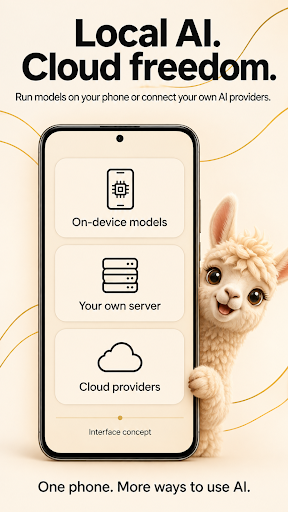
Turn your Android device into a connected AI workspace for chatting, building, and working with development tools. Ollama Mobile – Chat & Build brings Ollama server connections, multiple AI providers, an integrated Linux environment, and terminal access together in one app. Connect to self-hosted Ollama servers, manage your AI provider connections, and route requests across your local network. Work inside the app or access your chat sessions through a browser-based WebUI. Why Ollama Mobile – Chat & Build? Connect to Ollama Servers Bring your self-hosted models into your mobile workflow. Connect the app to an Ollama server and chat with the models available on that server. Chat & Build Together Move from discussing an idea to working on it. Use AI chat alongside in-app development tools to create and refine projects without constantly switching apps. Integrated Linux Environment Work with Linux tools directly inside the app for development tasks and command-line workflows. Built-In Terminal Run commands, work with files, and use terminal-based tools alongside your AI conversations. Multiple AI Providers Add and manage multiple provider connections in one workspace. Choose the configured provider that fits your task. Local-Network Routing Route AI requests across your local network to connect your devices, model servers, and development workflows. Browser-Based Chat WebUI Access your chat sessions from another device through a web interface on your local network. Quick Start Guide Connect Your Provider Add your Ollama server address or configure another supported AI provider. Choose Your Model Select an available model from your connected provider and start a conversation. Chat & Build Ask questions, work on code, and develop projects using the app’s chat and building tools. Open Your Linux Workspace Use the integrated Linux environment and terminal for command-line tasks. Connect Across Your Network Configure local-network routing and use the chat WebUI to continue your workflow from another device. Key Features Ollama Server Connections: Connect to self-hosted Ollama instances and use their available models. AI Chat: Explore ideas, ask questions, and get help with coding and development. In-App Building Tools: Create and work on projects within your mobile workspace. Linux Environment: Access Linux-based tools alongside your chats and projects. Integrated Terminal: Run commands and manage command-line workflows inside the app. Multi-Provider Support: Keep multiple AI provider connections organized in one place. Local-Network Routing: Connect AI services and route requests across your LAN. Cross-Device Chat WebUI: Access chat sessions through a browser on another device on your network. Your Models, Your Connections, Your Workspace Use your Android device as a workspace connected to your Ollama servers and other configured AI providers. Bring conversations, development tools, and terminal workflows together—whether you are exploring an idea or building a project. Important Information Connecting to an Ollama server does not mean the model runs directly on your Android device; processing takes place on the connected server. Connectivity requirements depend on your setup and selected provider. Local-model image generation is not supported. Disclaimer: Ollama Mobile – Chat & Build is an independent app. It is not affiliated with, sponsored by, or endorsed by Ollama or any other third-party provider mentioned.
More like this
- Top Productivity on Google Play by estimated revenue
- Ollama Local AI - Chat & Build alternatives
- Ollama Local AI - Chat & Build vs 샵솔 - 급여명세서, 출퇴근기록, 매장관리
- Ollama Local AI - Chat & Build vs remoteID Certisign
- All top charts and categories
Similar apps
샵솔 - 급여명세서, 출퇴근기록, 매장관리Wesop Inc.3.8 ★ (512)
remoteID CertisignCertisign Certificadora Digital S.A.
和英辞書JustSystems Corporation
Floating NotesYUH APPS3.4 ★ (513)
Save Status: Image Video SaverJoyzApps4.2 ★ (513)
xarvio® FIELD MANAGERBASF Digital Farming GmbH4.1 ★ (511)
PDF Kit - PDF Reader & ViewerMolah Mobile2.4 ★ (511)
Oak AI - Chat AI on Wear OSF. Soydan3.4 ★ (514)