Computer Course Concepts
NexttechEducationGoogle PlayContains adsComputer Course Concepts revenue and downloads, last 30 days
How we got this (10 inputs)
- method
- Play install counter: total accepted delta ÷ elapsed days
- measured days
- 4.82
- window
- 2026-11-16..2026-11-21
- step spread
- ×/÷1.37 (the counter moves in steps; narrows with more days)
- likelyLow
- 35
- likelyHigh
- 66
- confidence
- high
- observed days (of 30)
- 5
- measured days
- 2
- scaling
- projected to 30 days from 4.8 measured days (2026-11-16..2026-11-21, counter 457 → 468) plus 25.2 modelled days
As of Nov 21, 2026.
How we got this (11 inputs)
- method
- installs in the window (all active on install day) + earlier installers active in the month (published retention ÷ the category's DAU/MAU stickiness) + the retained base of installers older than two years
- downloads per day
- 1.57 (0.93 to 2.97, the published worldwide figure)
- retention
- day 1 / 7 / 30: 20.66% / 5.7% / 2.14% (Android benchmark × 1.02 for the category; AppsFlyer Q3 2024 day-1/7/30 retention, via getstream.io/blog/app-retention-guide (read 2026-11-16); category: OneSignal 2024 day-30 retention by category, via getstream.io/blog/app-retention-guide (read 2026-11-16))
- active days per install
- 5.52 over 730 days (age 871 days; the curve is used to 730)
- stickiness
- 12.6% DAU/MAU, Education & Knowledge median (MWM DAU/MAU medians, US iOS, May 2026 (mwm.ai/glossary/dau-mau, read 2026-11-16))
- parts
- window installs 47 (the published 30-day downloads), earlier installers 45, retained base 0
- spread
- downloads ×/÷1.78, retention ×/÷3, tail ×/÷1.57, stickiness ×/÷1.8 (assumptions; not fitted)
- chart persistence (recorded, not used)
- 0 day(s) on a chart in the window; fewer than 7 live days exist
- tier
- modelled: retention and stickiness are published benchmarks, not measured on this listing
- confidence
- low
- rough
- order of magnitude
As of Nov 21, 2026.
Daily active users
Modelled from this app's downloads and a published retention curve for its store and category, not measured. Read it as an order of magnitude.
History
Daily readings as we observed them, last 30 days worldwide. Free shows the last 30 days.
Downloads per day
Observed by us since Nov 16, 2026.
Installs, Play counter
Observed by us since Nov 16, 2026.
Monthly history: we have found no public-archive copy of this store page from the last 12 months, so monthly readings start with our own in Nov 2026.
Create a free account to save apps; Pro shows full history.
Chart positions
Where this app ranks on the top free, paid and grossing charts we capture.
Search terms
No search terms read for this app yet. Terms are read from its title and the searches it shows up in, and appear here once ranked.
In-app purchases
Prices
In-app purchase ladder, price changes and paywall terms
No in-app prices recorded yet. We read them from the store listing: either this app sells none, or its listing has not been read yet.
Ratings and reviews
Rating distribution
No rating distribution read yet.
Recent reviews
Marketing
Paid ads, organic videos and onboarding captured for this app.
Paid ads
No Meta, Google or TikTok ads tied to this app yet. We check the public ad libraries daily.
Organic videos
No YouTube, TikTok or Instagram videos tied to this app yet.
Change history
Versions, price changes, rank jumps and listing edits, as we observed them.
Details
- Developer
- Nexttech, 7 apps
- Package
- com.nexttech.computercourseconcepts
- Category
- Education
- Price
- Free
- Released
- Jul 3, 2024
- Updated
- Aug 31, 2025
- Version
- 1.1.2
- Size
- -
- Content rating
- Everyone
- Website
- www.nowpost.in
- Contact email
- contactappnextin@gmail.com
- Languages
- Not available
- Charted in
- United States
- First seen
- Nov 16, 2026
- Listing read
- Nov 21, 2026
Show store descriptionShow less
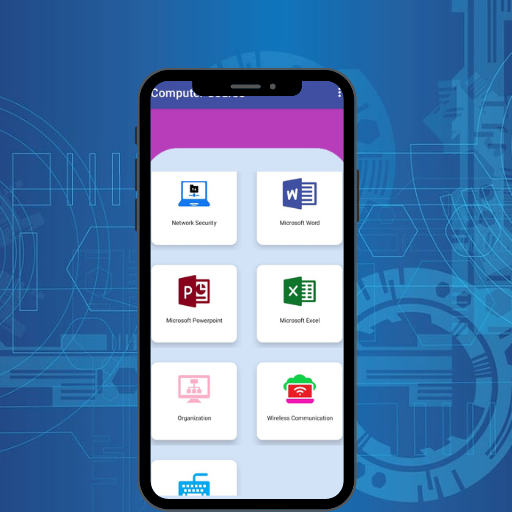
Learn Computer Course: Basic Computer Skills, Excel, PowerPoint, Networking, and Shortcuts Overview Welcome to "Learn Computer Course," the ultimate app for mastering essential computer skills! Whether you're a beginner or looking to enhance your knowledge, this app offers comprehensive tutorials on basic computer operations, Microsoft Excel, PowerPoint, networking fundamentals, and keyboard shortcuts. Our user-friendly interface and step-by-step guides make learning easy and enjoyable. Key Features Basic Computer Skills: Learn the fundamentals of operating a computer, including file management, internet browsing, email setup, and more. Perfect for beginners to get started with confidence. Microsoft Excel: Master Excel with detailed tutorials on data entry, formulas, functions, charts, and data analysis. Learn to create professional spreadsheets and manage data efficiently. Microsoft PowerPoint: Discover how to create stunning presentations with PowerPoint. Learn about slide design, animations, transitions, and tips for delivering engaging presentations. Networking Basics: Understand the core concepts of computer networking. Learn about different types of networks, network hardware, IP addresses, and troubleshooting common network issues. Keyboard Shortcuts: Increase your productivity with a comprehensive list of keyboard shortcuts for Windows and popular software like Excel, Word, and PowerPoint. Learn shortcuts to perform tasks quickly and efficiently. Why Choose Us? User-Friendly Interface: Easy navigation and intuitive design make learning straightforward and enjoyable. Step-by-Step Tutorials: Follow along with detailed guides and practical examples for hands-on learning. Offline Access: Download lessons and access them anytime, anywhere, without an internet connection. Regular Updates: Stay up-to-date with the latest computer skills and software updates. Who Is This For? Beginners: New to computers? Start with the basics and build a solid foundation. Students: Enhance your computer skills for academic success and future job opportunities. Professionals: Improve your efficiency and productivity at work with advanced Excel and PowerPoint skills. Anyone: Whether for personal growth or career advancement, this app is designed for everyone eager to learn. How to Use Download and Install: Get the app from the Play Store and install it on your device. Choose a Course: Select from a variety of courses tailored to your learning needs. Follow the Lessons: Engage with interactive lessons, complete exercises, and track your progress. Practice Regularly: Apply what you learn with practical tasks and real-world examples. Master Your Skills: Gain confidence and proficiency in essential computer skills. Get Started Today! Download "Learn Computer Course" now and embark on your journey to becoming a computer whiz! Equip yourself with the skills needed for the digital age and unlock new opportunities.
More like this
- Top Education on Google Play by estimated revenue
- Computer Course Concepts alternatives
- Computer Course Concepts vs 한국사 능력
- Computer Course Concepts vs LearnPal: AI English Tutor
- All top charts and categories