
PDF Converter - Edit & Scan
Codefy AppsProductivityGoogle PlayIn-app purchasesPDF Converter - Edit & Scan revenue and downloads, last 30 days
History
Daily readings as we observed them, last 30 days worldwide. Free shows the last 30 days.
One reading so far: history starts Nov 22, 2026, and a trend line appears after the next daily reading.
Monthly history: we have found no public-archive copy of this store page from the last 12 months, so monthly readings start with our own in Nov 2026.
Create a free account to save apps; Pro shows full history.
Chart positions
Where this app ranks on the top free, paid and grossing charts we capture.
Search terms
No search terms read for this app yet. Terms are read from its title and the searches it shows up in, and appear here once ranked.
In-app purchases
Google Play shows one in-app price range per storefront, not each product's price. The range over time, as the store published it:
United States, USD
- $4.99 - $29.99 per itemNov 22, 2026 to now
Prices
In-app purchase ladder, price changes and paywall terms
No itemised in-app prices yet. Google Play publishes only the price range shown above, not each product; the individual products and their prices have not been read.
Ratings and reviews
Rating distribution
No rating distribution read yet.
Recent reviews
Marketing
Paid ads, organic videos and onboarding captured for this app.
Paid ads
No Meta, Google or TikTok ads tied to this app yet. We check the public ad libraries daily.
Organic videos
No YouTube, TikTok or Instagram videos tied to this app yet.
Onboarding
No store screenshots, web funnel or in-app recording captured for this app yet.
Change history
Versions, price changes, rank jumps and listing edits, as we observed them.
Details
- Developer
- Codefy Apps, 9 apps
- Package
- com.pdfly.pdfreader
- Category
- Productivity
- Price
- Free
- Released
- Jun 29, 2026
- Updated
- Aug 1, 2026
- Version
- 1.0.13
- Size
- -
- Content rating
- Everyone
- Website
- www.codefyapps.com
- Contact email
- info@codefyapps.com
- Privacy policy
- www.codefyapps.com/privacy-policy/
- Languages
- Not available
- Charted in
- United States
- First seen
- Nov 22, 2026
- Listing read
- Nov 22, 2026
Show store descriptionShow less
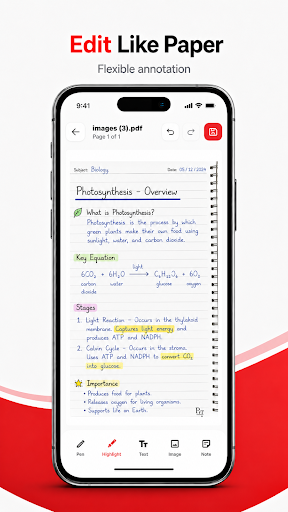
PDF Converter - Edit & Scan is the all-in-one PDF app to convert, edit, read, scan, sign, and protect your documents — fast, free, and 100% offline. No sign-up. No cloud uploads. Every conversion happens right on your device, so your files always stay private. 📄 CONVERT TO & FROM PDF - Image to PDF — JPG, PNG, GIF, WEBP, HEIC, HEIF - Word to PDF & PDF to Word - Excel to PDF & PDF to Excel - PPT to PDF & PDF to PPT - PDF to JPG & PDF to PNG - Text, RTF, SVG & TIFF to PDF Convert single or multiple files in seconds. 🖼️ CONVERT IMAGES - PNG, JPG, WEBP, GIF, HEIC, HEIF & TIFF — convert between formats - Switch any photo to the format you need in a tap ✏️ EDIT & ANNOTATE PDF - Add text with custom fonts and colors - Highlight and draw freehand with the pen - Insert images and sticky notes - Redact and erase sensitive content - Resize and move anything with your finger 🖊️ SIGN & FILL FORMS - Sign PDFs with your own signature - Fill in PDF forms quickly - Send and share signed documents 📷 SCAN TO PDF - Turn your camera into a document scanner - Scan receipts, notes, IDs, and contracts - Save scans straight to PDF 🔧 ALL THE PDF TOOLS YOU NEED - Merge PDF — combine many files into one - Split PDF — pull out the pages you want - Compress PDF — shrink large files - Add a watermark to your PDF - Organize pages — reorder, rotate, duplicate, delete, insert - Zip files together 🔒 KEEP FILES SECURE - Password protect (lock) and unlock PDFs - Private Vault with AES-256 encryption - Everything is processed offline — nothing leaves your phone 🔊 SMART TOOLS - Read Aloud — listen to any PDF hands-free - Auto Sort & Cleaner to keep your files tidy 📖 A BETTER PDF READER - Auto-detects PDFs, Word, Excel & images on your device - Smooth zoom and continuous scrolling - Light and dark themes for comfortable reading - Quick search, rename, star, and share your files 🌍 14 LANGUAGES English, Spanish, French, German, Italian, Portuguese, Russian, Arabic, Japanese, Chinese, Korean, Thai, Turkish & Vietnamese. ✨ COMING SOON - AI Summarize — instant summaries of long documents - AI Podcast — turn your documents into audio conversations PERMISSIONS On Android 11+, All Files Access lets you open, convert, and manage PDFs anywhere on your device. Your files are never uploaded or shared. 📧 Support: hi@codefyapps.com Privacy Policy: https://www.codefyapps.com/privacy-policy Terms of Service: https://www.codefyapps.com/services




More like this
- Top Productivity on Google Play by estimated revenue
- PDF Converter - Edit & Scan alternatives
- PDF Converter - Edit & Scan vs PDF Reader: View Documents
- PDF Converter - Edit & Scan vs Smart Transfer: Copy My Data
- All top charts and categories
Similar apps
PDF Reader: View DocumentsCrow Drama Studio
Smart Transfer: Copy My DataDigiGen Apps
Smart Switch App File TransferCoddeX Studio
AI Voice Changer: TTSMatechmobile Global
AI Translate: Voice & CameraSING HUI PTE. LTD.
PDF Reader: Converter & EditorStyle Of Me - VTN Global
Clean TurboFreeTree Studio
PDF Reader & Document ViewerOSIAS CAPITAL