
PDF Scanner: OCR & AI
Steven WigginsProductivityGoogle PlayIn-app purchasesContains adsPDF Scanner: OCR & AI revenue and downloads, last 30 days
History
Daily readings as we observed them, last 30 days worldwide. Free shows the last 30 days.
One reading so far: history starts Nov 22, 2026, and a trend line appears after the next daily reading.
Monthly history: we have found no public-archive copy of this store page from the last 12 months, so monthly readings start with our own in Nov 2026.
Create a free account to save apps; Pro shows full history.
Chart positions
Where this app ranks on the top free, paid and grossing charts we capture.
Search terms
No search terms read for this app yet. Terms are read from its title and the searches it shows up in, and appear here once ranked.
In-app purchases
Google Play shows one in-app price range per storefront, not each product's price. The range over time, as the store published it:
United States, USD
- $9.99 - $29.99 per itemNov 22, 2026 to now
Prices
In-app purchase ladder, price changes and paywall terms
No itemised in-app prices yet. Google Play publishes only the price range shown above, not each product; the individual products and their prices have not been read.
Ratings and reviews
Rating distribution
No rating distribution read yet.
Recent reviews
Marketing
Paid ads, organic videos and onboarding captured for this app.
Paid ads
No Meta, Google or TikTok ads tied to this app yet. We check the public ad libraries daily.
Organic videos
No YouTube, TikTok or Instagram videos tied to this app yet.
Onboarding
No store screenshots, web funnel or in-app recording captured for this app yet.
Change history
Versions, price changes, rank jumps and listing edits, as we observed them.
Details
- Developer
- Steven Wiggins, 2 apps
- Package
- com.pdfscanner.pdfreader.documenttool.reader.documentmanager
- Category
- Productivity
- Price
- Free
- Released
- -
- Updated
- Sep 4, 2026
- Version
- Not available
- Size
- -
- Content rating
- Everyone
- Website
- steven-wiggins.vercel.app
- Contact email
- stevenwiggins2510@gmail.com
- Privacy policy
- steven-wiggins.vercel.app/policy
- Languages
- Not available
- Charted in
- United States
- First seen
- Nov 22, 2026
- Listing read
- Nov 22, 2026
Show store descriptionShow less
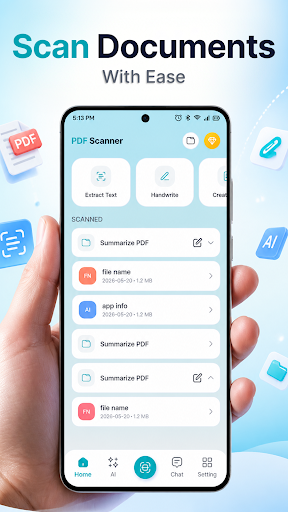
PDF Editor - Document Viewer is a powerful document assistant that helps you scan papers, digitize files, recognize text, and work with PDFs using smart AI features. Turn your phone into a portable scanner. Capture documents, convert images into searchable PDF files, extract text instantly, and organize your files with simple document tools. Scan everyday documents such as receipts, invoices, study notes, contracts, forms, books, business documents, and identification papers with high-quality results. MAIN FEATURES • Scan documents and save them as clear PDF files • Recognize and extract text from images with OCR technology • Convert photos and scanned pages into editable text • Create AI summaries from long PDF documents • Ask AI questions and get information from your files • Manage scanned documents with folders and categories • Read, edit, and share PDF files easily • Simple design with fast document processing SMART SCANNER & TEXT RECOGNITION Capture any paper document with your camera and convert it into a digital file within seconds. OCR technology allows you to detect and extract text from photos, scanned papers, handwritten notes, receipts, and printed documents. Find important information faster without manually typing everything again. AI DOCUMENT FEATURES Save time when working with large documents using intelligent AI tools. Generate summaries, understand key points, and chat with your PDF files to quickly find answers and important details. DOCUMENT ORGANIZER Keep all your files neat and easy to access. Create folders, rename documents, arrange scanned files, and manage PDFs from one convenient location. Whether for work, study, or daily tasks, AI PDF Scanner: Document Scan & OCR helps you handle documents faster with smart scanning, OCR recognition, and AI-powered PDF features. Download PDF Editor - Document Viewer now and make document scanning and PDF management easier.


More like this
- Top Productivity on Google Play by estimated revenue
- PDF Scanner: OCR & AI alternatives
- PDF Scanner: OCR & AI vs PDF Reader: View Documents
- PDF Scanner: OCR & AI vs Smart Transfer: Copy My Data
- All top charts and categories
Similar apps
PDF Reader: View DocumentsCrow Drama Studio
Smart Transfer: Copy My DataDigiGen Apps
Smart Switch App File TransferCoddeX Studio
AI Voice Changer: TTSMatechmobile Global
AI Translate: Voice & CameraSING HUI PTE. LTD.
PDF Reader: Converter & EditorStyle Of Me - VTN Global
Clean TurboFreeTree Studio
PDF Reader & Document ViewerOSIAS CAPITAL