Auto Tapper - Auto Clicker
The Coco StudioToolsGoogle PlayIn-app purchasesContains adsAuto Tapper - Auto Clicker revenue and downloads, last 30 days
How we got this (10 inputs)
- method
- Play install counter: total accepted delta ÷ elapsed days
- measured days
- 2.49
- window
- 2026-11-16..2026-11-19
- step spread
- ×/÷1.55 (the counter moves in steps; narrows with more days)
- likelyLow
- 82
- likelyHigh
- 194
- confidence
- medium
- observed days (of 30)
- 5
- measured days
- 2
- scaling
- projected to 30 days from 2.5 measured days (2026-11-16..2026-11-19, counter 767 → 779) plus 27.5 modelled days
As of Nov 21, 2026.
How we got this (11 inputs)
- method
- installs in the window (all active on install day) + earlier installers active in the month (published retention ÷ the category's DAU/MAU stickiness) + the retained base of installers older than two years
- downloads per day
- 4.07 (1.93 to 9.73, the published worldwide figure)
- retention
- day 1 / 7 / 30: 23.7% / 6.54% / 2.45% (Android benchmark × 1.17 for the category; AppsFlyer Q3 2024 day-1/7/30 retention, via getstream.io/blog/app-retention-guide (read 2026-11-16); category: OneSignal 2024 day-30 retention by category, via getstream.io/blog/app-retention-guide (read 2026-11-16))
- active days per install
- 4.39 over 253 days
- stickiness
- 17.5% DAU/MAU, Productivity & Tools median (MWM DAU/MAU medians, US iOS, May 2026 (mwm.ai/glossary/dau-mau, read 2026-11-16))
- parts
- window installs 122 (the published 30-day downloads), earlier installers 53, retained base 0
- spread
- downloads ×/÷2.24, retention ×/÷3, tail ×/÷1.43, stickiness ×/÷1.8 (assumptions; not fitted)
- chart persistence (recorded, not used)
- 0 day(s) on a chart in the window; fewer than 7 live days exist
- tier
- modelled: retention and stickiness are published benchmarks, not measured on this listing
- confidence
- low
- rough
- order of magnitude
As of Nov 21, 2026.
Daily active users
Modelled from this app's downloads and a published retention curve for its store and category, not measured. Read it as an order of magnitude.
History
Daily readings as we observed them, last 30 days worldwide. Free shows the last 30 days.
Downloads per day
Observed by us since Nov 16, 2026.
Installs, Play counter
Observed by us since Nov 16, 2026.
Monthly history: we have found no public-archive copy of this store page from the last 12 months, so monthly readings start with our own in Nov 2026.
Create a free account to save apps; Pro shows full history.
Chart positions
Where this app ranks on the top free, paid and grossing charts we capture.
Search terms
No search terms read for this app yet. Terms are read from its title and the searches it shows up in, and appear here once ranked.
In-app purchases
Google Play shows one in-app price range per storefront, not each product's price. The range over time, as the store published it:
United States, USD
- $0.99 per itemNov 19, 2026 to now
Prices
In-app purchase ladder, price changes and paywall terms
No itemised in-app prices yet. Google Play publishes only the price range shown above, not each product; the individual products and their prices have not been read.
Ratings and reviews
Rating distribution
No rating distribution read yet.
Recent reviews
Marketing
Paid ads, organic videos and onboarding captured for this app.
Paid ads
No Meta, Google or TikTok ads tied to this app yet. We check the public ad libraries daily.
Change history
Versions, price changes, rank jumps and listing edits, as we observed them.
Details
- Developer
- The Coco Studio, 2 apps
- Package
- com.predlord.autotap
- Category
- Tools
- Price
- Free
- Released
- Mar 13, 2026
- Updated
- Oct 14, 2026
- Version
- 1.0.14
- Size
- -
- Content rating
- Everyone
- Website
- Not available
- Contact email
- studiothecoco@gmail.com
- Languages
- Not available
- Charted in
- United States
- First seen
- Nov 16, 2026
- Listing read
- Nov 19, 2026
Show store descriptionShow less
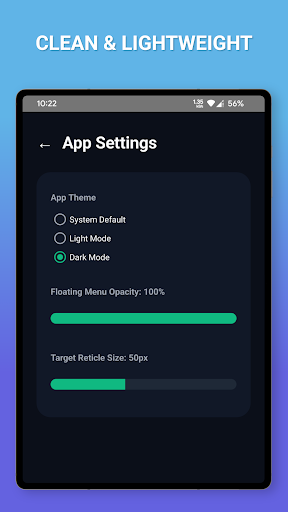
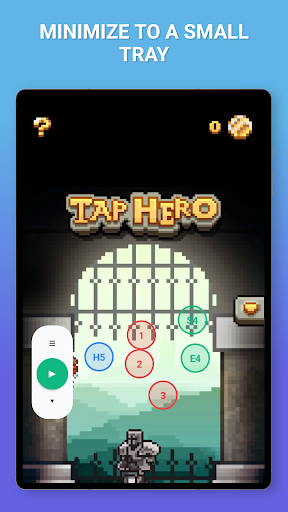
Welcome to the ultimate screen automation utility, engineered for absolute precision and reliability. Whether you are automating repetitive web tasks, managing long idle-farming sessions, or testing application UI, Auto Tapper delivers a seamless, hands-free experience. Unlike basic clickers that tap the exact same pixel in endless, robotic loops, Auto Tapper features an advanced algorithmic engine designed to simulate natural, human-like screen interactions. 🔥 CORE FEATURES 🔥 ✨ The "Humanizer" Engine (Advanced Randomization) Toggle our Smart Variance feature to inject calculated, randomized micro-shifts into your macro. The engine will dynamically adjust the X/Y tap coordinates within a safe radius and apply slight variance to your click intervals. It perfectly simulates a natural human touch, making your automation smoother and preventing screen burn-in from static pixel pressing. ⏱️ Advanced Loop Control Never leave your device running endlessly by accident. Set strict operational boundaries: • Target Cycles: Command the engine to stop exactly after completing a specific number of loops. • Time Limits: Set a hard stop timer (e.g., automatically halt the sequence after 45 minutes). 🎯 Multi-Touch & Swipe Sequences Easily chain together simple taps, long holds, and complex directional swipes. Map out your exact sequence using our intuitive floating control panel that stays out of your way while the engine runs. 🛡️ 100% Safe & No Root Required Auto Tapper utilizes Android's native Accessibility Services to execute clicks securely. We do not require root access, and we do not collect, monitor, or transmit your personal screen data. All of your custom macro configurations are saved locally on your device. 💎 PRO VERSION — UNLOCK MORE CONTROL Upgrade to Auto Tapper Pro and unlock powerful tools for creating, organizing, and customizing your automation routines. ✅ **Advanced Sequence Editor** - Reorder, duplicate, and group actions. - Repeat selected action groups. - Build and manage complex automation sequences. ✅ **Configuration Management** - Import and export saved configurations. - Share configurations between devices. - Organize your automation setups into folders. ✅ **Per-App Profiles** - Save configurations for different applications. - Manually select the appropriate profile whenever needed. - Switch between saved automation setups conveniently. ✅ **Appearance Pack** - Unlock additional pointer styles. - Customize the floating control panel. - Personalize your automation experience. ✅ **Ad-Free Experience** - Remove advertisements permanently with Pro. - Enjoy an uninterrupted automation experience. Upgrade directly within the app with a one-time purchase. **Accessibility Service Disclaimer:** This app requires the Accessibility Service API to function. This permission is used solely to dispatch the gestures, taps, and swipes you configure. No personal or sensitive data is collected or shared through this service.
More like this
- Top Tools on Google Play by estimated revenue
- Auto Tapper - Auto Clicker alternatives
- Auto Tapper - Auto Clicker vs FF Sensi Max
- Auto Tapper - Auto Clicker vs Tesor
- All top charts and categories