Domus One
SelmoHouse & HomeGoogle PlayDomus One revenue and downloads, last 30 days
How we got this (13 inputs)
- signals
- Play installs ÷ age; lifetime→current drift ×/÷4.12 (135278 measured Play counter deltas)
- spread
- measured on downloads ground truth (downloads ground truth: 48 App Store milestones, 33 platform splits, 13 drift points)
- installs
- 2605
- age days
- 2993
- note
- install counter did not move in 0.3 day(s); the counter moves in steps, so this is not read as zero
- bound
- at most the lifetime installs counter (2605) over 30 days: the listing is 2993 days old, so its last 30 days cannot hold more installs than it ever had
- range scale
- ×0.88 (coverage scale on 9 ground-truth rows; publication is decided before it)
- likelyLow
- 17
- likelyHigh
- 73
- confidence
- medium
- observed days (of 30)
- 3
- measured days
- 0
- scaling
- observed days, scaled to 30
As of Nov 21, 2026.
How we got this (12 inputs)
- method
- installs in the window (all active on install day) + earlier installers active in the month (published retention ÷ the category's DAU/MAU stickiness) + the retained base of installers older than two years
- downloads per day
- 1.2 (0.3 to 4.57, the published worldwide figure)
- retention
- day 1 / 7 / 30: 15.3% / 4.22% / 1.58% (Android benchmark × 0.75 for the category; AppsFlyer Q3 2024 day-1/7/30 retention, via getstream.io/blog/app-retention-guide (read 2026-11-16); category: OneSignal 2024 day-30 retention by category, via getstream.io/blog/app-retention-guide (read 2026-11-16))
- active days per install
- 4.22 over 730 days (age 2993 days; the curve is used to 730)
- stickiness
- 15.2% DAU/MAU, Lifestyle & Well-being median (MWM DAU/MAU medians, US iOS, May 2026 (mwm.ai/glossary/dau-mau, read 2026-11-16))
- parts
- window installs 36 (the published 30-day downloads), earlier installers 21, retained base 72
- retained base
- 1748 installers older than 730 days (lifetime from the listing's Play installs counter) × 4.13% active in a month (between 1.21%, the benchmark curve held flat, and 14.1%, median disclosed MAU ÷ lifetime installs of Duolingo, Snapchat and Grindr (company filings, data/ground-truth-active-users.csv; chosen on these rows, scored leave-one-product-out)); range ×/÷2 past each (widened after the leave-one-product-out check)
- spread
- downloads ×/÷3.9, retention ×/÷3, tail ×/÷1.55, stickiness ×/÷1.8, retained base ×/÷6.83 (assumptions; not fitted)
- chart persistence (recorded, not used)
- 0 day(s) on a chart in the window; fewer than 7 live days exist
- tier
- modelled: retention and stickiness are published benchmarks, not measured on this listing
- confidence
- low
- rough
- order of magnitude
As of Nov 21, 2026.
Daily active users
Modelled from this app's downloads and a published retention curve for its store and category, not measured. Read it as an order of magnitude.
History
Daily readings as we observed them, last 30 days worldwide. Free shows the last 30 days.
Downloads per day
Observed by us since Nov 18, 2026.
Installs, Play counter
Observed by us since Nov 18, 2026.
Monthly history: we have found no public-archive copy of this store page from the last 12 months, so monthly readings start with our own in Nov 2026.
Create a free account to save apps; Pro shows full history.
Chart positions
Where this app ranks on the top free, paid and grossing charts we capture.
Search terms
No search terms read for this app yet. Terms are read from its title and the searches it shows up in, and appear here once ranked.
In-app purchases
Prices
In-app purchase ladder, price changes and paywall terms
No in-app prices recorded yet. We read them from the store listing: either this app sells none, or its listing has not been read yet.
Ratings and reviews
Rating distribution
No rating distribution read yet.
Recent reviews
Marketing
Paid ads, organic videos and onboarding captured for this app.
Paid ads
No Meta, Google or TikTok ads tied to this app yet. We check the public ad libraries daily.
Organic videos
No YouTube, TikTok or Instagram videos tied to this app yet.
Change history
Versions, price changes, rank jumps and listing edits, as we observed them.
Details
- Developer
- Selmo, 2 apps
- Package
- com.selmo.comfortone
- Category
- House & Home
- Price
- Free
- Released
- Sep 11, 2018
- Updated
- Feb 3, 2026
- Version
- 3.3.1
- Size
- -
- Content rating
- Everyone
- Website
- www.selmo.com/contatti
- Contact email
- service@selmo.com
- Privacy policy
- www.selmo.com/privacy-policy-app-selmo/
- Languages
- Not available
- Charted in
- United States
- First seen
- Nov 18, 2026
- Listing read
- Nov 23, 2026
Show store descriptionShow less
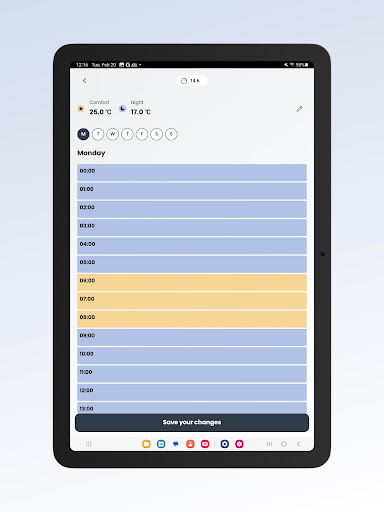
- Always manage room temperature regulation all around the house - Set the temperatures of each operative mode - Set the operative mode among those available on your thermostat - Set a weekly schedule for each thermostat - Turn on and off all functions of each thermostat - Conveniently organize your thermostats into groups Connect all your thermostats to your home Wi-Fi network: you’ll be able to effortlessly control them directly from the app anytime and anywhere, adding them to your personal account. How do you configure a new thermostat? - Once you have downloaded the app, make sure you are connected to the Internet and create your personal account by entering your email address and choose a password - Start the configuration procedure directly from the app tapping on the [+ Add New Thermostat] key - Follow the on-screen instructions carefully, step by step - Connect the thermostat to your home Wi-Fi network - Link the thermostat to your account through the thermostat QR code - Give the thermostat a name and place it in a group and it will appear in your list of devices - Now you have full control of the thermostat. Enjoy. You can locally control all compatible thermostats like the One thermostat through the app: - Tap on the [+ Add new thermostat] key to begin the search. Make sure that Location Services and Bluetooth are active - Tap on any detected thermostat to give it a name - The thermostat will be added to your list of thermostats and you’ll be able to control it when you’re in its proximity. This app can be used with compatible Selmo thermostats. You will need a wireless network with Internet access to take advantage of the thermostat remote control functionality of the app.
More like this
- Top House & Home on Google Play by estimated revenue
- Domus One alternatives
- Domus One vs خانم
- Domus One vs AMUTY : K-Beauty Trial App
- All top charts and categories