
D0cs: PDF & Document Editor
ShaggaiProductivityGoogle PlayD0cs: PDF & Document Editor revenue and downloads, last 30 days
How we got this (11 inputs)
- method
- Play install counter: total accepted delta ÷ elapsed days
- measured days
- 4.76
- window
- 2026-11-16..2026-11-21
- step spread
- ×/÷1.37 (the counter moves in steps; narrows with more days)
- bound
- at most the lifetime installs counter (31) over 30 days: the listing is 30 or more days old, so its last 30 days cannot hold more installs than it ever had
- likelyLow
- 9
- likelyHigh
- 22
- confidence
- medium
- observed days (of 30)
- 5
- measured days
- 1
- scaling
- projected to 30 days from 4.8 measured days (2026-11-16..2026-11-21, counter 27 → 31) plus 25.2 modelled days
As of Nov 21, 2026.
How we got this (12 inputs)
- method
- installs in the window (all active on install day) + earlier installers active in the month (published retention ÷ the category's DAU/MAU stickiness) + the retained base of installers older than two years
- downloads per day
- 0.43 (0.23 to 0.77, the published worldwide figure)
- retention
- day 1 / 7 / 30: 24.81% / 6.84% / 2.57% (Android benchmark × 1.22 for the category; AppsFlyer Q3 2024 day-1/7/30 retention, via getstream.io/blog/app-retention-guide (read 2026-11-16); category: OneSignal 2024 day-30 retention by category, via getstream.io/blog/app-retention-guide (read 2026-11-16))
- active days per install
- 3.84 over 151 days
- stickiness
- 17.5% DAU/MAU, Productivity & Tools median (MWM DAU/MAU medians, US iOS, May 2026 (mwm.ai/glossary/dau-mau, read 2026-11-16))
- parts
- window installs 13 (the published 30-day downloads), earlier installers 4, retained base 0
- spread
- downloads ×/÷1.81, retention ×/÷3, tail ×/÷1.34, stickiness ×/÷1.8 (assumptions; not fitted)
- chart persistence (recorded, not used)
- 0 day(s) on a chart in the window; fewer than 7 live days exist
- bound
- at most the listing's 31 lifetime installs
- tier
- modelled: retention and stickiness are published benchmarks, not measured on this listing
- confidence
- low
- rough
- order of magnitude
As of Nov 21, 2026.
Daily active users
Modelled from this app's downloads and a published retention curve for its store and category, not measured. Read it as an order of magnitude.
History
Daily readings as we observed them, last 30 days worldwide. Free shows the last 30 days.
Downloads per day
Observed by us since Nov 16, 2026.
Installs, Play counter
Observed by us since Nov 16, 2026.
Monthly history: we have found no public-archive copy of this store page from the last 12 months, so monthly readings start with our own in Nov 2026.
Create a free account to save apps; Pro shows full history.
Chart positions
Where this app ranks on the top free, paid and grossing charts we capture.
Search terms
No search terms read for this app yet. Terms are read from its title and the searches it shows up in, and appear here once ranked.
In-app purchases
Prices
In-app purchase ladder, price changes and paywall terms
No in-app prices recorded yet. We read them from the store listing: either this app sells none, or its listing has not been read yet.
Ratings and reviews
Rating distribution
No rating distribution read yet.
Recent reviews
Marketing
Paid ads, organic videos and onboarding captured for this app.
Paid ads
No Meta, Google or TikTok ads tied to this app yet. We check the public ad libraries daily.
Onboarding
No store screenshots, web funnel or in-app recording captured for this app yet.
Change history
Versions, price changes, rank jumps and listing edits, as we observed them.
Details
- Developer
- Shaggai, 2 apps
- Package
- com.shaggai.docs
- Category
- Productivity
- Price
- Free
- Released
- Jun 23, 2026
- Updated
- Sep 14, 2026
- Version
- 1.0.13
- Size
- -
- Content rating
- Everyone
- Website
- d0cs.app
- Contact email
- info@shaggai.email
- Privacy policy
- d0cs.app/privacy
- Languages
- Not available
- Charted in
- United States
- First seen
- Nov 16, 2026
- Listing read
- Nov 23, 2026
Show store descriptionShow less
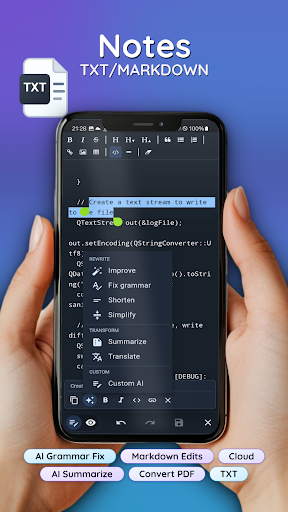
Edit PDFs, Word documents, Excel spreadsheets and presentations in D0cs. Keep your files organised, fill and sign forms, and turn paper documents into PDFs in one workspace. EDIT DOCUMENTS, SPREADSHEETS AND PRESENTATIONS Open and edit Word documents, Excel spreadsheets, PowerPoint presentations, PDFs and text files with the tools supported for each format. SCAN DOCUMENTS TO PDF - Capture single or multi-page documents with edge detection and auto-cropping - Improve scans with colour, contrast, grayscale and black-and-white tools - Search scans with OCR and export recognised text from individual PDF pages - Create PDFs from camera photos, gallery images, text and selected files EDIT, SIGN, REDACT AND PROTECT PDFS Fill forms with saved details or AI assistance. Review the filled fields before sharing your document. - Read, highlight, annotate, sign, fill forms and edit PDFs - Add text, images, notes, signatures and supported form fields - Merge, compress, split, rotate, reorder, duplicate and extract pages - Extract embedded images from PDFs - Export a full page or cropped page area as an image - Add watermarks and protect exported PDF copies with passwords - Permanently redact sensitive information and verify sanitised copies before sharing ORGANISE, IMPORT AND SEARCH - Import files, folders, shared files, direct URLs and ZIP URLs - Import emails and attachments into your document library - Create rules that automatically import matching attachments from connected email accounts - Organise documents with folders, tags, previews, offline copies and version history - Search file names, metadata, PDF text, Office content and OCR results UNDERSTAND AND CREATE WITH AI All AI features require an account. - Ask questions about PDFs, documents, spreadsheets and presentations - Summarise, translate, rewrite and simplify content - Create documentation, suggest tags and prepare form information - Summarise highlights, notes and annotations - Build reusable prompts and connect supported custom AI models - Generate or modify images and create document infographics - Create QR codes with AI-assisted visual styling LOCAL FIRST, ACCOUNT FOR CONNECTED FEATURES Use D0cs locally without an account for core document work. An account and internet connection are required for all AI features, end-to-end encrypted sync, encrypted cloud backups and review links. A configured AI provider or additional usage may also be required. AI runs only when you start it and may send selected content to the configured provider. Availability varies by platform, file format and document complexity.




More like this
- Top Productivity on Google Play by estimated revenue
- D0cs: PDF & Document Editor alternatives
- D0cs: PDF & Document Editor vs PDF Reader: View Documents
- D0cs: PDF & Document Editor vs Smart Transfer: Copy My Data
- All top charts and categories
Similar apps
PDF Reader: View DocumentsCrow Drama Studio
Smart Transfer: Copy My DataDigiGen Apps
Smart Switch App File TransferCoddeX Studio
AI Voice Changer: TTSMatechmobile Global
AI Translate: Voice & CameraSING HUI PTE. LTD.
PDF Reader: Converter & EditorStyle Of Me - VTN Global
Clean TurboFreeTree Studio
PDF Reader & Document ViewerOSIAS CAPITAL