
ShellPad: SSH & Telnet Client
DevPulseToolsToolsGoogle PlayIn-app purchasesContains adsShellPad: SSH & Telnet Client revenue and downloads, last 30 days
History
Daily readings as we observed them, last 30 days worldwide. Free shows the last 30 days.
Installs, Play counter
Observed by us since Nov 22, 2026.
Monthly history: we have found no public-archive copy of this store page from the last 12 months, so monthly readings start with our own in Nov 2026.
Create a free account to save apps; Pro shows full history.
Chart positions
Where this app ranks on the top free, paid and grossing charts we capture.
Search terms
No search terms read for this app yet. Terms are read from its title and the searches it shows up in, and appear here once ranked.
In-app purchases
Google Play shows one in-app price range per storefront, not each product's price. The range over time, as the store published it:
United States, USD
- $1.99 per itemNov 23, 2026 to now
Prices
In-app purchase ladder, price changes and paywall terms
No itemised in-app prices yet. Google Play publishes only the price range shown above, not each product; the individual products and their prices have not been read.
Ratings and reviews
Rating distribution
No rating distribution read yet.
Recent reviews
Marketing
Paid ads, organic videos and onboarding captured for this app.
Paid ads
No Meta, Google or TikTok ads tied to this app yet. We check the public ad libraries daily.
Organic videos
No YouTube, TikTok or Instagram videos tied to this app yet.
Onboarding
No store screenshots, web funnel or in-app recording captured for this app yet.
Change history
Versions, price changes, rank jumps and listing edits, as we observed them.
Details
- Developer
- DevPulseTools, 9 apps
- Package
- com.shellpad.app
- Category
- Tools
- Price
- Free
- Released
- Apr 26, 2026
- Updated
- Oct 22, 2026
- Version
- 1.4.0
- Size
- -
- Content rating
- Everyone
- Website
- devpulse.tools
- Contact email
- sidewinder181@gmail.com
- Privacy policy
- devpulse.tools/shellpad/privacy
- Languages
- Not available
- Charted in
- United States
- First seen
- Nov 22, 2026
- Listing read
- Nov 23, 2026
Show store descriptionShow less
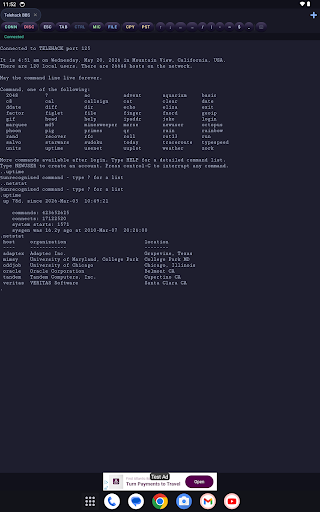
ShellPad is an SSH and Telnet client for Android. Save your servers, routers and network gear, connect in one tap, and keep several sessions open side by side in tabs. Connect your way • SSH and Telnet, with a custom port for every connection • Log in with a password or an SSH key, or let the server prompt you • Host keys are checked, so you are warned if a server's identity changes • Run several sessions at once and switch between them with tabs • Sessions stay connected in the background while you use other apps; disconnect them all from the notification SSH keys • Generate Ed25519 or RSA 4096 keys on your phone • Import existing keys, including passphrase-protected ones • Copy or share the public key to add it to a server • Pick a saved key when you set up a connection SFTP file browser • Browse folders on the server • Upload and download files with progress and cancel • Rename, delete and create folders Snippets Save the commands you type often. Tap a snippet to insert it, or run it straight away. Port forwarding Forward a local port to a host behind your SSH server, for example a web admin page or a database. Forwards can start automatically when you connect. A terminal built for a phone • Extra key row: Esc, Tab, Ctrl, arrow keys and common shell symbols • Ctrl key combinations such as Ctrl+C and Ctrl+D • Copy and paste, adjustable font size, voice input for commands Quick access • Saved connection list with one-tap connect • Home screen widget and app shortcuts for your most-used servers • A demo connection so you can try the terminal before adding your own server Material 3 design in light and dark, with an option to use your wallpaper colours. Private by design • Connections and keys are stored only on your device; saved passwords are encrypted • No account and no sign-up Useful for sysadmins, developers, homelab owners and network engineers who need a quick shell on the go. Free and ad-supported. Optional one-time purchase to remove ads.



More like this
- Top Tools on Google Play by estimated revenue
- ShellPad: SSH & Telnet Client alternatives
- ShellPad: SSH & Telnet Client vs FF Sensi Max
- ShellPad: SSH & Telnet Client vs Tesor
- All top charts and categories


