
Pedometer - Step Counter
SMARTWHOHealth & FitnessGoogle PlayIn-app purchasesContains adsPedometer - Step Counter revenue and downloads, last 30 days
How we got this (12 inputs)
- signals
- Play installs ÷ age; lifetime→current drift ×/÷4.12 (135278 measured Play counter deltas)
- spread
- measured on downloads ground truth (downloads ground truth: 48 App Store milestones, 33 platform splits, 13 drift points)
- installs
- 4188
- age days
- 118
- bound
- at most the lifetime installs counter (4188) over 30 days: the listing is 118 days old, so its last 30 days cannot hold more installs than it ever had
- range scale
- ×0.88 (coverage scale on 9 ground-truth rows; publication is decided before it)
- likelyLow
- 799
- likelyHigh
- 2287
- confidence
- medium
- observed days (of 30)
- 2
- measured days
- 0
- scaling
- observed days, scaled to 30
As of Nov 21, 2026.
How we got this (12 inputs)
- method
- installs in the window (all active on install day) + earlier installers active in the month (published retention ÷ the category's DAU/MAU stickiness) + the retained base of installers older than two years
- downloads per day
- 46.83 (15.6 to 105.77, the published worldwide figure)
- retention
- day 1 / 7 / 30: 21.85% / 6.03% / 2.26% (Android benchmark × 1.08 for the category; AppsFlyer Q3 2024 day-1/7/30 retention, via getstream.io/blog/app-retention-guide (read 2026-11-16); category: OneSignal 2024 day-30 retention by category, via getstream.io/blog/app-retention-guide (read 2026-11-16))
- active days per install
- 3.17 over 118 days
- stickiness
- 15.2% DAU/MAU, Lifestyle & Well-being median (MWM DAU/MAU medians, US iOS, May 2026 (mwm.ai/glossary/dau-mau, read 2026-11-16))
- parts
- window installs 1405 (the published 30-day downloads), earlier installers 361, retained base 0
- spread
- downloads ×/÷2.6, retention ×/÷3, tail ×/÷1.29, stickiness ×/÷1.8 (assumptions; not fitted)
- chart persistence (recorded, not used)
- 0 day(s) on a chart in the window; fewer than 7 live days exist
- bound
- at most the listing's 4188 lifetime installs
- tier
- modelled: retention and stickiness are published benchmarks, not measured on this listing
- confidence
- low
- rough
- order of magnitude
As of Nov 21, 2026.
Daily active users
Modelled from this app's downloads and a published retention curve for its store and category, not measured. Read it as an order of magnitude.
History
Daily readings as we observed them, last 30 days worldwide. Free shows the last 30 days.
One reading so far: history starts Nov 19, 2026, and a trend line appears after the next daily reading.
Downloads per day
Observed by us since Nov 19, 2026.
Monthly history: we have found no public-archive copy of this store page from the last 12 months, so monthly readings start with our own in Nov 2026.
Create a free account to save apps; Pro shows full history.
Chart positions
Where this app ranks on the top free, paid and grossing charts we capture.
Search terms
In-app purchases
Google Play shows one in-app price range per storefront, not each product's price. The range over time, as the store published it:
United States, USD
- $0.99 - $5.99 per itemNov 19, 2026 to now
Prices
In-app purchase ladder, price changes and paywall terms
No itemised in-app prices yet. Google Play publishes only the price range shown above, not each product; the individual products and their prices have not been read.
Ratings and reviews
Rating distribution
No rating distribution read yet.
Recent reviews
Marketing
Paid ads, organic videos and onboarding captured for this app.
Paid ads
No Meta, Google or TikTok ads tied to this app yet. We check the public ad libraries daily.
Change history
Versions, price changes, rank jumps and listing edits, as we observed them.
Details
- Developer
- SMARTWHO, 17 apps
- Package
- com.smartwho.pedometer
- Category
- Health & Fitness
- Price
- Free
- Released
- Jul 26, 2026
- Updated
- Nov 11, 2026
- Version
- 1.3.0
- Size
- -
- Content rating
- Everyone
- Website
- smartwho.net
- Contact email
- bitna77777@gmail.com
- Privacy policy
- smartwho.net/privacy/en/index.html
- Languages
- Not available
- Charted in
- United States, India, South Korea, Japan, France
- First seen
- Nov 19, 2026
- Listing read
- Nov 19, 2026
Show store descriptionShow less
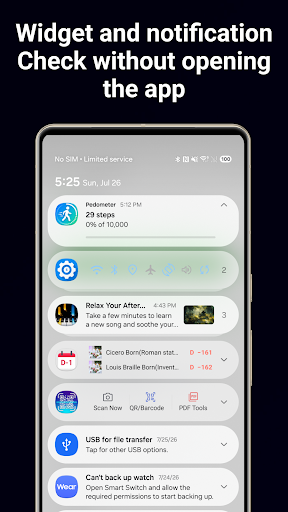
Pedometer turns your phone into a quiet, reliable step counter, and a full picture of your walking and body. Carry your phone the way you already do. It reads the low power step sensor built in, so counting continues in the background without draining your battery. No watch to pair, no account to create, and nothing leaves your phone unless you ask. EVERY DAY AT A GLANCE • A step ring that fills as you approach your daily goal • Distance, calories and active minutes from your height and weight • A walking figure that moves with your pace, and rests when you do • Shortcuts to statistics, goals, walk sessions and your body data • Arrows beside the date to look back at earlier days WALK SESSIONS Start a session before a walk and stop it when done, to see its steps, distance, pace and duration. No GPS is used, so a long walk costs nothing extra in battery. Forget to stop it? A long rest ends the session at your last step, so a sofa evening never becomes a two hour walk. YOUR BODY, MEASURED FROM YOUR OWN WALKING Most health calculators ask how active you are and take your guess. This one knows. • Weight history with BMI and a healthy range for your height • Basal metabolic rate and daily calorie needs, using the activity level read from your step average • Body fat estimate and waist to height ratio, a closer look at abdominal risk than BMI alone • A daily water target that adjusts to how much you walk, logged with a tap; a quiet reminder pauses overnight and stops once you reach it AI INSIGHTS, ON YOUR DEVICE Over forty observations from your own records: trends, weekday patterns, consistency, recovery after a light day, and a forecast for today, each shown with its chart and sample size. All computed on your phone. CHARTS AND HISTORY Hourly bars show when you actually move. Daily, weekly and monthly views use a daily average so periods of different lengths compare fairly, and one in progress is drawn as an outline, not a shortfall. GOALS, STREAKS AND REMINDERS Set one daily goal, or split it by weekday and weekend, with a notification the moment you reach it and a streak that grows with consistency. A suggested target based on your age, sex and average is one tap away. Sitting too long? A gentle reminder nudges you to move. SHARE AND KEEP YOUR DATA • Health Connect: send steps and walks to Samsung Health and Google Fit, plus weight from a smart scale • Export every record, restore it after changing phones, or set a retention period to trim old ones automatically • Share today\'s count as a quick message • World ranking is optional and anonymous, and scores are capped so a shaken phone gains nothing WIDGETS AND EVERYDAY DETAILS A compact ring widget or a wider one with a week of mini bars, light and dark theme, senior mode with larger text, and full offline use. HOW COUNTING WORKS The app prefers the hardware step counter, falling back to the step detector and then the accelerometer when needed. Physical activity permission is required to read the sensor; notification permission is optional. Declining either disables only that feature. A NOTE ON ACCURACY Step, distance, calorie, body fat and water figures are estimates for reference only, based on your phone\'s sensor and the profile you enter. Actual values vary by device, walking style and where you carry your phone. This app is not a medical device and is not intended to diagnose, treat or prevent any condition. Consult a professional before starting an exercise routine.




More like this
- Top Health & Fitness on Google Play by estimated revenue
- Pedometer - Step Counter alternatives
- Pedometer - Step Counter vs QZ Fitness
- Pedometer - Step Counter vs Moto Health
- All top charts and categories


