
AirBridge TV: Mirror & Cast
SOFT DECODERToolsGoogle PlayAirBridge TV: Mirror & Cast revenue and downloads, last 30 days
How we got this (10 inputs)
- method
- Play install counter: total accepted delta ÷ elapsed days
- measured days
- 4.57
- window
- 2026-11-16..2026-11-21
- step spread
- ×/÷1.38 (the counter moves in steps; narrows with more days)
- likelyLow
- 32
- likelyHigh
- 47
- confidence
- high
- observed days (of 30)
- 1
- measured days
- 1
- scaling
- projected to 30 days from 4.6 measured days (2026-11-16..2026-11-21, counter 26 → 32) plus 25.4 modelled days
As of Nov 21, 2026.
Active users: not estimated for this app (release date unknown or under a day old).
History
Daily readings as we observed them, last 30 days worldwide. Free shows the last 30 days.
One reading so far: history starts Nov 21, 2026, and a trend line appears after the next daily reading.
Installs, Play counter
Observed by us since Nov 16, 2026.
Monthly history: we have found no public-archive copy of this store page from the last 12 months, so monthly readings start with our own in Nov 2026.
Create a free account to save apps; Pro shows full history.
Chart positions
Where this app ranks on the top free, paid and grossing charts we capture.
Search terms
No search terms read for this app yet. Terms are read from its title and the searches it shows up in, and appear here once ranked.
In-app purchases
Prices
In-app purchase ladder, price changes and paywall terms
No in-app prices recorded yet. We read them from the store listing: either this app sells none, or its listing has not been read yet.
Ratings and reviews
Rating distribution
No rating distribution read yet.
Recent reviews
Marketing
Paid ads, organic videos and onboarding captured for this app.
Paid ads
No Meta, Google or TikTok ads tied to this app yet. We check the public ad libraries daily.
Organic videos
No YouTube, TikTok or Instagram videos tied to this app yet.
Onboarding
No store screenshots, web funnel or in-app recording captured for this app yet.
Change history
Versions, price changes, rank jumps and listing edits, as we observed them.
Details
- Developer
- SOFT DECODER, 2 apps
- Package
- com.softdecoder.airbridge.tv
- Category
- Tools
- Price
- Free
- Released
- -
- Updated
- Nov 10, 2026
- Version
- 1.0.19
- Size
- -
- Content rating
- Everyone
- Website
- airbridgetv.softdecoder.com
- Contact email
- drupal786@gmail.com
- Privacy policy
- airbridgetv.softdecoder.com/privacy/
- Languages
- Not available
- Charted in
- United States
- First seen
- Nov 16, 2026
- Listing read
- Nov 21, 2026
Show store descriptionShow less
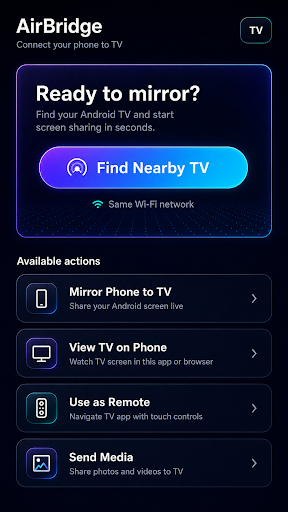
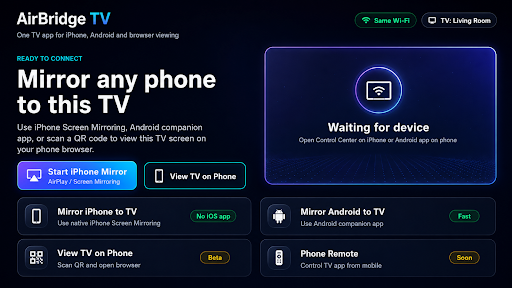
AirBridge TV helps you connect your phone and TV on the same Wi‑Fi network for simple screen mirroring, casting, and browser-based viewing. Use your iPhone’s built-in Screen Mirroring feature to show your iPhone screen on your Android TV. Android users can use the companion app flow to mirror their Android phone screen to the TV. You can also scan a QR code to view the TV screen on your phone browser without installing an iOS app. What you can do with AirBridge TV: • Mirror iPhone screen to Android TV • Mirror Android phone screen to Android TV • View TV screen on phone using a browser QR link • Connect devices on the same Wi‑Fi network • Use secure PIN or pairing code flows • Get a simple, modern TV-friendly interface No iOS app is required for iPhone users. Open Control Center on iPhone, tap Screen Mirroring, and select your AirBridge TV device. Important notes: AirBridge TV works best when your phone and TV are connected to the same Wi‑Fi network. Some protected apps and DRM video services like OTT providers may block screen capture or show a black screen. This is controlled by the app or content provider and not by AirBridge TV. AirBridge TV is designed for personal screen sharing, presentations, photos, browsing, tutorials, and supported app viewing.



More like this
- Top Tools on Google Play by estimated revenue
- AirBridge TV: Mirror & Cast alternatives
- AirBridge TV: Mirror & Cast vs FF Sensi Max
- AirBridge TV: Mirror & Cast vs Tesor
- All top charts and categories


