
SimpleCast – Screen Mirror LAN
SpiderlingzToolsGoogle PlayContains adsSimpleCast – Screen Mirror LAN revenue and downloads, last 30 days
History
Daily readings as we observed them, last 30 days worldwide. Free shows the last 30 days.
One reading so far: history starts Nov 23, 2026, and a trend line appears after the next daily reading.
Monthly history: we have found no public-archive copy of this store page from the last 12 months, so monthly readings start with our own in Nov 2026.
Create a free account to save apps; Pro shows full history.
Chart positions
Where this app ranks on the top free, paid and grossing charts we capture.
Search terms
No search terms read for this app yet. Terms are read from its title and the searches it shows up in, and appear here once ranked.
In-app purchases
Prices
In-app purchase ladder, price changes and paywall terms
No in-app prices recorded yet. We read them from the store listing: either this app sells none, or its listing has not been read yet.
Ratings and reviews
Rating distribution
No rating distribution read yet.
Recent reviews
Marketing
Paid ads, organic videos and onboarding captured for this app.
Paid ads
No Meta, Google or TikTok ads tied to this app yet. We check the public ad libraries daily.
Organic videos
No YouTube, TikTok or Instagram videos tied to this app yet.
Onboarding
No store screenshots, web funnel or in-app recording captured for this app yet.
Change history
Versions, price changes, rank jumps and listing edits, as we observed them.
Details
- Developer
- Spiderlingz, 13 apps
- Package
- com.spiderlingz.screen_mirror
- Category
- Tools
- Price
- Free
- Released
- Apr 8, 2026
- Updated
- Apr 11, 2026
- Version
- 1.0.0
- Size
- -
- Content rating
- Everyone
- Website
- spiderlingz.web.app
- Contact email
- dhana.spiderlingz@gmail.com
- Privacy policy
- spiderlingz.web.app/apps/20/privacy
- Languages
- Not available
- Charted in
- United States
- First seen
- Nov 23, 2026
- Listing read
- Nov 23, 2026
Show store descriptionShow less
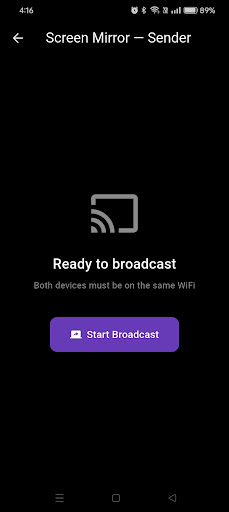
📱 Simple Screen Cast – LAN Screen Mirroring Mirror your screen instantly over local Wi-Fi and share it with any device using a simple URL. No cables, no internet, no hassle. 🚀 Key Features 🔗 Share via URL Start screen casting and get a unique link. Open it in any browser or another device to view your screen instantly. 📡 Works on Local Wi-Fi (LAN) No internet required. Connect both devices to the same Wi-Fi network and start streaming. ⚡ Real-Time Screen Mirroring Enjoy smooth, low-latency screen sharing for presentations, demos, and more. 🌐 Cross-Platform Support View your screen from: Mobile phones Laptops Tablets Any web browser 🖥️ Sender & Receiver Modes Use one device to share and another to receive — or simply open the link in a browser. 💡 Use Cases 📊 Presentations in meetings or classrooms 🎮 Share gameplay with friends 🛠️ Remote assistance on the same network 📺 Stream videos or apps to bigger screens 👨🏫 Teaching and live demonstrations 🔒 Secure & Private Your data stays within your local network. No cloud, no external servers — fully private sharing. ⚙️ Easy to Use Connect devices to the same Wi-Fi Tap “Start Sharing” Open the generated URL on another device Start viewing instantly 🌟 Why Choose Simple Screen Cast? No sign-up required No internet needed Fast and lightweight Clean and simple UI


More like this
- Top Tools on Google Play by estimated revenue
- SimpleCast – Screen Mirror LAN alternatives
- SimpleCast – Screen Mirror LAN vs FF Sensi Max
- SimpleCast – Screen Mirror LAN vs Tesor
- All top charts and categories


