
PDF Scanner Pro: Image to PDF
SP Tech StudiosProductivityGoogle PlayContains adsPDF Scanner Pro: Image to PDF revenue and downloads, last 30 days
History
Daily readings as we observed them, last 30 days worldwide. Free shows the last 30 days.
One reading so far: history starts Nov 23, 2026, and a trend line appears after the next daily reading.
Monthly history: we have found no public-archive copy of this store page from the last 12 months, so monthly readings start with our own in Nov 2026.
Create a free account to save apps; Pro shows full history.
Chart positions
Where this app ranks on the top free, paid and grossing charts we capture.
Search terms
No search terms read for this app yet. Terms are read from its title and the searches it shows up in, and appear here once ranked.
In-app purchases
Prices
In-app purchase ladder, price changes and paywall terms
No in-app prices recorded yet. We read them from the store listing: either this app sells none, or its listing has not been read yet.
Ratings and reviews
Rating distribution
No rating distribution read yet.
Recent reviews
Marketing
Paid ads, organic videos and onboarding captured for this app.
Paid ads
No Meta, Google or TikTok ads tied to this app yet. We check the public ad libraries daily.
Organic videos
No YouTube, TikTok or Instagram videos tied to this app yet.
Onboarding
No store screenshots, web funnel or in-app recording captured for this app yet.
Change history
Versions, price changes, rank jumps and listing edits, as we observed them.
Details
- Developer
- SP Tech Studios, 2 apps
- Package
- com.sptechstudios.pdf_scanner_pro
- Category
- Productivity
- Price
- Free
- Released
- Sep 6, 2026
- Updated
- Sep 25, 2026
- Version
- 1.1.0
- Size
- -
- Content rating
- Everyone
- Website
- subhadip420.github.io
- Contact email
- support.sptechstudios@gmail.com
- Privacy policy
- subhadip420.github.io/pdf-scanner-pro-privacy-policy/
- Languages
- Not available
- Charted in
- United States
- First seen
- Nov 23, 2026
- Listing read
- Nov 23, 2026
Show store descriptionShow less
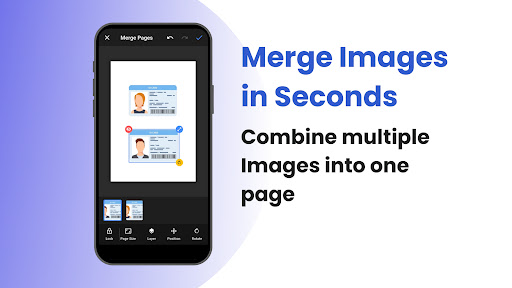
Transform your smartphone into a powerful PDF Scanner, Document Scanner, OCR Text Extractor, PDF Editor, and QR Code Reader! PDF Scanner Pro is an all-in-one document and PDF app that helps you scan documents, create and edit PDFs, extract text, compress files, convert PDF pages to JPG images, and scan QR codes from one convenient app. Whether you need to scan documents to PDF, convert images to text, edit an existing PDF, reduce PDF file size, convert PDF pages to JPG, or quickly scan a QR code, PDF Scanner Pro provides the essential tools you need. 🚀 TOP FEATURES 📸 1. PDF & Document Scanner Scan receipts, invoices, ID cards, whiteboards, notes, books, forms, and other documents using your phone camera. Create clear, high-quality PDF or image files from your scans. 📚 2. Multi-Page PDF Creator Scan multiple pages and combine them into a single PDF document. Perfect for assignments, notes, contracts, receipts, forms, books, and other multi-page documents. ✂️ 3. Smart Auto-Crop & Edge Detection Automatically detect document borders for faster and easier scanning. Adjust the crop area manually whenever you need precise control over your document. 🎨 4. Scan Filters & Image Enhancement Improve the readability and appearance of scanned documents with Original, Magic Color, Grayscale, and Black & White filters. Adjust brightness and contrast when needed. 📝 5. PDF Editor Edit your PDF documents with useful tools for managing and improving your files. Organize your document pages and make changes before sharing or saving your final PDF. 🔍 6. OCR Text Scanner & Image to Text Extract text from images, books, scanned documents, and other supported sources using Optical Character Recognition (OCR). Copy, edit, and share recognized text without manually typing everything. 🗜️ 7. Compress PDF Reduce PDF file size while keeping your documents convenient to store and share. Useful when you need to send large PDFs through email or messaging apps or save storage space. 🖼️ 8. PDF to JPG Converter Convert PDF pages into JPG images quickly. Save individual PDF pages as images for easy sharing, viewing, or use in other applications. ⚡ 9. QR Code Scanner Scan QR codes directly with your camera to detect website links, text, contact information, Wi-Fi details, and other supported QR content. 📂 10. PDF File Management Manage your scanned documents easily. Rename, organize, open, and access your PDF files from within the app. 📤 11. Share & Print Documents Share scanned PDFs, JPG images, and extracted OCR text through supported email, messaging, and other apps. Send documents for printing whenever needed. 🛠️ 12. Powerful PDF & Scan Tools Crop, rotate, adjust brightness and contrast, reorder pages, manage scanned documents, and prepare clean and organized digital files. 🔒 PRIVACY-FOCUSED PDF Scanner Pro is designed with privacy in mind. Document scanning, OCR processing, and PDF creation are performed on your device where supported. Your scanned documents do not need to be uploaded to a cloud storage service for these core features. 👥 WHO IS IT FOR? Students: Scan notes, assignments, books, and study materials, extract text with OCR, create multi-page PDFs, and convert documents into convenient digital files. Professionals: Digitize receipts, invoices, forms, contracts, business documents, and other paperwork while working or traveling. Everyday Users: Scan important documents, edit and compress PDFs, convert PDF pages to JPG, extract text, and keep paperwork digitally organized. ⭐ ONE APP FOR YOUR EVERYDAY DOCUMENT NEEDS PDF Scanner Pro brings together: • PDF Scanner • Document Scanner • Scan to PDF • OCR Text Scanner • Image to Text • PDF Editor • PDF Compressor • PDF to JPG Converter • Multi-Page PDF Creator • QR Code Scanner • Smart Auto-Crop • Document Edge Detection • Scan Filters • Image Enhancement • PDF File Management • Document Sharing & Printing 📥 Download PDF Scanner Pro now.




More like this
- Top Productivity on Google Play by estimated revenue
- PDF Scanner Pro: Image to PDF alternatives
- PDF Scanner Pro: Image to PDF vs PDF Reader: View Documents
- PDF Scanner Pro: Image to PDF vs Smart Transfer: Copy My Data
- All top charts and categories
Similar apps
PDF Reader: View DocumentsCrow Drama Studio
Smart Transfer: Copy My DataDigiGen Apps
Smart Switch App File TransferCoddeX Studio
AI Voice Changer: TTSMatechmobile Global
AI Translate: Voice & CameraSING HUI PTE. LTD.
PDF Reader: Converter & EditorStyle Of Me - VTN Global
Clean TurboFreeTree Studio
PDF Reader & Document ViewerOSIAS CAPITAL