PartPay UPI: Split & Pay
SS PixelsFinanceGoogle PlayContains adsPartPay UPI: Split & Pay revenue and downloads, last 30 days
History
Daily readings as we observed them, last 30 days worldwide. Free shows the last 30 days.
Installs, Play counter
Observed by us since Nov 21, 2026.
Monthly history: we have found no public-archive copy of this store page from the last 12 months, so monthly readings start with our own in Nov 2026.
Create a free account to save apps; Pro shows full history.
Chart positions
Where this app ranks on the top free, paid and grossing charts we capture.
Search terms
No search terms read for this app yet. Terms are read from its title and the searches it shows up in, and appear here once ranked.
In-app purchases
Prices
In-app purchase ladder, price changes and paywall terms
No in-app prices recorded yet. We read them from the store listing: either this app sells none, or its listing has not been read yet.
Ratings and reviews
Rating distribution
No rating distribution read yet.
Recent reviews
Marketing
Paid ads, organic videos and onboarding captured for this app.
Paid ads
No Meta, Google or TikTok ads tied to this app yet. We check the public ad libraries daily.
Organic videos
No YouTube, TikTok or Instagram videos tied to this app yet.
Change history
Versions, price changes, rank jumps and listing edits, as we observed them.
Details
- Developer
- SS Pixels, 2 apps
- Package
- com.sspixels.partpay
- Category
- Finance
- Price
- Free
- Released
- -
- Updated
- Nov 8, 2026
- Version
- 1.1.1
- Size
- -
- Content rating
- Everyone
- Website
- sspixels.github.io
- Contact email
- support.sspixels@gmail.com
- Privacy policy
- rajan140.github.io/partpay-privacy/
- Languages
- Not available
- Charted in
- United States
- First seen
- Nov 21, 2026
- Listing read
- Nov 22, 2026
Show store descriptionShow less
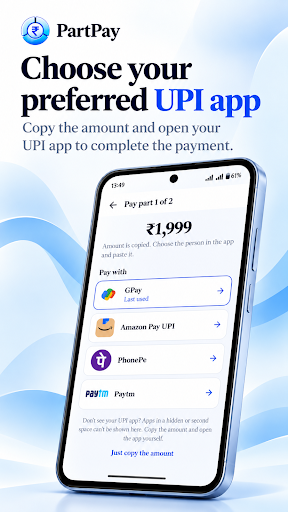
PartPay makes it easy to split a total amount into smaller payment parts and keep track of your progress. Enter the total amount and PartPay automatically creates a simple payment plan. Pay one part at a time using your preferred UPI app, then return to PartPay and mark the result. Key features: • Automatically split an amount into smaller parts • Pay and track one part at a time • Open your preferred installed UPI app • Automatically copy the payment amount for easy pasting • Mark each part as Paid, Failed, or Not sure • Optionally save a UTR for completed payments • Resume an unfinished payment plan later • Light and dark theme support How it works: 1. Enter the total amount. 2. PartPay creates the payment parts. 3. Choose your UPI app for the current part. 4. PartPay copies the amount and opens the selected app. 5. Choose the recipient and complete the payment in your UPI app. 6. Return to PartPay and confirm the result. 7. Continue with the next part. Important: PartPay is a payment planning and tracking tool. It does not process, execute, or verify UPI transactions. PartPay does not know who you pay and does not access your UPI PIN, bank credentials, or payment result. Payments are completed independently in the UPI app you choose. Your active payment plan and preferences are stored locally on your device.
More like this
- Top Finance on Google Play by estimated revenue
- PartPay UPI: Split & Pay alternatives
- PartPay UPI: Split & Pay vs Picnic Insurance
- PartPay UPI: Split & Pay vs Adyen Payments
- All top charts and categories