
Authenticator for All Accounts
ALLSOFTToolsGoogle PlayIn-app purchasesContains adsAuthenticator for All Accounts revenue and downloads, last 30 days
How we got this (14 inputs)
- signals
- free chart in 3 storefronts
- spread
- measured on downloads ground truth (downloads ground truth: 48 App Store milestones, 33 platform splits, 13 drift points)
- free at
- 1321 (TOOLS#184.7×7.2 (on 75% of the day's captures))
- free fr
- 849 (TOOLS#130.4×6.5)
- free ie
- 1072 (TOOLS#152.3×7 (on 75% of the day's captures))
- worldwide factor
- ×4.54 over the swept storefronts (fitted on Play counters)
- range scale
- ×0.88 (coverage scale on 9 ground-truth rows; publication is decided before it)
- likelyLow
- 12557
- likelyHigh
- 40537
- confidence
- medium
- observed days (of 30)
- 2
- measured days
- 0
- scaling
- observed days, scaled to 30
- bound
- at most the lifetime installs counter (55858) over 30 days: the 30-day figure is held there (the listing is 30 or more days old; installs in the last 30 days cannot exceed every install it ever had)
As of Nov 21, 2026.
How we got this (12 inputs)
- method
- installs in the window (all active on install day) + earlier installers active in the month (published retention ÷ the category's DAU/MAU stickiness) + the retained base of installers older than two years
- downloads per day
- 946.27 (200.9 to 1861.93, the published worldwide figure)
- retention
- day 1 / 7 / 30: 23.7% / 6.54% / 2.45% (Android benchmark × 1.17 for the category; AppsFlyer Q3 2024 day-1/7/30 retention, via getstream.io/blog/app-retention-guide (read 2026-11-16); category: OneSignal 2024 day-30 retention by category, via getstream.io/blog/app-retention-guide (read 2026-11-16))
- active days per install
- 5.53 over 506 days
- stickiness
- 17.5% DAU/MAU, Productivity & Tools median (MWM DAU/MAU medians, US iOS, May 2026 (mwm.ai/glossary/dau-mau, read 2026-11-16))
- parts
- window installs 28388 (the published 30-day downloads), earlier installers 18447, retained base 0
- spread
- downloads ×/÷3.04, retention ×/÷3, tail ×/÷1.53, stickiness ×/÷1.8 (assumptions; not fitted)
- chart persistence (recorded, not used)
- 5 day(s) on a chart in the window; fewer than 7 live days exist
- bound
- at most the listing's 55858 lifetime installs
- tier
- modelled: retention and stickiness are published benchmarks, not measured on this listing
- confidence
- low
- rough
- order of magnitude
As of Nov 21, 2026.
Daily active users
Modelled from this app's downloads and a published retention curve for its store and category, not measured. Read it as an order of magnitude.
History
Daily readings as we observed them, last 30 days worldwide. Free shows the last 30 days.
One reading so far: history starts Nov 23, 2026, and a trend line appears after the next daily reading.
Downloads per day
Observed by us since Nov 19, 2026.
Monthly history: we have found no public-archive copy of this store page from the last 12 months, so monthly readings start with our own in Nov 2026.
By country
30-day estimates per storefront, 3 storefronts.
Create a free account to save apps; Pro shows full history.
Chart positions
Where this app ranks on the top free, paid and grossing charts we capture.
Search terms
In-app purchases
Google Play shows one in-app price range per storefront, not each product's price. The range over time, as the store published it:
Brazil, BRL
- R$5.49 - R$42.99 per itemNov 23, 2026 to now
Prices
In-app purchase ladder, price changes and paywall terms
No itemised in-app prices yet. Google Play publishes only the price range shown above, not each product; the individual products and their prices have not been read.
Ratings and reviews
Rating distribution
No rating distribution read yet.
Recent reviews
Marketing
Paid ads, organic videos and onboarding captured for this app.
Paid ads
No Meta, Google or TikTok ads tied to this app yet. We check the public ad libraries daily.
Organic videos
No YouTube, TikTok or Instagram videos tied to this app yet.
Onboarding
No store screenshots, web funnel or in-app recording captured for this app yet.
Change history
Versions, price changes, rank jumps and listing edits, as we observed them.
Details
- Developer
- ALLSOFT, 10 apps
- Package
- com.totp.twofactor.authenticator
- Category
- Tools
- Price
- Free
- Released
- Jul 3, 2025
- Updated
- Jun 10, 2026
- Version
- 4.3
- Size
- -
- Content rating
- All ages
- Website
- allsoftvietnam.com
- Contact email
- admin@allsoftvietnam.com
- Privacy policy
- allsoftvietnam.com/privacy-policy
- Languages
- Not available
- Charted in
- Brazil, France, Ireland, Austria
- First seen
- Nov 19, 2026
- Listing read
- Nov 23, 2026
Show store descriptionShow less
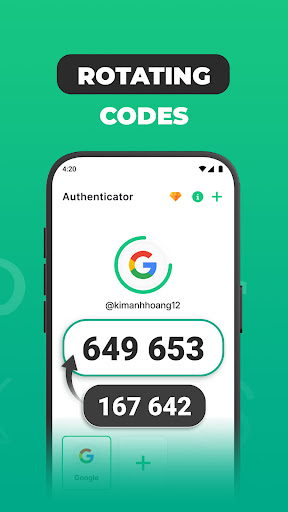
Free Authenticator for All Accounts Protect all your online accounts Easily manage your verification codes and passwords in one place, 2FA Authenticator and a Password Manager in one secure app. Two-Factor Authentication (2FA) - Generate and manage time-based one-time passwords (TOTP / OTP) for any service that supports 2FA, such as Google, Facebook, Microsoft, Instagram, Dropbox, or any other account. - You can add accounts by scanning a QR code or entering a secret key manually - All generated codes are stored locally and work even without an internet connection Password Manager - Keep all your passwords safe in one secure vault with strong encryption, your data stays private and protected from unauthorized access - Easily add, edit, and organize your passwords, notes, and login details - Access them anytime with a single master password or fingerprint authentication Key Features of Authenticator - Supports Any Account: Works with Google, Facebook, Microsoft, Instagram, Dropbox, and all services that use 2FA or OTP codes - Offline 2FA Codes: Generate and use one-time passwords (TOTP) even without an internet connection. - Secure Password Vault : Store and organize all your passwords safely with encryption - Backup & Restore: Easily back up your authentication data and restore it on a new device - Easy Setup: Quickly add new accounts by scanning a QR code or entering a setup key manually. - Autofill Support: Automatically fill in usernames and passwords for each app or website with one tap What is 2FA & TOTP? - Two-Factor Authentication (2FA) adds an extra layer of protection to your online accounts. Instead of relying only on a password, 2FA requires a verification code that changes every few seconds. - These codes are generated using the Time-Based One-Time Password (TOTP) standard – the same method used by Google Authenticator, Microsoft Authenticator and other secure apps How to Enable 2FA on your online account 1. Open the website or app of the service you want to secure (e.g., Google, Facebook, Instagram, Microsoft, etc.). 2. Go to Security Settings or Account Settings. 3. Find and select the option Two-Factor Authentication (2FA) or Login Verification. 4. Choose the Authenticator App method when prompted. 5. A QR code or secret key will appear on your screen Add the account to Authenticator 1. Open Authenticator for All Accounts on your device. 2. Tap Add Account (+). 3. Choose one of the following options: - Scan QR Code: Point your camera at the QR code displayed on the service’s website. - Enter Setup Key: Manually type or paste the secret key. 4. The app will automatically generate a 6-digit verification code (OTP/TOTP) for that account. 5. Go back to the website or app and enter the code to complete the 2FA setup. 6. Once confirmed, your account is now protected with two-factor authentication. Thank you for using our Authenticator. For any support or feedback, please contact us at admin@allsoftvietnam.com


More like this
- Top Tools on Google Play by estimated revenue
- Authenticator for All Accounts alternatives
- Authenticator for All Accounts vs FF Sensi Max
- Authenticator for All Accounts vs Tesor
- All top charts and categories


