
PDF Converter - Images To PDF
Premium Quality AppsProductivityGoogle Play$0.49PDF Converter - Images To PDF revenue and downloads, last 30 days
History
Daily readings as we observed them, last 30 days worldwide. Free shows the last 30 days.
One reading so far: history starts Nov 22, 2026, and a trend line appears after the next daily reading.
Monthly history: we have found no public-archive copy of this store page from the last 12 months, so monthly readings start with our own in Nov 2026.
Create a free account to save apps; Pro shows full history.
Chart positions
Where this app ranks on the top free, paid and grossing charts we capture.
Search terms
No search terms read for this app yet. Terms are read from its title and the searches it shows up in, and appear here once ranked.
In-app purchases
Prices
In-app purchase ladder, price changes and paywall terms
No in-app prices recorded yet. We read them from the store listing: either this app sells none, or its listing has not been read yet.
Ratings and reviews
Rating distribution
No rating distribution read yet.
Recent reviews
Marketing
Paid ads, organic videos and onboarding captured for this app.
Paid ads
No Meta, Google or TikTok ads tied to this app yet. We check the public ad libraries daily.
Organic videos
No YouTube, TikTok or Instagram videos tied to this app yet.
Onboarding
No store screenshots, web funnel or in-app recording captured for this app yet.
Change history
Versions, price changes, rank jumps and listing edits, as we observed them.
Details
- Developer
- Premium Quality Apps, 12 apps
- Package
- quality.premium.pdfconverter
- Category
- Productivity
- Price
- $0.49
- Released
- Nov 28, 2021
- Updated
- Oct 20, 2026
- Version
- 6.0.0
- Size
- -
- Content rating
- Everyone
- Contact email
- premiumqualityapps.com@gmail.com
- Languages
- Not available
- Charted in
- United States
- First seen
- Nov 22, 2026
- Listing read
- Nov 22, 2026
Show store descriptionShow less
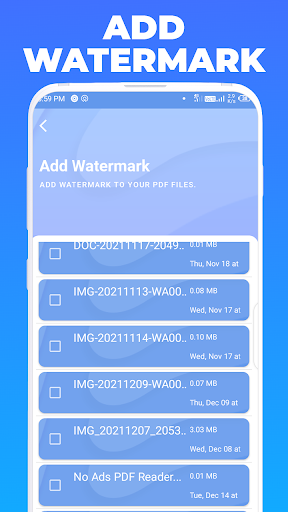
PDF Converter & PDF Tools - No Ads - Privacy Friendly - Qr & Barcode PDF Converter Pro - Lite free app is very comprehensive tool to perform various operation on pdf files. This is one of the best in productivity category and must have app. Privacy Friendly This app doesn't collect or share any user data. It doesn't even need an internet connection. It is a wholly contained app using only the files contained within it. App Features 1.Image To PDF 2.Text To PDF 3. QR & Barcode 4. Excel To PDF 5. Add Watermark 6. History 7. View File 8. History 9. No Ads 10. Show Page Number 11. Page Color 12. Create Greyscale PDF 13. Easy To Use 14. Privacy Friendly 15. Set password You can set passwords to protect your PDF files, and encrypt confidential files to be shared to prevent others from peeking at them. 16. Compress PDF files Support to reduce PDF size through compression. Set the image quality - low, medium, high, and original as needed. 17. Share converted PDF files Easily send and share converted PDF files via social media, Bluetooth, Email, quick share, etc. 18. Excel To Pdf Excel to pdf converter provides the facility for their user to handle their excel file in mobile phone for pdf conversion with a simple method. Today in fast grooming word one person handle multiple works on a smartphone so everyone easily converts excel to pdf and pdf to excel document to view Xls workbook as a pdf. FAQ: 1. Is There a limit on number of images i can add at once to create a PDF? Ans: No, there Are No Restriction. 2. What Images File Formats are supported? Ans: The App support JPEG,JPG,TIFF,GIF,PSD,BMP,EPS,PNG,ETC.




More like this
- Top Productivity on Google Play by estimated revenue
- PDF Converter - Images To PDF alternatives
- PDF Converter - Images To PDF vs PDF Reader: View Documents
- PDF Converter - Images To PDF vs Smart Transfer: Copy My Data
- All top charts and categories
Similar apps
PDF Reader: View DocumentsCrow Drama Studio
Smart Transfer: Copy My DataDigiGen Apps
Smart Switch App File TransferCoddeX Studio
AI Voice Changer: TTSMatechmobile Global
AI Translate: Voice & CameraSING HUI PTE. LTD.
PDF Reader: Converter & EditorStyle Of Me - VTN Global
Clean TurboFreeTree Studio
PDF Reader & Document ViewerOSIAS CAPITAL